
Services
Add what customers can book, with its length, buffer time, price, places and colour.
A service is anything customers can book: a consultation, a class, a treatment, a repair drop-in. Manage them under Bookline → Services, on WordPress's own list and edit screens.
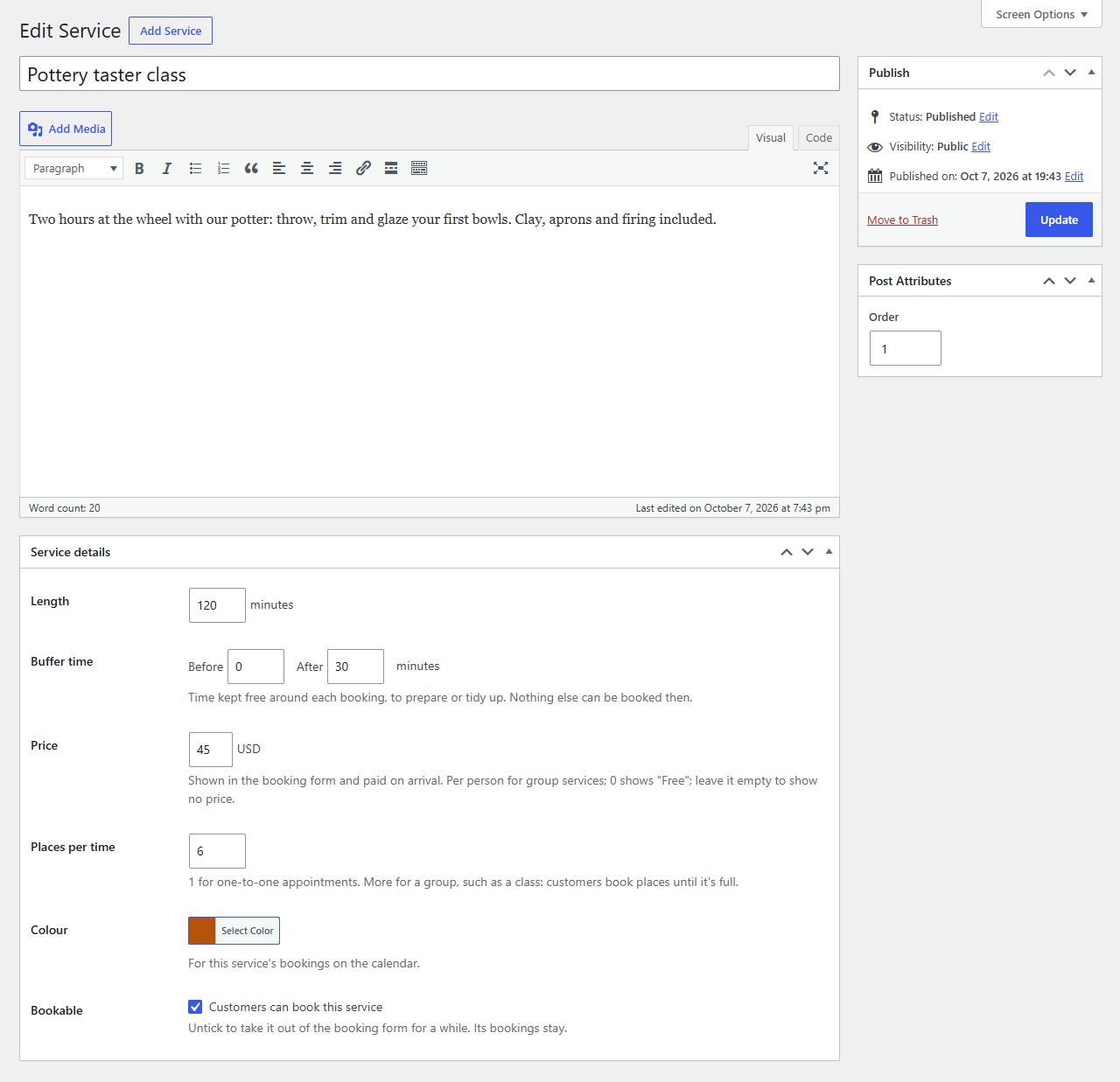
Add a service
- Go to Bookline → Services → Add Service.
- Enter its name and a short description. Customers see both in the booking form.
- Fill in the Service details box and click Publish.
| Field | What it does |
|---|---|
| Length | How long one booking lasts, in minutes. |
| Buffer time | Minutes kept free before and after each booking, to prepare or tidy up. Nothing else can be booked then. |
| Price | Shown in the form and emails, paid on arrival. For group services it's per person. 0 shows "Free"; leave it empty to show no price. The currency is set under Settings → General. |
| Places per time | 1 for one-to-one appointments. More for a group, such as a class: customers book places until it's full. |
| Colour | The service's colour on the calendar. |
| Bookable | Untick to take the service out of the booking form for a while. Its bookings stay. |
The Order box sets the order services are listed in the form (lowest first).
One-to-one and group services
With Places per time at 1, a booking takes the whole time. With more places, several customers can book the same start time, each for one or more people ("How many people?" in the form), until the places run out. The form shows how many places are left, and the calendar shows a class as one block: "4 of 6 places".
Bookings at the same time
By default, one booking at a time: a class makes its time busy for a consultation too. If your services run side by side, change Bookings at the same time (see Schedule and days off).
Changing or removing a service
Changes apply to new bookings; existing bookings keep their times. A service moved to the Trash disappears from the form, and its bookings show "(deleted service)". Untick Bookable instead if you might bring it back.