
Taking bookings
Recurring bookings
Let customers book the same time every week or every few weeks, with every date checked.
Note
This is part of Bookline Pro.
Allow it for a service
On the service's page, set Repeats to the most times customers can book in one go (for example 8 for an eight-week course). 0 (the default) means one booking at a time.
What customers do
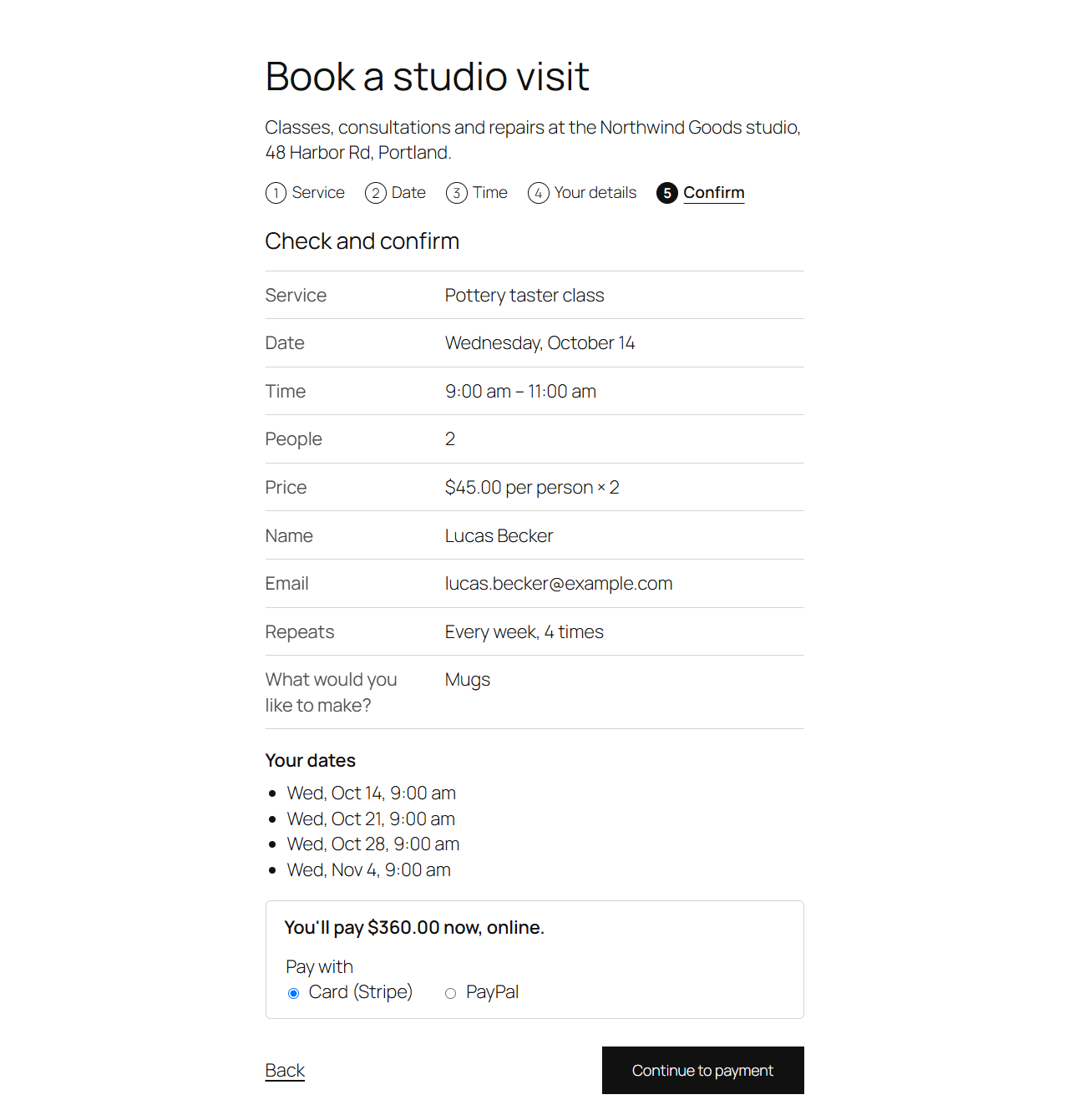
In "Your details", they choose Repeat: Just this once, Every week, Every 2 weeks or Every 4 weeks, and How many times in all. The confirm step lists every date; dates that aren't free are crossed out and will be left out.
What's booked
- Each date is a booking of its own, at the same wall-clock time (also across daylight saving changes), with the same staff member, people and answers.
- Later dates can go beyond your booking window; each is checked against your opening hours, days off and other bookings.
- Dates that aren't free are skipped, and the customer is told which.
- One set of emails, for the first date, listing every date ("Repeats").
- With online payment, the whole series is paid at once.
On each booking's screen, the Series box links the other dates. Change or cancel them one by one; customers can too, from each booking's link.