Reminders
Reminder emails before each booking, a follow-up after, and completing past bookings on their own.
Note
This is part of Bookline Pro.
When they go
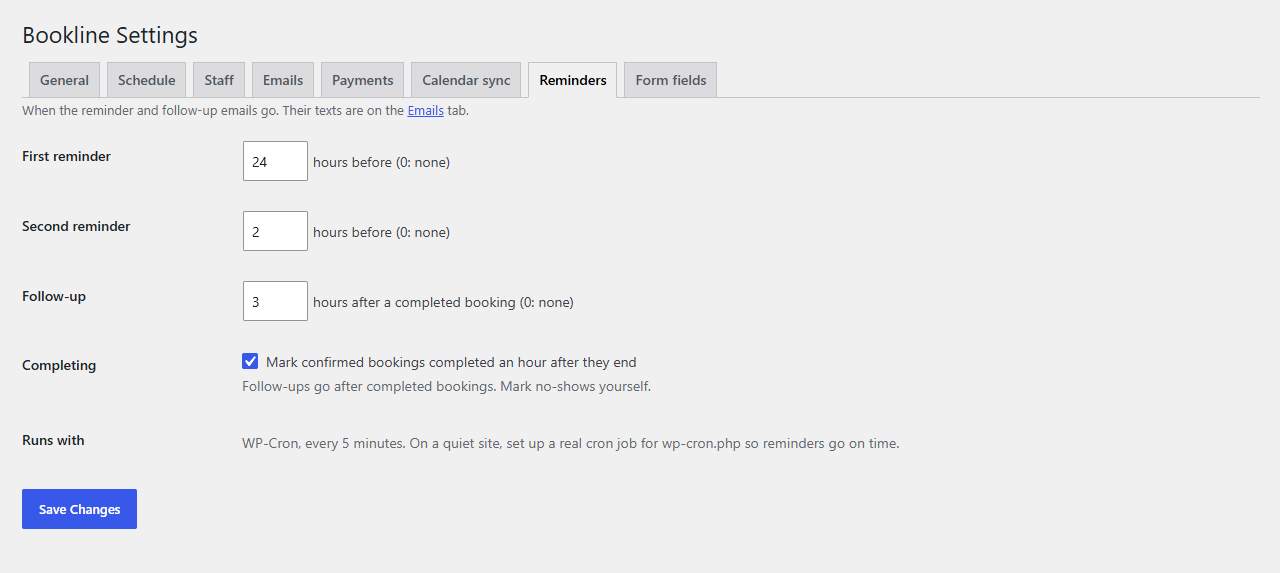
Under Bookline → Settings → Reminders:
| Setting | Default | |
|---|---|---|
| First reminder | 24 hours before | 0 for none |
| Second reminder | 1 hour before | 0 for none |
| Follow-up | 2 hours after | after a completed booking; 0 for none |
| Completing | on | confirmed bookings become completed an hour after they end |
Reminders go to confirmed bookings only, once each. A booking that moves is reminded again for its new time. A booking made after its first reminder time (an hour before, say) gets only the second.
Their text
The Reminder and Follow-up emails are on Settings → Emails with Bookline's own: change their subject, heading and text the same way. {time_until} gives "tomorrow at 10:00 am", "today at 3:00 pm" or "on Friday, October 9 at 9:00 am".
How they're sent
Every five minutes, in the background: with Action Scheduler when your site has it (WooCommerce and many plugins include it; see Tools → Scheduled Actions, group "bookline-pro"), otherwise with WP-Cron. WP-Cron only runs when someone visits the site, so on a quiet site set up a real cron job for wp-cron.php to keep reminders on time.