
Folders in media pickers
The folder filter in the Add Media window, featured images and the block editor's pickers, and uploading into a folder from there.
Wherever WordPress opens a media window to pick files, Folderline adds a folder filter to its toolbar, next to WordPress's own type and date filters:
- the block editor's Image, Gallery, Cover, Media & Text, Audio, Video and File blocks (Media Library button),
- the featured image,
- the classic editor's Add Media button,
- other plugins that use WordPress's media window (page builders, WooCommerce product images and so on).
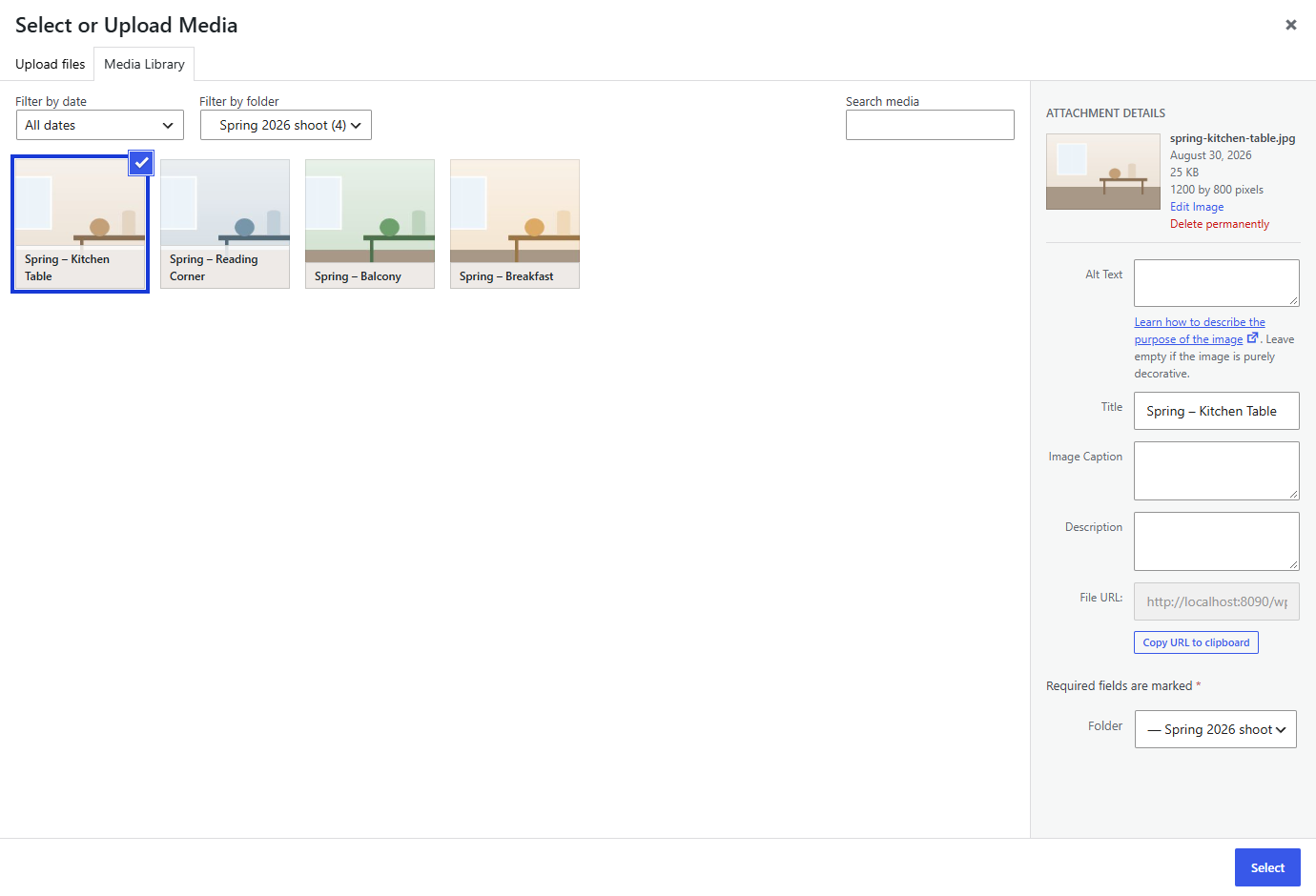
The filter lists All folders, Unsorted and your folders, indented to show which are inside which, each with its number of files. Choose a folder to see only its files; search and the other filters then work within it.
Uploading from a media picker
Choose a folder in the filter, then switch to the Upload files tab and upload: the files go into that folder, and appear in it straight away.
With All folders chosen, uploads go into the default folder from Media → Folder Settings (or stay unsorted).
The Folder field
Click a file in a media picker and its details on the right include a Folder field. Change it to move the file; it's saved straight away.