
Sorting files
Sort the Media Library by file name, date, size or title, remembered for each person.
Note
This is part of Folderline Pro.
The Media Library normally shows the newest files first. Folderline Pro adds a sort menu at the top of the folder panel.
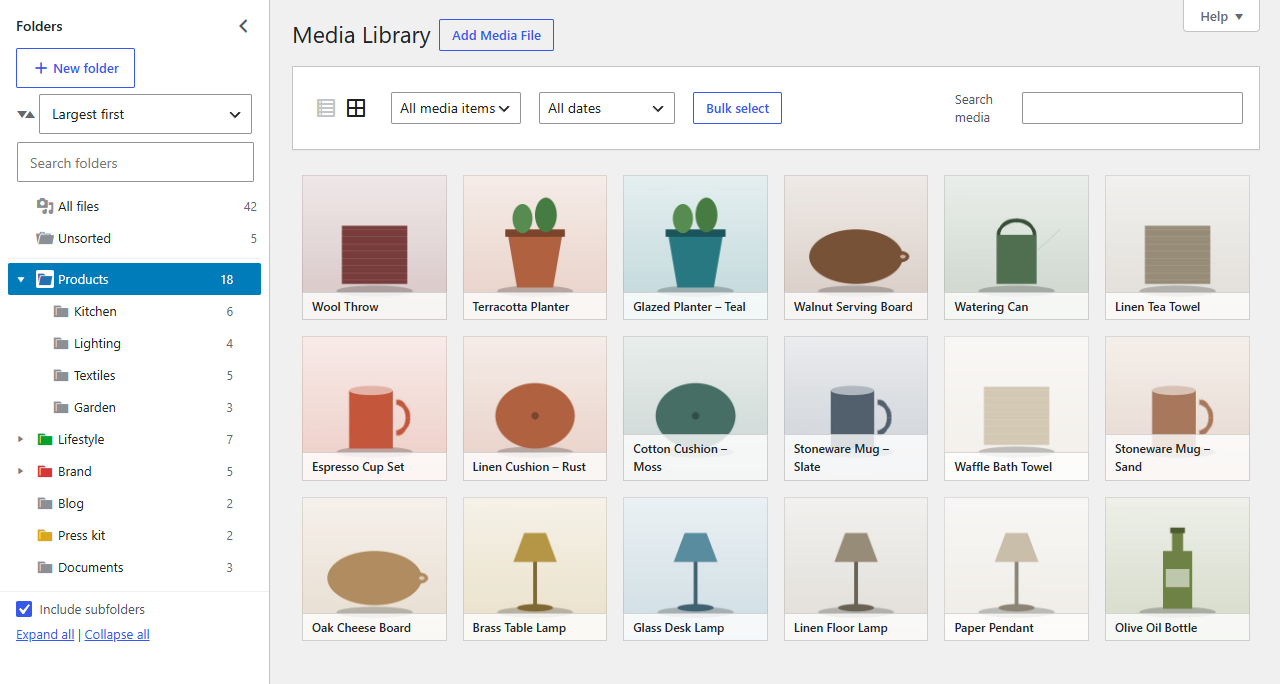
The sorts
| Choice | Order |
|---|---|
| Newest first / Oldest first | By upload date |
| File name (A–Z / Z–A) | By the uploaded file's name, such as walnut-board.jpg |
| Title (A–Z / Z–A) | By the title in the file's details |
| Largest first / Smallest first | By file size |
The sort applies to whatever is open, a folder, Unsorted or All files, in both the grid and the list view. Folderline Pro remembers your choice, so the Media Library opens sorted the way you left it. Everyone has their own.
In the list view, clicking a column header (such as Date or File) sorts by that column for the moment, as in WordPress.
File sizes
Folderline Pro keeps each file's size for sorting. New uploads have it straight away. For files uploaded before Folderline Pro was activated, it fills the sizes in the background shortly after activation, a few hundred at a time; until then, files without a size are listed last when sorting by size.