
Discount rules
Testing discounts
Try your rules on a made-up cart and customer, and see why each rule applies or doesn't.
Note
This is part of Discountline Pro.
Marketing → Test discounts runs your published rules on a cart you make up, for a customer you describe. Nothing is saved, and no real cart changes, so it's safe on a live store.
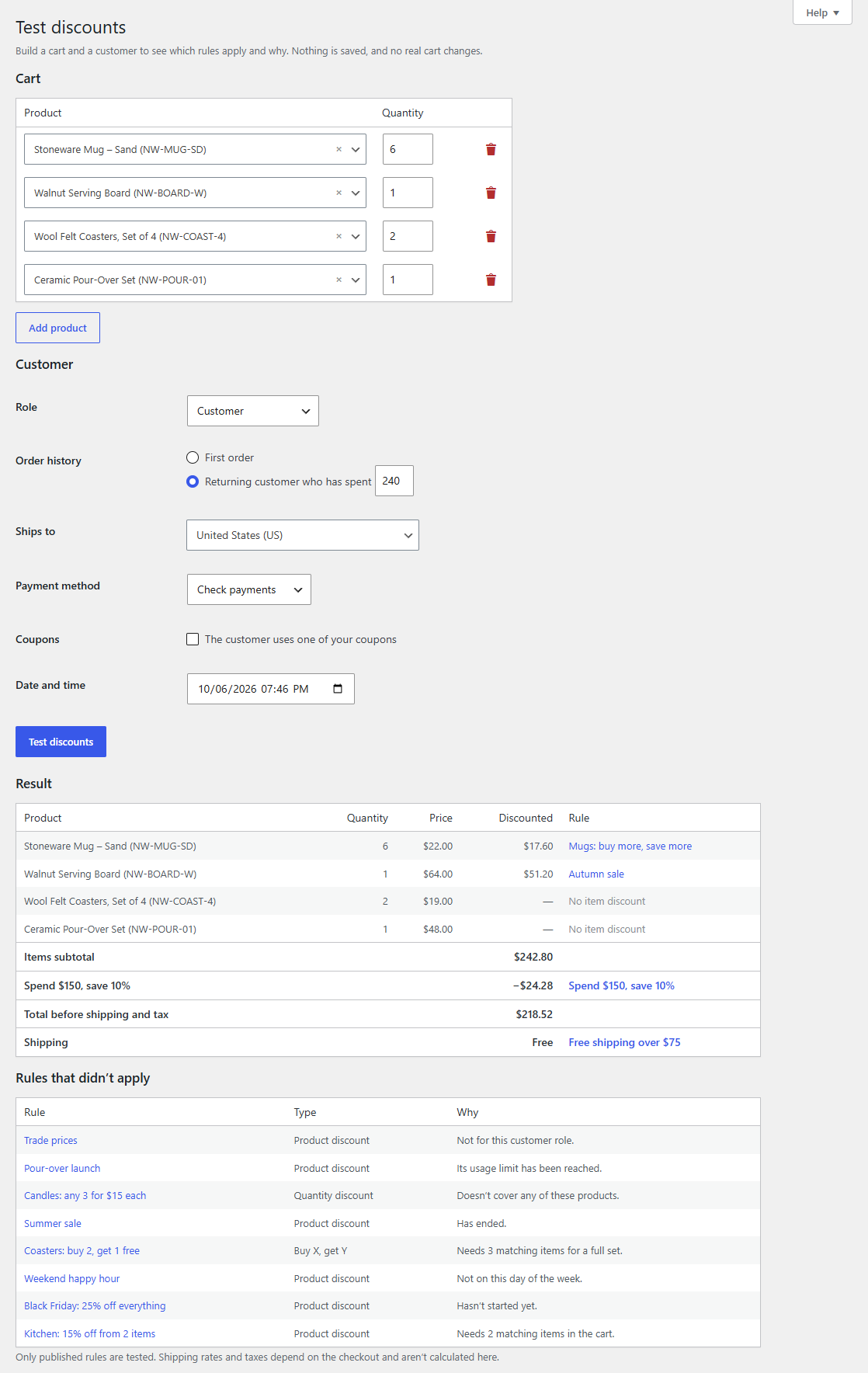
Run a test
- Cart: search for products (or variations) and set quantities. Add product for more lines.
- Customer:
- Role: a guest, or any user role.
- Order history: a first order, or a returning customer who has spent a given amount.
- Ships to: the shipping country.
- Payment method, or "Not chosen yet".
- Coupons: tick if the customer uses one of your coupons.
- Date and time: try a sale before it starts, a happy hour, or a weekend.
- Click Test discounts.
The result
- Each line: the price, the discounted price and the rule that gives it.
- The totals: the items subtotal, each order discount and buy X, get Y by name, whether shipping is free, and the total before shipping and tax.
- Rules that didn't apply, each with the reason, for example:
- "Not for this customer role."
- "Matching items total $54.00; it needs $100.00."
- "The quantity is below its first tier (5)."
- "Needs 3 matching items for a full set."
- "Another rule gives a lower price."
- "Hasn't started yet."
Shipping rates and taxes depend on the real checkout, so they aren't calculated here. Only published rules are tested. To try a rule before customers see it, give it a start date in the future and test with that date and time.