
How discount rules work
Rule types, what happens when rules overlap, priorities, and managing rules from the list.
Every discount in Discountline is a rule under Marketing → Discount rules, next to WooCommerce's Coupons. The same people who can manage coupons can manage rules.
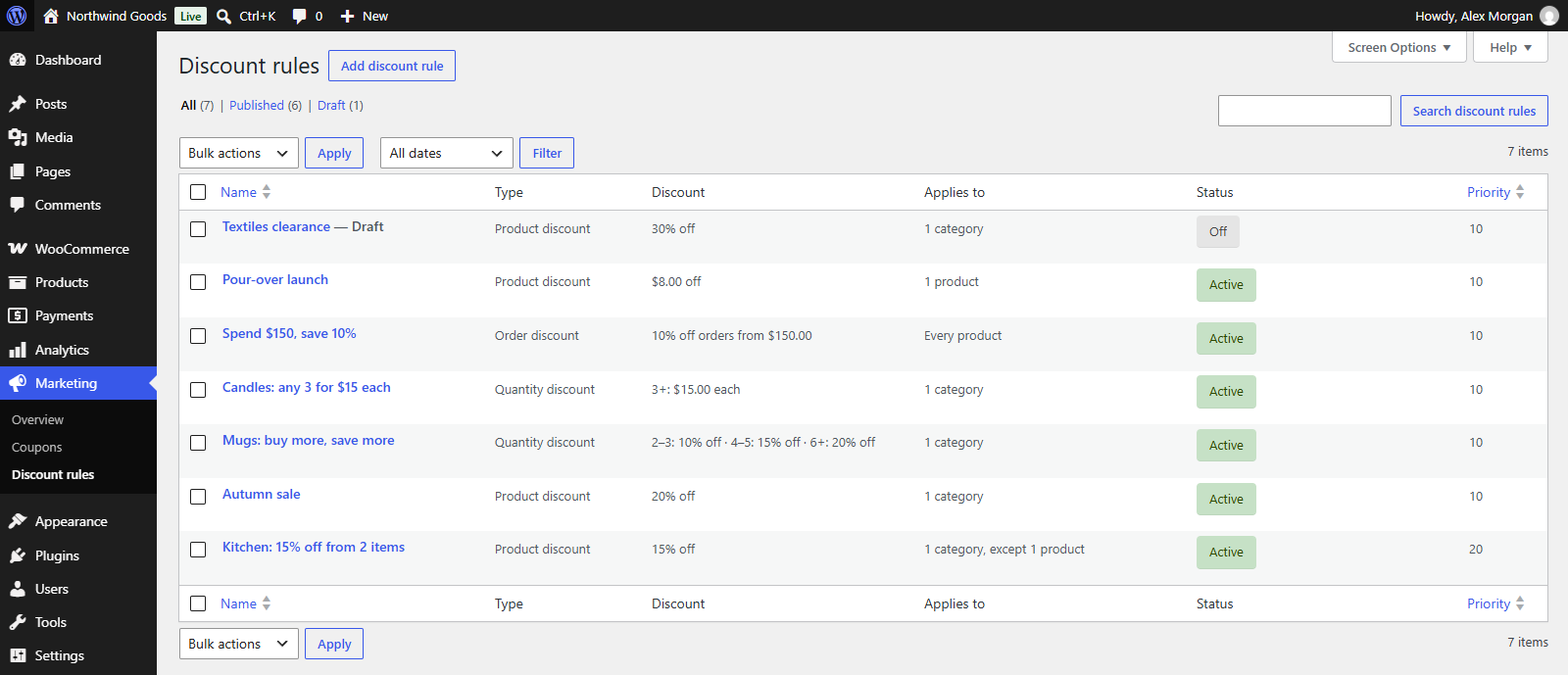
Rule types
| Type | What it does | Where shoppers see it |
|---|---|---|
| Product discount | Matching products cost less: a percentage off, an amount off, or a fixed price. | As a sale price in the shop, on product pages and in the cart. |
| Quantity discount | The price per item depends on how many are in the cart, in tiers. | A price table on the product page; the tier price in the cart. |
| Order discount | Money off the order once the matching items reach a minimum spend. | A discount line in the cart and checkout, by the rule's name. |
When rules overlap
Discounts don't stack. Each item gets one item discount (a product or quantity discount), and each order gets one order discount.
Which one wins is a store-wide setting under WooCommerce → Settings → Products → Discount rules → When rules overlap:
- Give customers the biggest discount (the default): the rule that gives the lowest price for the item, or the biggest saving on the order.
- Use the rule with the highest priority: the first rule that applies, by its Priority number (in the rule's Advanced box; lower numbers come first). Rules with the same priority go by age, oldest first. The rule list shows rules in this order; click a column heading to sort it another way.
An item discount and an order discount can both apply: the order discount is then worked out on the already discounted prices.
Turning rules on and off
A rule applies while it is published. In the list:
- Turn off moves a rule to draft without opening it; Turn on publishes it again. Like publishing a coupon, turning a rule on needs the permission to publish coupons; people without it don't see Turn on.
- Duplicate makes a switched-off copy with the same settings, a handy start for a similar promotion.
The Status column shows Active for published rules and Off for drafts.
Display name
Customers see a rule's Display name (in the Discount box) in the cart, at checkout, on their order and above the quantity price table. Left empty, it is the rule's name.
Rules that need Discountline Pro
If you used Discountline Pro and it isn't active, rules that use its rule types (Buy X, get Y; Free shipping) or its conditions (such as customer roles or end dates) show Needs Discountline Pro and don't apply. See Troubleshooting for why, and what you can do.