
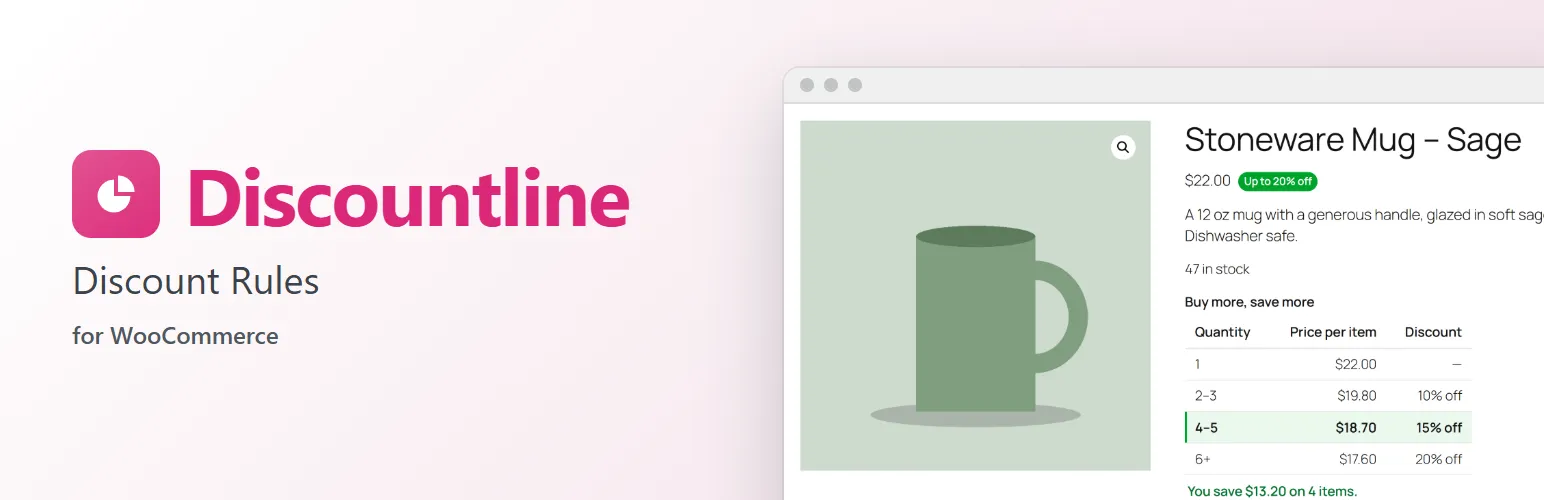
Discountline adds the discounts stores ask for most, applied automatically: no coupon codes for customers to remember, and nothing to set up beyond the rule itself.
Product discounts
Take a percentage or an amount off, or set a fixed price, for any products or categories. Shoppers see it as a sale price in the shop and on product pages, with the regular price struck through.
Quantity discounts
"5–9 for 10% off each, 10 or more for 20% off." A price table on the product page highlights the tier for the quantity being chosen and shows what the customer saves. Count each cart line on its own, all variations of a product together, or every matching item together for mix-and-match deals ("any 6 candles").
Order discounts
"Spend $100, save 10%" or "$15 off orders over $150", counted on the products you choose. Applied automatically once the cart qualifies and removed if it no longer does. Under the hood it is a WooCommerce coupon, so taxes, order records and reports work as usual.
Badges
Badges next to prices in the shop and on product pages: "−25%", "Save $5.00", "Up to 20% off" for quantity tiers, or your own text.
Choose what each rule covers
- Products and categories, with excluded products and categories. Leave both empty for the whole store.
- Skip items that are already on sale.
- A minimum number of matching items in the cart.
- Turn a rule off when the customer uses one of your coupons.
Clear for shoppers and staff
- The discount's name shows under each cart item, in the classic cart and the Cart and Checkout blocks, and on the order.
- The original price shows struck through in the cart.
- Order discounts are listed by the rule's name, without a remove button, in the classic cart and the Cart and Checkout blocks.
- Each order line records the rule and the price before the discount.
- When rules overlap, customers get the biggest discount, or the rule with the highest priority if you prefer. Discounts don't stack.
Easy to manage
- A live summary of each rule in plain language while you edit, with an example price table for quantity tiers.
- Warnings for overlapping or missing quantity tiers.
- Turn rules off and on, or duplicate them, straight from the list.
Works with the Cart and Checkout blocks, the classic cart and checkout, block and classic themes, and High-Performance Order Storage.
For developers
Rule types and conditions are registered, not hard-coded: discountline_rule_types, discountline_conditions, discountline_unit_price, discountline_order_saving and discountline_rule_summary let a plugin add its own, and discountline_editor_sections, discountline_editor_rows and discountline_summary_box give them a place in the rule editor. discountline_loaded fires once Discountline has loaded.
Discountline Pro
The separate Discountline Pro add-on adds buy X, get Y and free shipping rules; conditions for customer roles, first or returning customers, lifetime spend, shipping countries, payment methods, dates, days and times of day; countdowns; cart nudges ("Add 1 more to get it free"); usage limits with each rule's results; and a discount tester. Everything described above works without it. See extendiment.com/plugins/discountline.