
Customers and schedule
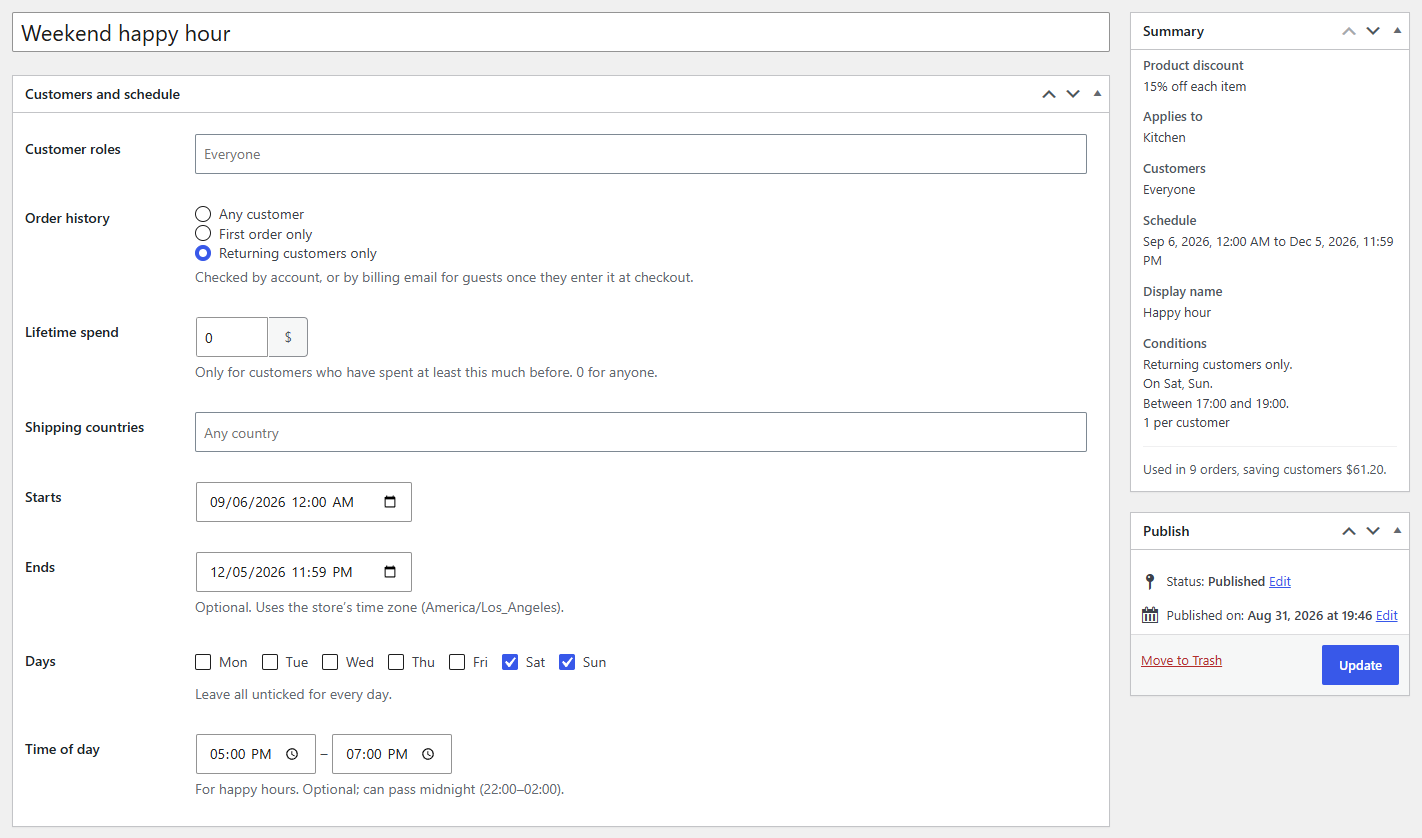
Limit a rule to customer roles, first or returning customers, big spenders, countries or payment methods, and to dates, days and times.
Note
This is part of Discountline Pro.
Discountline Pro adds a Customers and schedule box to every rule, a Payment methods field to Cart and checkout, and Usage limits to Advanced. Every condition narrows who gets the discount, and when; leave one empty and it doesn't limit the rule.
Who
| Condition | Examples |
|---|---|
| Customer roles | "Wholesale customer" for trade prices; Guest (not logged in) for shoppers without an account. Roles come from WordPress, including ones a role editor plugin adds. |
| Order history | First order only ("$10 off your first order") or Returning customers only. Checked by account, or by billing email for guests once they enter it at checkout. |
| Lifetime spend | "VIP: customers who have spent $500 or more". Counts paid orders before this one. |
| Shipping countries | The country the order ships to (or the billing country when there's no shipping address yet). |
| Payment methods | "5% off with bank transfer". Applies once the customer chooses the method at checkout; the totals update when they switch, in the classic checkout and the Checkout block. |
When
| Condition | Notes |
|---|---|
| Starts / Ends | A date and time in your store's time zone (shown under the field). A rule that hasn't started shows Scheduled for (date) in the list; one that has ended shows Expired. |
| Days | Tick the days the rule runs; none ticked means every day. |
| Time of day | "Happy hour" from and to. A window can pass midnight (22:00–02:00). |
A rule ending within a week shows a countdown on the product page; see Countdowns and nudges.
Shop prices and conditions
Product discounts show as sale prices in the shop for the customer browsing: a guest doesn't see wholesale prices, and a sale that hasn't started isn't shown yet. Payment methods, like Minimum items, can only be judged in the cart, so rules with them never show as shop prices.
Checking a rule
The Summary box lists the conditions in plain words ("Returning customers only.", "On Sat, Sun.", "Between 17:00 and 19:00."). To see exactly why a rule does or doesn't apply for a given customer, use Test discounts.