
Choosing products
Limit a rule to products or categories, exclude some, skip sale items, and require a minimum number of items.
The Applies to box decides which products a rule covers. The Cart and checkout and Advanced boxes add conditions that turn the rule on or off.
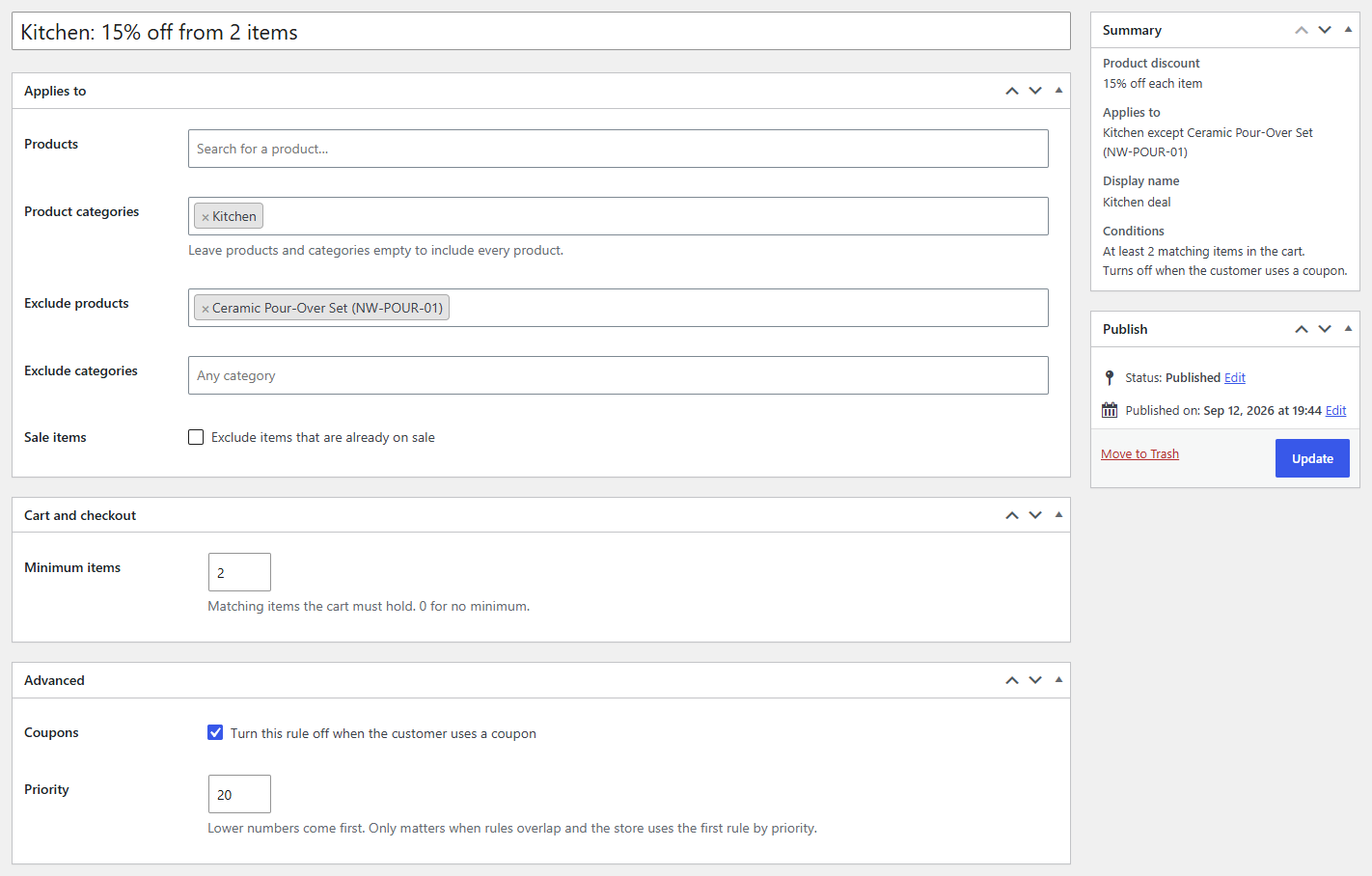
Products and categories
- Products: search by name or SKU. Choosing a variable product covers all its variations; you can also pick single variations.
- Product categories: every product in the category. A variation counts as being in its product's categories.
Choose products, categories or both: the rule covers anything in either list. Leave both empty to cover every product.
Exclusions
- Exclude products and Exclude categories take products out of the rule, even when they're in a chosen category. Handy for "everything except gift cards".
- Sale items: Exclude items that are already on sale skips products with a WooCommerce sale price, so a discount never comes on top of a sale.
Minimum items
In Cart and checkout, Minimum items is the number of covered items the cart must hold, e.g. 2 for "15% off kitchen items when you buy two or more". Rules with a minimum depend on the cart, so they don't show as sale prices in the shop.
Coupons
In Advanced, Turn this rule off when the customer uses a coupon keeps the rule from combining with your own WooCommerce coupons.
The summary
The Summary box lists what the rule applies to ("Every product except Gift cards") and its conditions ("Skips items already on sale.", "At least 2 matching items in the cart.") as you change them.