
Countdowns and nudges
A live countdown when a sale ends soon, and cart messages that tell customers what they're close to.
Note
This is part of Discountline Pro.
Countdown
When a product, quantity or buy X, get Y rule covering a product ends within a week, the product page shows a live countdown above the Add to cart button: "Autumn sale ends in 2d 04:12:33".
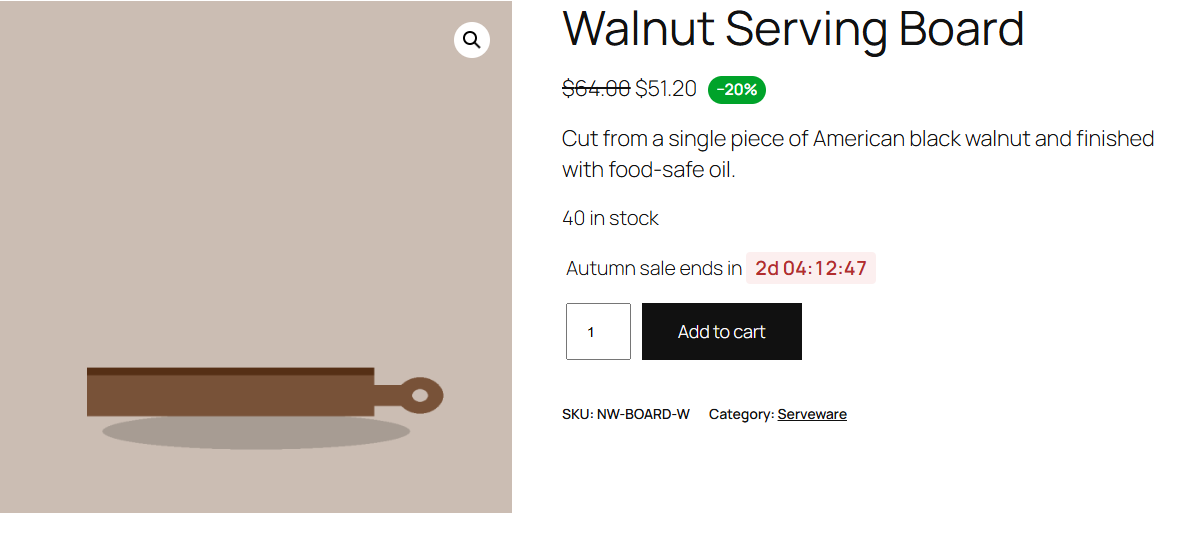
- The end is the rule's Ends date (see Customers and schedule). When several rules end soon, the one ending first counts down.
- It ticks every second and shows "Ended" when time runs out.
- Turn countdowns off under WooCommerce → Settings → Products → Discount rules → Countdown.
Developers can change the one-week window with the discountline_countdown_window filter (in seconds).
Nudges
The cart and checkout show up to three discounts the customer is close to, closest first:
| Rule | Nudge |
|---|---|
| Quantity discount | "Add 2 more Stoneware Mug to save 20% each." |
| Order discount | "Add $15.00 more to get 10% off your order." |
| Free shipping | "Add $20.00 more for free shipping." |
| Buy X, get Y | "Add 1 more Wool Felt Coasters to get it free." |
They appear above the order total in the classic cart, and with the totals in the Cart and Checkout blocks, and disappear once the discount is reached. Only rules the customer could get show a nudge: a wholesale rule doesn't nudge a guest.
Turn nudges off under WooCommerce → Settings → Products → Discount rules → Nudges.