
Custom fields
Show custom fields as columns: plain custom fields, and fields made with ACF, Meta Box and Pods, with their types.
Note
This is part of Sheetline Pro.
Custom fields hold the extra details of your posts: a subtitle, a reading time, an event date, a client name. Sheetline Pro shows the ones you choose as columns, edited like any other cell.
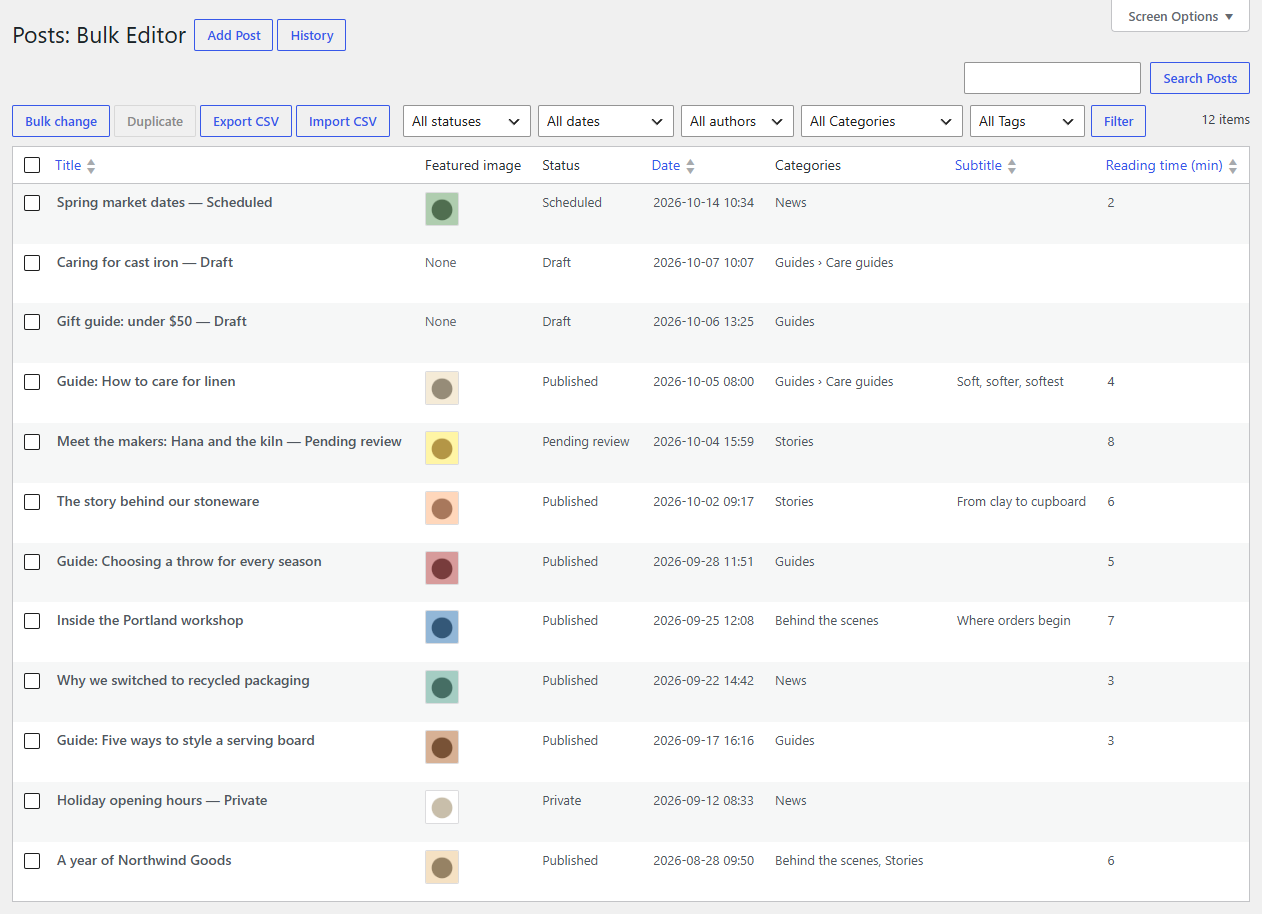
Choose the fields
- Go to Settings → Bulk Editor and find the table for the post type (Posts, Pages, and each custom post type with a Bulk Editor).
- Tick the fields to show. Change the Column title if you like.
- For a plain custom field, choose its Type.
- Click Save Changes.
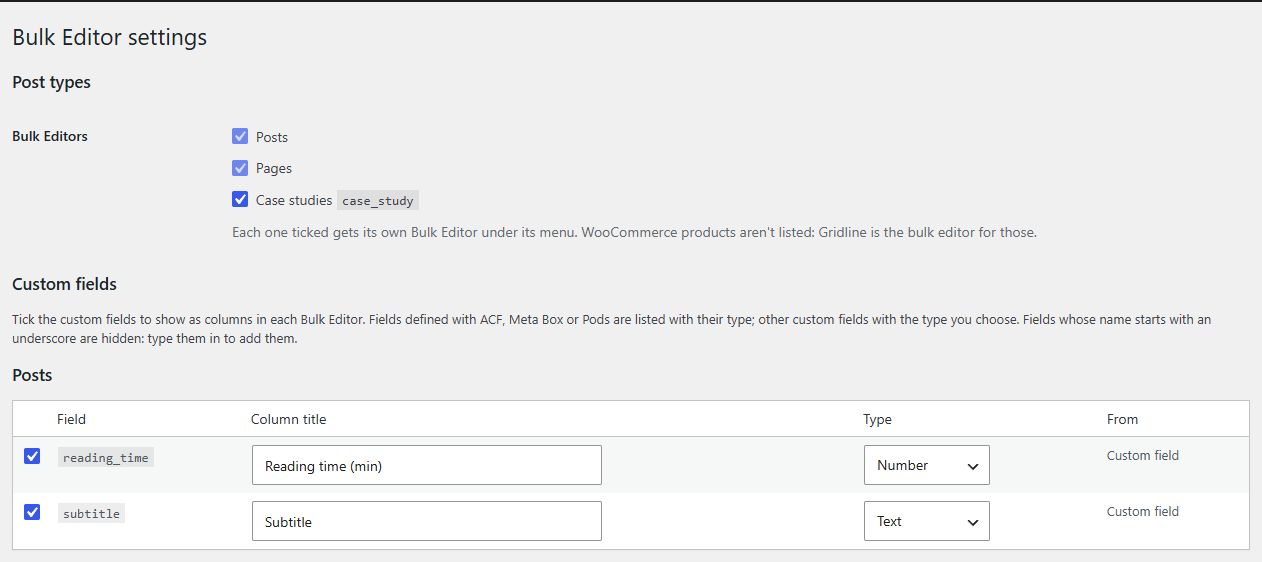
The columns appear at the end of that post type's grid. Hide and show them in Screen Options as usual, and sort by them by clicking their heading.
Where the list comes from
- ACF (Advanced Custom Fields), Meta Box and Pods: while one of them is active, the fields it defines for the post type are listed with their own type. Sheetline Pro saves them as that plugin does: ACF fields through ACF itself, so they stay linked to their field definition.
- Other custom fields: the custom field names already used on that post type's posts (up to 100).
- Fields whose name starts with an underscore (such as
_internal_note) are hidden on purpose: WordPress and plugins keep their own data that way. To edit one anyway, type its name in Add fields by name. Only add fields you know are safe to edit.
Types
| Type | Edited with | Saved as |
|---|---|---|
| Text | a text box | plain text (tags removed) |
| Long text | a larger text box | text with safe HTML (all HTML for administrators) |
| Number | a text box | a number; letters are refused |
| Date | a date picker | 2026-11-02 (ACF's date picker: 20261102, as ACF stores it) |
| Date and time | a date and time picker | 2026-11-02 09:30:00 |
| Yes/No | a Yes/No dropdown | 1 or 0 |
| Choice | a dropdown of the field's choices (ACF, Meta Box, Pods) | the choice's value |
Emptying a cell removes the custom field from the post.
What isn't a column
Fields that hold more than one value (repeaters, galleries, relationships, multiple choices, cloneable fields) don't fit in a cell and aren't offered. A custom field that holds a list on some posts shows a dash on those posts.
Who can edit them
Whoever can edit the post, and (for fields not starting with an underscore) whose role may edit that custom field, as WordPress checks for its own Custom Fields box.
If a field plugin is switched off
The columns stay, with the type they had when you saved the settings, and keep reading and writing the custom fields directly.