
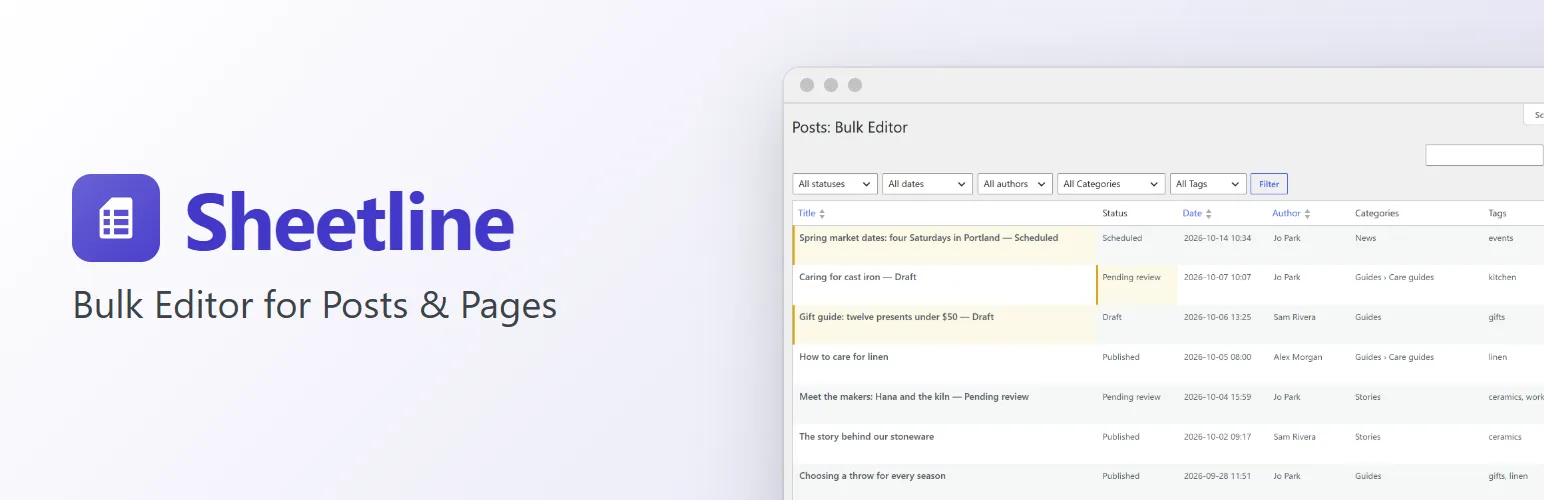
Stop opening posts one by one to fix a title or move them to another category. Sheetline puts your posts in one grid under Posts → Bulk Editor (and your pages under Pages → Bulk Editor): click a cell, type, press Tab to the next one, and save everything together.
Edit like a spreadsheet
- Click a cell to edit it, or move to it with the arrow keys and press Enter. Tab and Shift+Tab move along the row, Enter moves down the column, Esc cancels.
- Changed cells stay highlighted until you save them together, or discard them. Leaving the page warns you if anything isn't saved.
- A change that can't be saved (publishing without permission, a page made the parent of its own parent) stays on its cell with the reason. The rest of your changes are saved.
The fields you change most
- Title, slug and status (published, scheduled, pending review, draft, private).
- Date and time (a date ahead schedules the post), and author.
- Categories and tags, picked from a list with a filter box.
- Excerpt, in a larger text box over the cell.
- Parent and order for pages, comments on or off, sticky posts, and the post format and page template when your theme has them.
Find what you need
- Search titles and content.
- Filter by status, month, author, category and tag.
- Sort by title, slug, date, author, parent or order.
- Choose the columns you need and how many posts per page in Screen Options, as on WordPress's own lists.
- A Bulk Editor button sits next to "Add Post" on the Posts and Pages screens, and each row links to the post's edit screen and to the post itself.
Works the WordPress way
- Posts are saved through WordPress itself, as in the editor: changed titles and excerpts are kept in the post's revisions, a date ahead schedules the post, and other plugins' save hooks (caches, SEO, search) run.
- Respects every role: posts you can't edit are read-only, only people who can publish can publish, and only people who edit others' posts can change authors.
- A post someone has open in the editor shows a lock and isn't changed until they're done.
- Built from WordPress's list table and admin styles, so it looks like the rest of your admin. No WooCommerce or other plugin needed.
- Loads one page of posts at a time, so it stays quick with thousands of posts.
For developers
sheetline_columnsadds columns for any post type: a label, a type (text, long text, number, date, date and time, select, yes/no, terms, image, images or read-only), how to read the value and how to record a new one.sheetline_post_typesgives other post types a Bulk Editor of their own.sheetline_check,sheetline_list_args,sheetline_query_argsandsheetline_save_resulthook into checking, listing and saving, and the grid's JavaScript has a small API (window.sheetlineandwp.hooksfilters) for toolbar buttons and more.sheetline_loadedfires once Sheetline has loaded, for add-ons.
Sheetline Pro
The separate Sheetline Pro add-on adds a Bulk Editor for your custom post types, custom field columns (with ACF, Meta Box and Pods fields), featured images, SEO titles and descriptions (Yoast SEO, Rank Math, All in One SEO), bulk changes with a preview, undo and history, CSV export and import, and adding and duplicating posts in the grid. Everything described above is in this plugin and works without it. See extendiment.com/plugins/sheetline.