
Users with several roles
Give a user more than one role on their profile, when adding them, or for many users at once on the Users list.
WordPress lets a user have several roles, but its screens only offer one. Roleline adds the rest. A user with several roles has every capability of each of them.
On a user's profile
Open a user under Users and look for Roles: instead of WordPress's single dropdown there's a checkbox for every role you may hand out. Tick the roles they should have and click Update User.
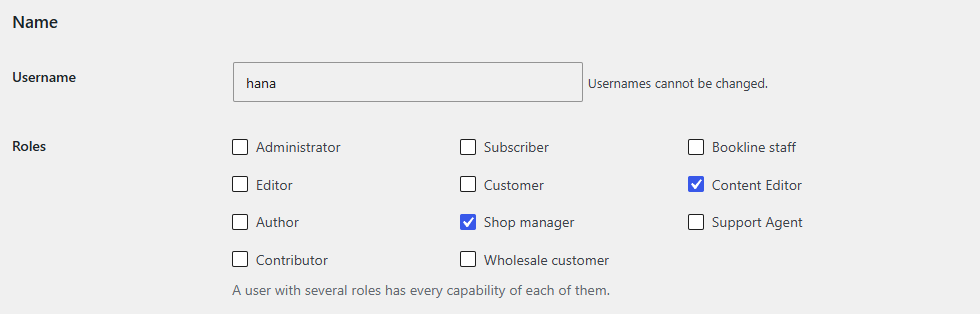
- Roles you can't hand out (because they have capabilities you don't have) are shown, but can't be changed.
- On your own profile your roles are listed but can't be changed, as in WordPress.
- You can't take away your own roles if that would remove what you need to manage users and roles, your
manage_options, or (if you aren't an administrator) any capability you couldn't give yourself back.
When adding a user
Users → Add New User keeps WordPress's Role dropdown and adds Additional roles below it.
For many users at once
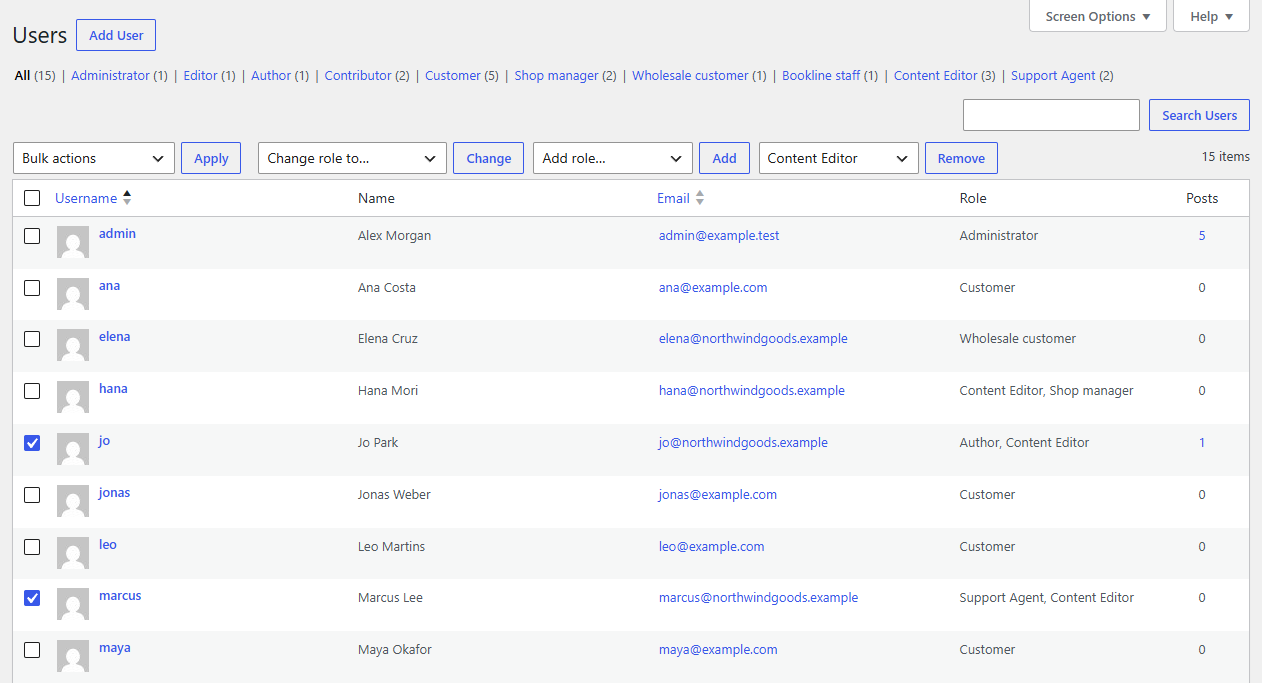
On the Users list, next to WordPress's "Change role to…" (which replaces every role), Roleline adds:
- Add role…: gives the selected users one more role.
- Remove role…: takes one role away from them, leaving their others.
Tick the users, choose the role and click Add or Remove.
Where to see a user's roles
WordPress's Users list shows every role a user has in the Role column ("Author, Shop manager"), and filters by role at the top count each user under each of their roles.
Who can change users' roles
People with WordPress's promote_users capability, as usual. Roleline also limits which roles they can give or take away: only roles within their own capabilities, and only roles WordPress lets them edit (the editable_roles filter, which some plugins use). Developers can adjust the list with roleline_assignable_roles.