
Roles
Add, clone, rename and delete roles, choose the role new users get, and reset WordPress's own roles.
A role is a named set of capabilities. Everyone with a role can do what its capabilities allow. Users → Roles lists every role on the site with its number of users and capabilities.
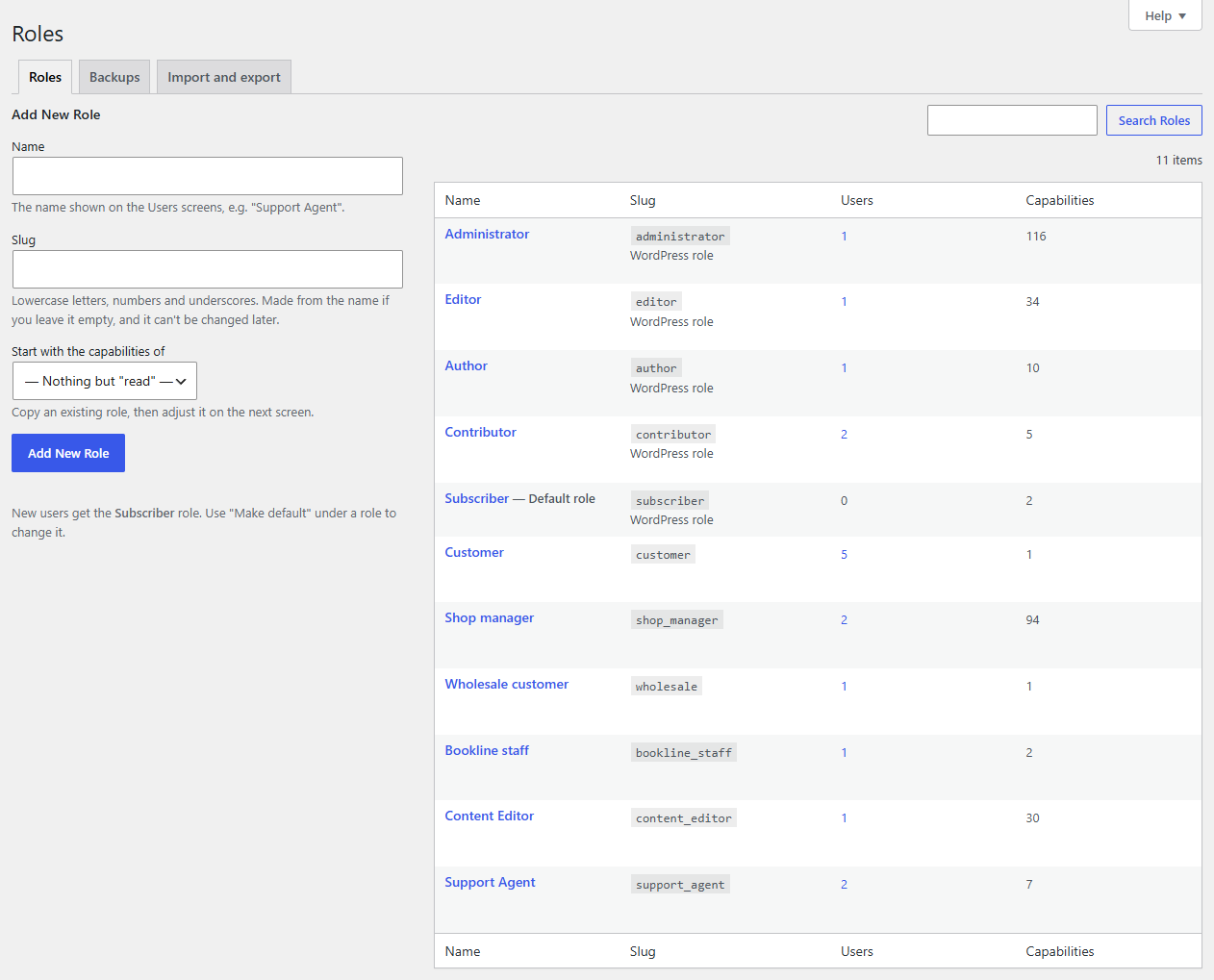
Add a role
Use Add New Role on the left:
- Name: what everyone sees on the Users screens, e.g. "Support Agent".
- Slug: the role's key, used in code. Leave it empty and Roleline makes it from the name (
support_agent). It can't be changed later. New slugs use lowercase letters, numbers, underscores and hyphens; roles other plugins added keep their slugs exactly as they are, capitals included. - Start with the capabilities of: copy an existing role, or start with just
read(log in and edit your own profile).
Click Add New Role. The role editor opens, so you can choose its capabilities.
Clone a role
Hover a role and click Clone. The form on the left fills in "Name (copy)" and copies that role's capabilities. Change the name and click Clone Role.
Rename a role
Open the role and change its name at the top of the role editor, then Save Changes. The slug stays the same, so nothing that refers to the role breaks.
Delete a role
Hover the role and click Delete. Roleline tells you how many users have the role and how many have no other role. Choose the role those users get instead, then Confirm Deletion. Users with other roles just lose this one.
A role with more than 1,000 users is deleted with WP-CLI, where moving that many users can't time out:
wp roleline delete shop_helper --reassign=customer
Two roles can't be deleted:
- Administrator, ever.
- The default role for new users. Make another role the default first.
The default role
New users (from registration, WooCommerce checkout or Add New User) get the default role. It's marked Default role in the list. Hover another role and click Make default to change it.
If the role you choose has capabilities that control the site (managing options, users or plugins), Roleline asks you to confirm first: everyone who registers would get them.
Reset WordPress's roles
Administrator, Editor, Author, Contributor and Subscriber are WordPress's own roles. If one of them has been changed, open it and click Reset to WordPress defaults in the Save box. Its WordPress capabilities go back to how a new WordPress site has them, and its name too. Capabilities other plugins added (WooCommerce's, for example) stay.
Like every change, a reset is backed up first.