
Roleline Pro
Login redirects
Send each role to its own page after logging in or out.
Note
This is part of Roleline Pro.
Users → Roles → Login redirects sets, for each role, where people go after logging in and after logging out.
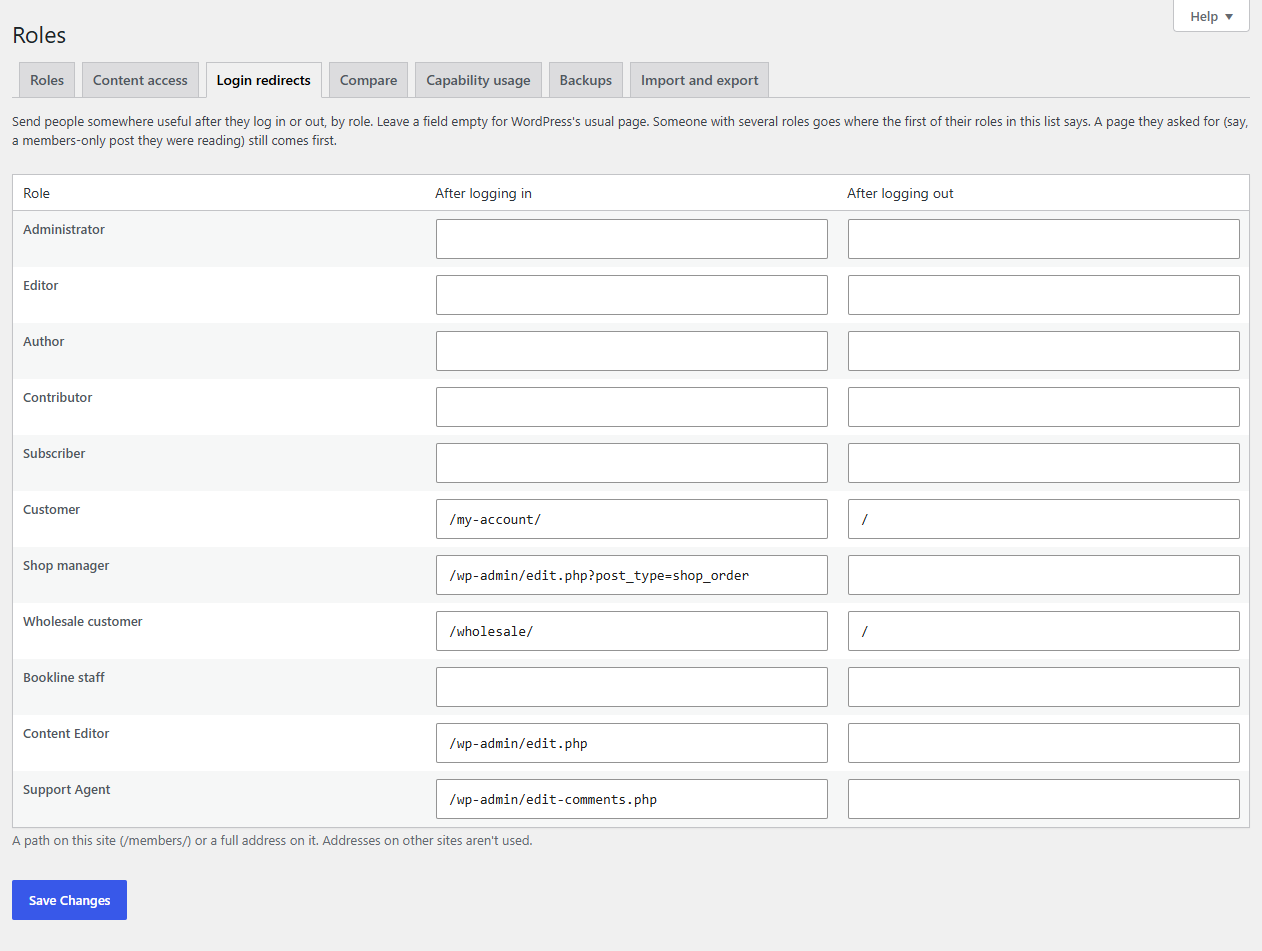
- Enter a path on your site (
/my-account/,/wp-admin/edit.php) or a full address on your site. Addresses on other sites are ignored. - Leave a field empty for WordPress's usual page (the dashboard, or the login screen after logging out).
- Someone with several roles goes where the first of their roles in the list says.
- A page someone asked for comes first: if they logged in from a members-only post, they go back to it.
It works with WordPress's login page and WooCommerce's My Account login.
Examples
| Role | After logging in | After logging out |
|---|---|---|
| Shop manager | /wp-admin/edit.php?post_type=shop_order |
|
| Support Agent | /wp-admin/edit-comments.php |
|
| Wholesale customer | /wholesale/ |
/ |
| Customer | /my-account/ |
/ |
For developers
roleline_pro_role_redirect ($url, $user, $which) filters the page ($which is login or logout).