
Backups and restore
The automatic backup before every change, restoring and comparing earlier versions, and getting back in with WP-CLI or wp-config.php.
Roleline copies all roles (and the default role) before every change it makes, with who made the change, when, and what it was. Users → Roles → Backups lists them, newest first.
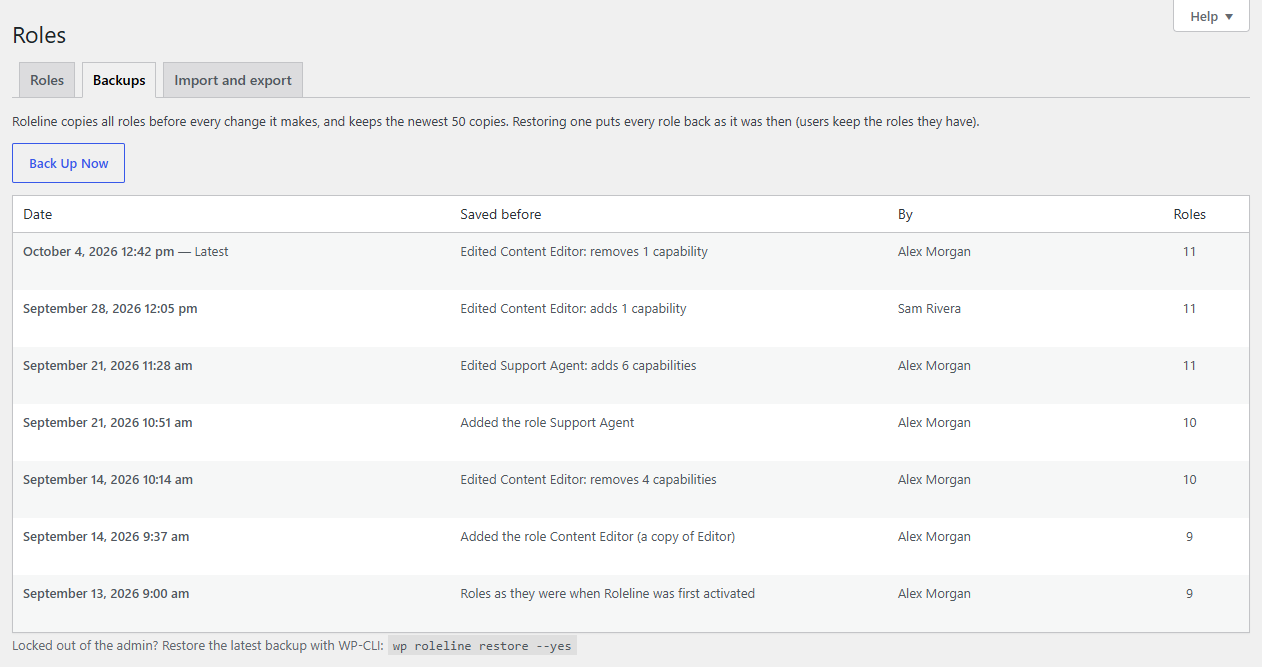
Each row says what happened next: "Edited Support Agent: adds 2 capabilities", "Deleted the role Intern", "Imported 3 roles"… The first backup is the roles as they were when Roleline was activated.
The newest 50 are kept. Developers can change that with the roleline_backups_keep filter.
Restore
Hover a backup and click Restore. Every role goes back to how it was then: capabilities, names, roles that were added or deleted since, and the default role. Users keep the roles they have; a user whose role didn't exist then simply has no capabilities from it until it's back.
Restoring is a change too, so the roles from just before it are backed up first. Changed your mind? Restore that one.
Roleline won't restore a backup that would lock you out (one where your role couldn't manage roles), and asks you to confirm when the restore is risky, as with any change.
Compare with now
Compare with now shows what restoring would do, role by role: roles it brings back or removes, renames, and the capabilities each role would gain or lose. Restore This Backup at the bottom restores it.
Download
Download saves a backup as a JSON file, the same format as Import and export, so you can import it on this site or another.
Back up now
Back Up Now copies the roles as they are, for example before you let someone else make changes.
Locked out? Restore with WP-CLI
If someone else's change (or another plugin) took away what administrators need, you can't open Users → Roles. With WP-CLI:
wp roleline backups              # the history, newest first
wp roleline restore --yes        # put the latest backup back
wp roleline restore 20261008142233-abc123 --yes   # or a chosen one
WP-CLI restores without the usual checks: it's the way back in. The roles from before the restore are backed up as usual.
Locked out, without WP-CLI
Add this line to wp-config.php, above "That's all, stop editing!":
define( 'ROLELINE_REPAIR', 'your-user-name' );
Load any page of the site. Roleline gives the Administrator role back every one of WordPress's capabilities (and Roleline's), recreating the role if it was deleted, and gives the user you named (login, email or ID) the Administrator role. It removes nothing. Use true instead of a name to repair the role only.
Then remove the line again: while it's there, the repair runs on every page load, and administrators see a reminder.
The same repair is available as wp roleline repair --user=your-user-name.
What isn't backed up
Backups cover roles and the default role. Which users have which roles isn't part of a backup, and changes made by other plugins or tools (not through Roleline) aren't backed up when they happen, though the next backup includes them.