
Roleline Pro
Comparing roles and capability usage
Two roles side by side, and which roles and users have a capability.
Note
This is part of Roleline Pro.
Compare two roles
Users → Roles → Compare puts two roles side by side.
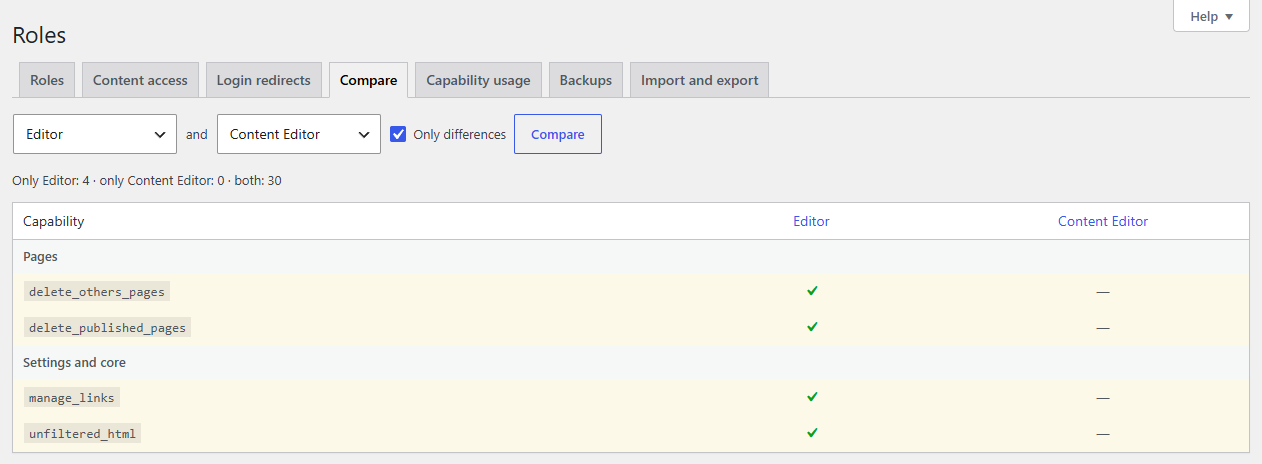
- Choose the two roles.
- Leave Only differences ticked to see only what one has and the other doesn't, or untick it for everything either has.
- Click Compare.
The summary says how many capabilities only the first has, only the second has, and both have. Click a role's name to open it in the role editor.
Handy before merging two roles, or to check what a custom role is missing compared with WordPress's.
Capability usage
Users → Roles → Capability usage answers "who can do this?".
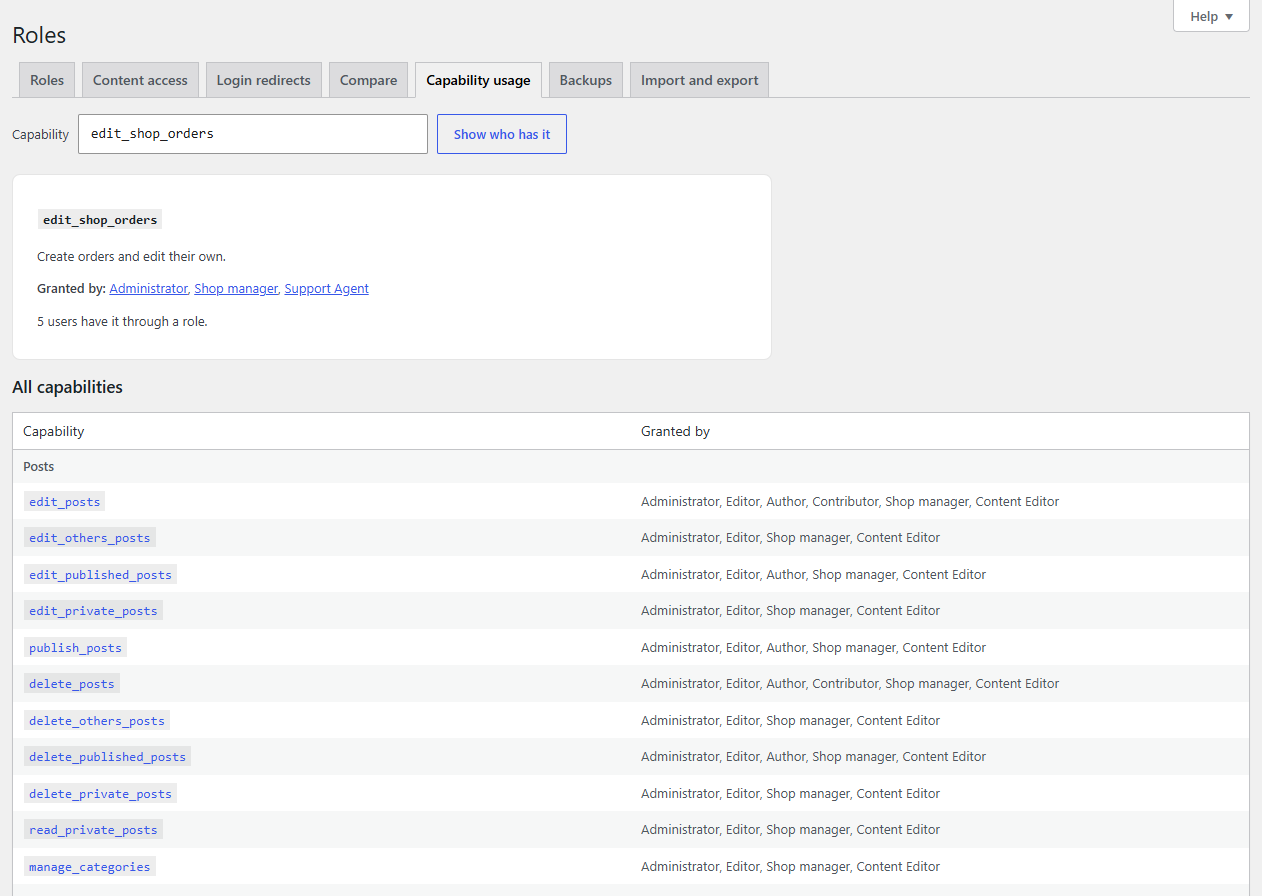
Type a capability (suggestions appear as you type) and click Show who has it:
- the roles that grant it, and those that explicitly deny it;
- how many users have it through a role (each counted once, even with several roles);
- users who were given it directly, not through a role.
Below, All capabilities lists every capability by group with the roles that grant it.
REST API
GET /wp-json/roleline/v1/compare?a=editor&b=authorGET /wp-json/roleline/v1/capabilities/<capability>/usage