
Pre-orders when out of stock
Keep selling a product that has run out: it takes pre-orders for the next delivery, and sells normally again once stock is back.
Note
This is part of Preorderline Pro.
"Not released yet" is for launches. For products you sell all the time, Preorderline Pro adds a second mode, When out of stock: the product sells normally while it has stock, and takes pre-orders for the next delivery while it has none.
Set it up
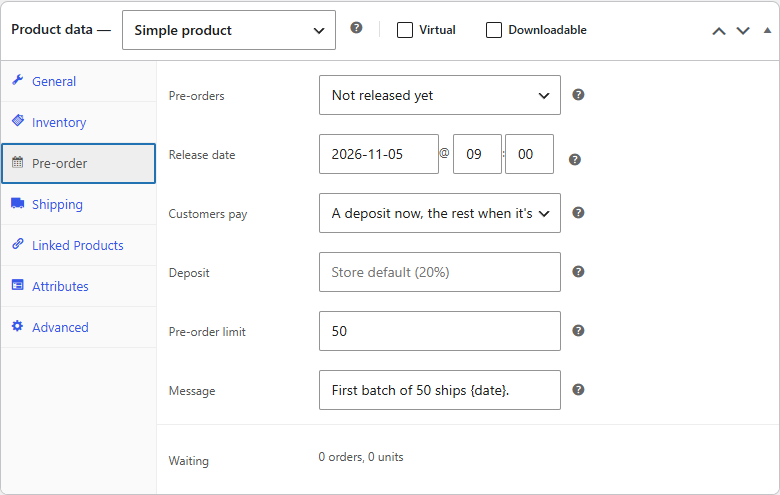
- Edit the product and open its Pre-order tab.
- Set Pre-orders to When out of stock.
- If you know when the next delivery arrives, set it as the Release date. Shoppers see it while the product is out of stock.
- Click Update.
How it decides
- With Manage stock? on, the product takes pre-orders when its stock quantity is 0 or below.
- Without stock management, it takes pre-orders while its Stock status is Out of stock.
While it has stock, the product page shows the usual stock line and "Add to cart". As soon as the last unit sells, the button changes to "Pre-order now" and the availability text appears, and the next orders wait as Pre-ordered.
Variations
Each variation follows its own stock. Set When out of stock on the product, and a size that runs out takes pre-orders while the others keep selling from stock. A variation can also have its own mode, for example When out of stock for just one size; see Variations.
Releasing
When the delivery arrives, add it to the product's stock and release the waiting pre-orders from WooCommerce → Pre-orders or the product's Pre-order tab, as for any product. Unlike a launch, the product keeps its mode afterwards: it takes pre-orders again the next time it runs out. Its release date is cleared, since that delivery has arrived; set the next one when you know it.
On WooCommerce → Pre-orders, such a product shows Taking pre-orders · While out of stock when it has run out, or In stock · Pre-orders when out of stock when it hasn't.
Tip
With automatic release on, a "When out of stock" product with orders waiting is released when its release date passes. One with nothing waiting is left alone. See Automatic release.