
Pre-ordered orders
How a pre-order waits in its own status, what happens to stock, and orders that mix pre-orders and other products.
The Pre-ordered status
A paid order with pre-ordered items goes to Pre-ordered instead of Processing, so it stays out of your fulfilment queue until the product is released. You'll find it under WooCommerce → Orders, filtered by the Pre-ordered status, with a purple status pill.
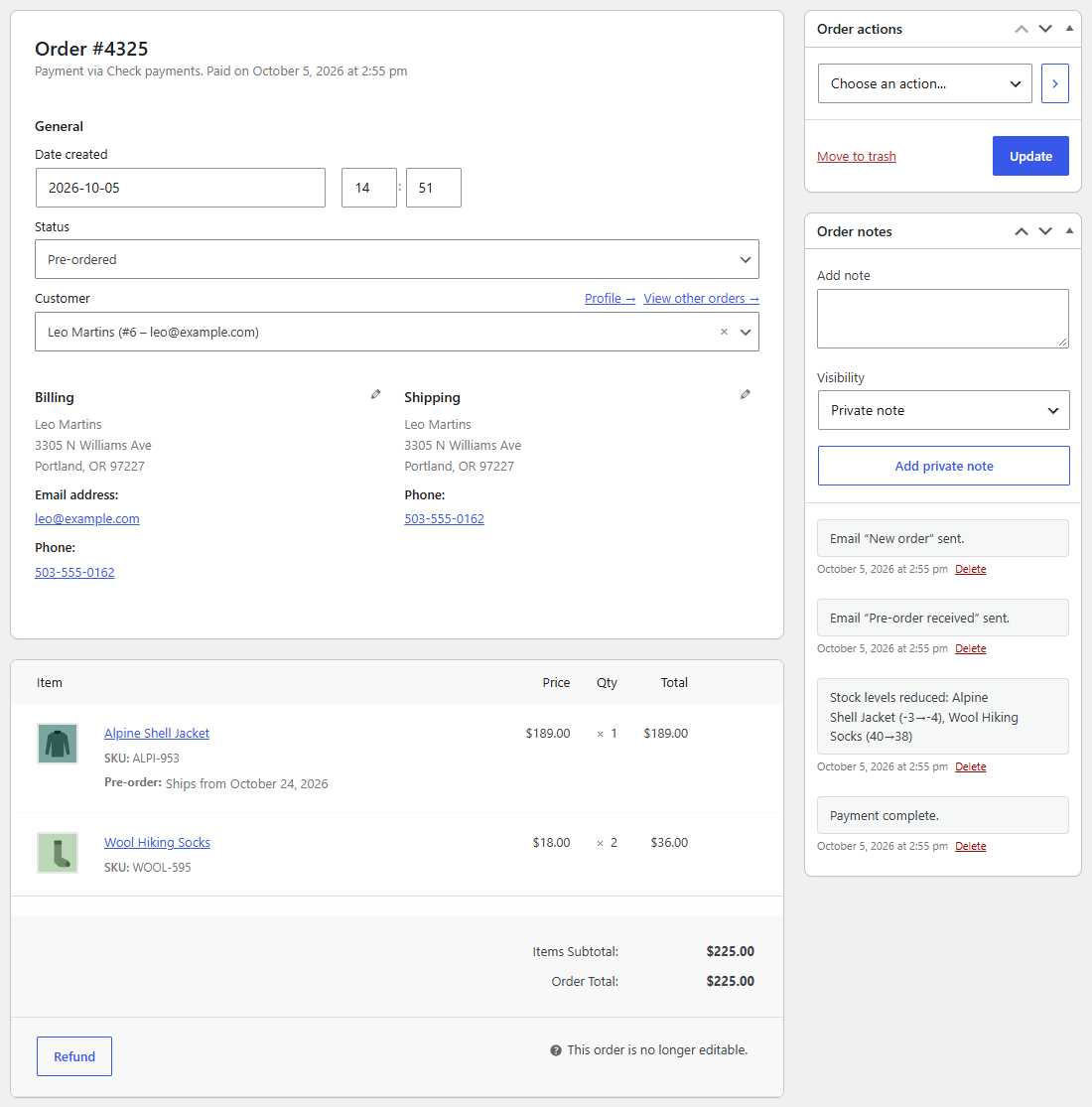
How an order gets there depends on the payment method:
| Payment | What happens |
|---|---|
| Paid at checkout (cards, wallets…) | The order goes straight to Pre-ordered. |
| Cash on delivery | Straight to Pre-ordered. |
| Paid later (bank transfer, check) | The order waits On hold as usual. When you mark it as Processing once the payment arrives, it goes to Pre-ordered instead. |
Each pre-ordered item shows Pre-order: Ships from … on the order screen and in emails until it's released. Pre-ordered orders count in WooCommerce's sales reports like processing ones.
Mixed orders
An order can hold pre-orders and products that are in stock. It waits as Pre-ordered until every pre-ordered item in it is released, then moves to Processing and everything ships together. If the items have different release dates, the customer is told the latest one.
Stock
Stock is taken when the order enters Pre-ordered, as for any order. Since the product usually has none yet, its stock goes below zero: -12 means 12 units are owed. When the delivery arrives, add it to the product's stock as usual.
A pre-order that's cancelled or refunded before it's released gives its stock back.
Cancelling and refunding
Cancel or refund a pre-order from the order screen, as any order. Preorderline doesn't send emails of its own for that; WooCommerce's usual ones apply.