
Pre-order limits
Stop taking pre-orders once you've sold what the next delivery can cover, per product or per variation.
Note
This is part of Preorderline Pro.
If the first batch is 200 units, you can stop at 200 pre-orders. Preorderline Pro counts the units pre-ordered and stops taking more at the limit.
Set a limit
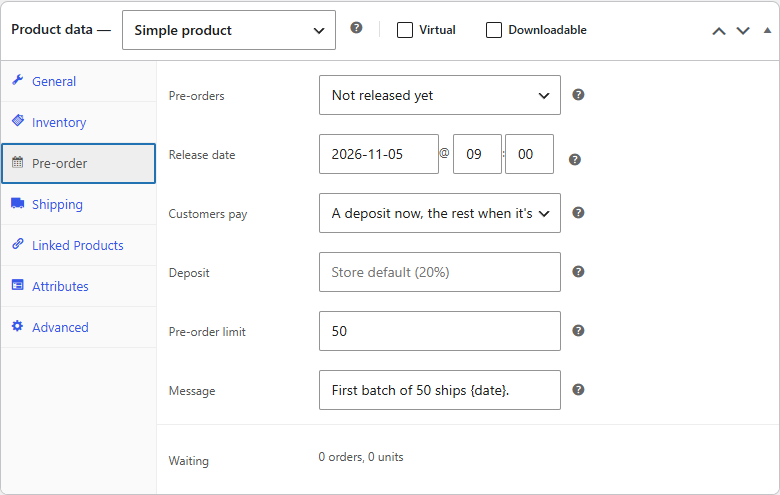
On the product's Pre-order tab, enter the Pre-order limit in units, and update the product. Leave it empty for no limit. Below the field, "13 of 200 taken." shows where it stands.
What counts
- Units count when an order enters Pre-ordered, whether paid up front, on release or with a deposit.
- A pre-order cancelled, refunded or failed before it's released gives its units back.
- Units in the shopper's cart count too, so a shopper can't add more than are left.
When there's room for fewer than a shopper wants, they're told "Only 3 more "Alpine Shell Jacket" can be pre-ordered." When there's none left: "Pre-orders for "Alpine Shell Jacket" are full." This works with the classic add-to-cart form and the blocks.
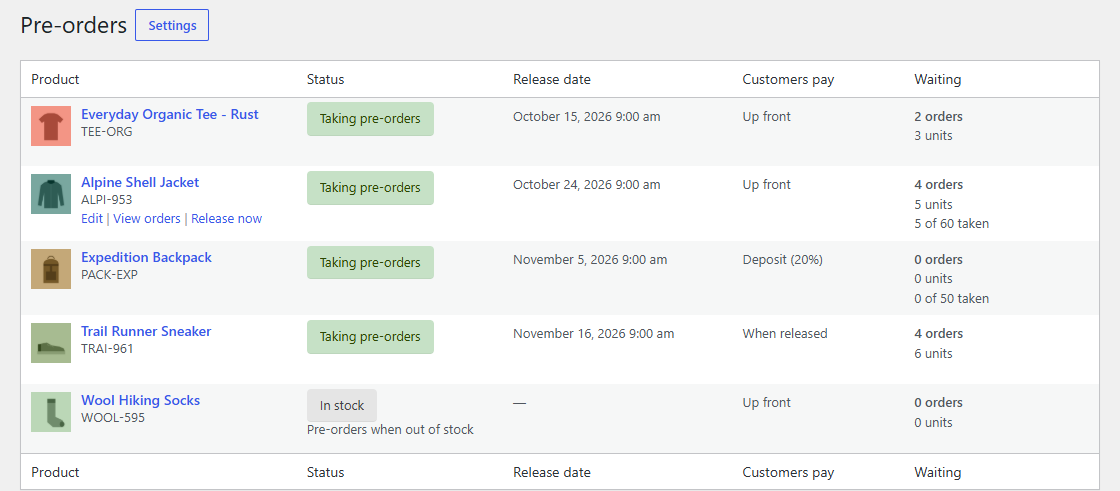
WooCommerce → Pre-orders shows "13 of 200 taken" under each limited product's waiting units.
Variations
A variation without its own limit counts towards its product's: 200 jackets in any size. Give a variation its own limit, and it counts on its own: 50 in size S.
After the limit
The product stays on pre-order, but can't be added to the cart. Raise the limit to take more, or release the product. The count is kept after a release, so a later limit starts from what's already been sold; lower or raise it as you need.