
Paying when it's released
Let customers place a pre-order without paying, and send them a payment link when it's released.
Note
This is part of Preorderline Pro.
With Preorderline alone, customers pay for a pre-order at checkout. Preorderline Pro lets them pay when the product is released instead: nothing is charged now, and when you release the pre-order they get a link to pay with any of your payment methods.
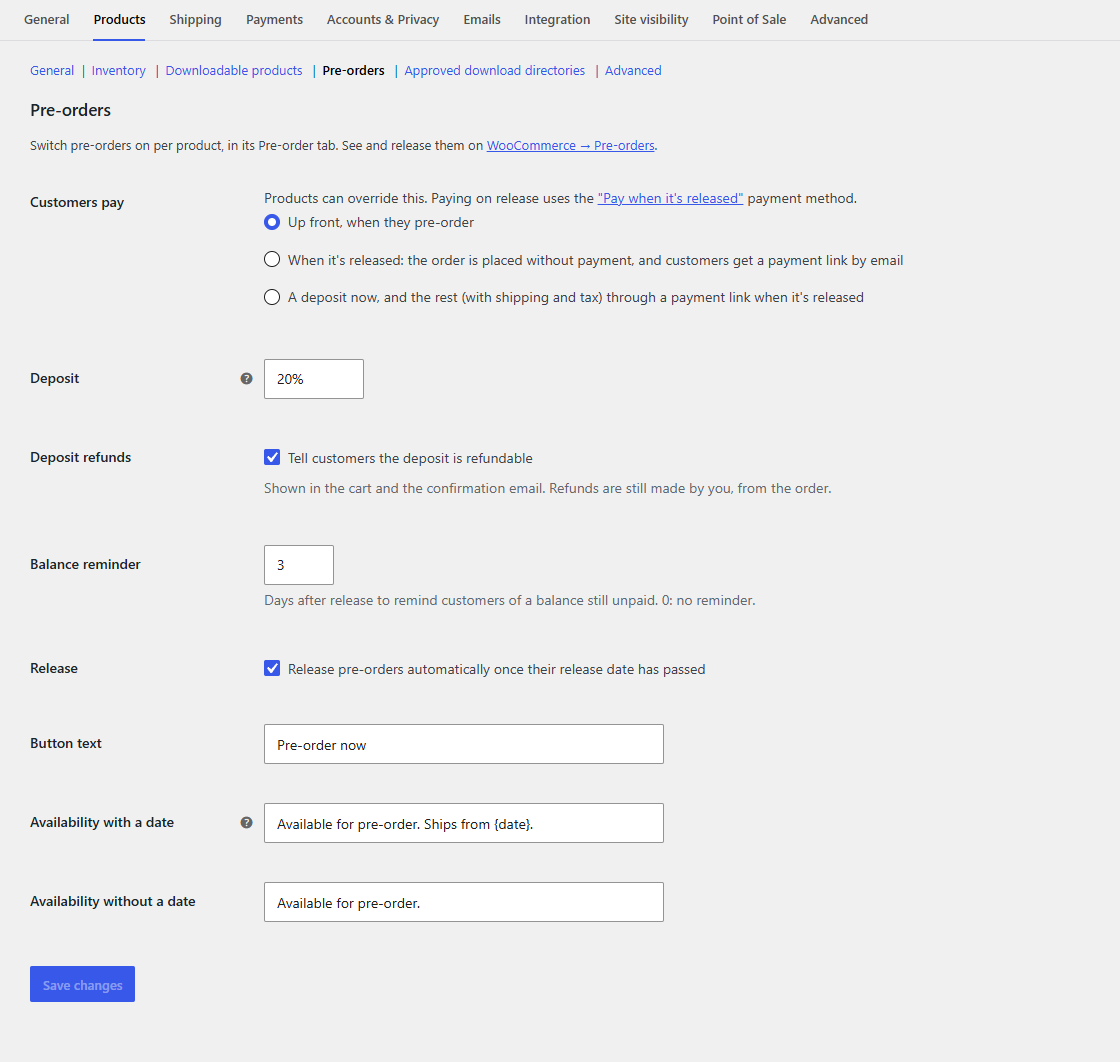
Switch it on
For every product, go to WooCommerce → Settings → Products → Pre-orders and set Customers pay to When it's released.
For one product, open its Pre-order tab and set Customers pay to When it's released. The default, Store default, follows the store-wide setting. A variation can have its own, or follow its product.
At checkout
The cart shows Payment: When it's released under each such item. At checkout, customers get a payment method called Pay when it's released, with the description "Pay nothing today. We'll email you a payment link when your pre-order is ready to ship." They can still pay now with any other method if they prefer.
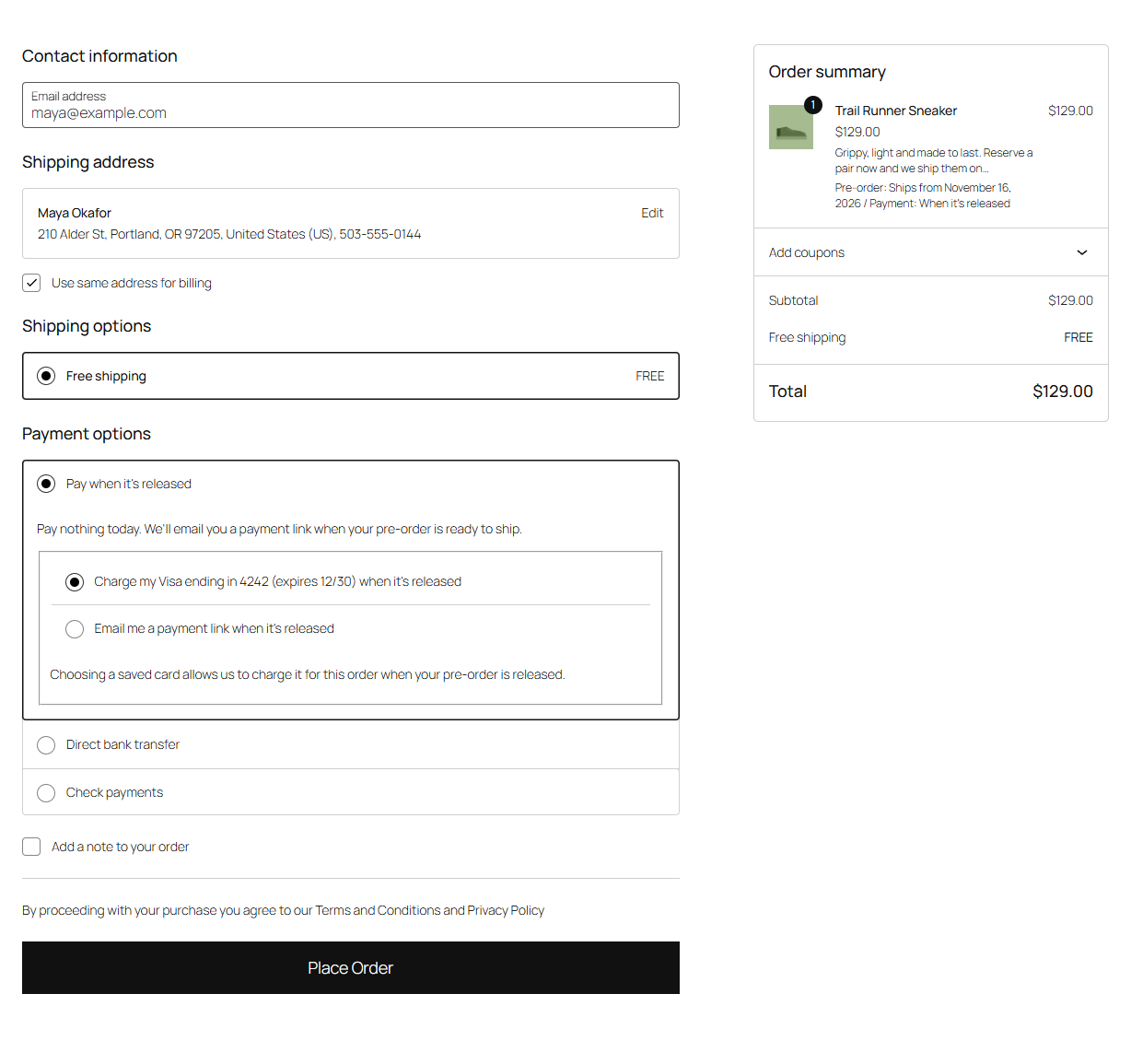
Pre-orders paid on release are checked out on their own: a cart can't mix them with products paid now. Customers who try are asked to check out the items in their cart first.
The payment method's title and description can be changed under WooCommerce → Settings → Payments → Pay when a pre-order is released, where you can also switch it off, or switch off the saved-card option (see Saved cards charged on release).
While it waits
- The order is placed without payment and waits as Pre-ordered, with the stock taken.
- The customer gets Pre-order received, saying they pay when it's released and get a payment link then. Your New order email is sent as usual.
- Packboard's cards say Pays on release.
- Customers can cancel it themselves from My Account → Orders, as long as it's unpaid. Its stock goes back.
On release
When you release it (by hand or automatically), the order moves to Pending payment and the customer gets Pre-order ready to pay, with a Pay for your order button. The notice on their order in My Account says so too, with a Pay now button.
The stock stays reserved while they pay: WooCommerce normally puts a pending order's stock back, but not for a released pre-order. WooCommerce's clean-up of unpaid orders leaves it alone too, so it isn't cancelled after a few minutes.
Once paid, the order moves to Processing and ships like any order. If the customer never pays, cancel the order and its stock goes back.
Emails
| Sent when | |
|---|---|
| Pre-order received | The order is placed (says how they'll pay) |
| Pre-order ready to pay | It's released, with the payment link |
Edit or switch them off under WooCommerce → Settings → Emails.