
Downloads
Settings
Every setting under Downloads → Settings.
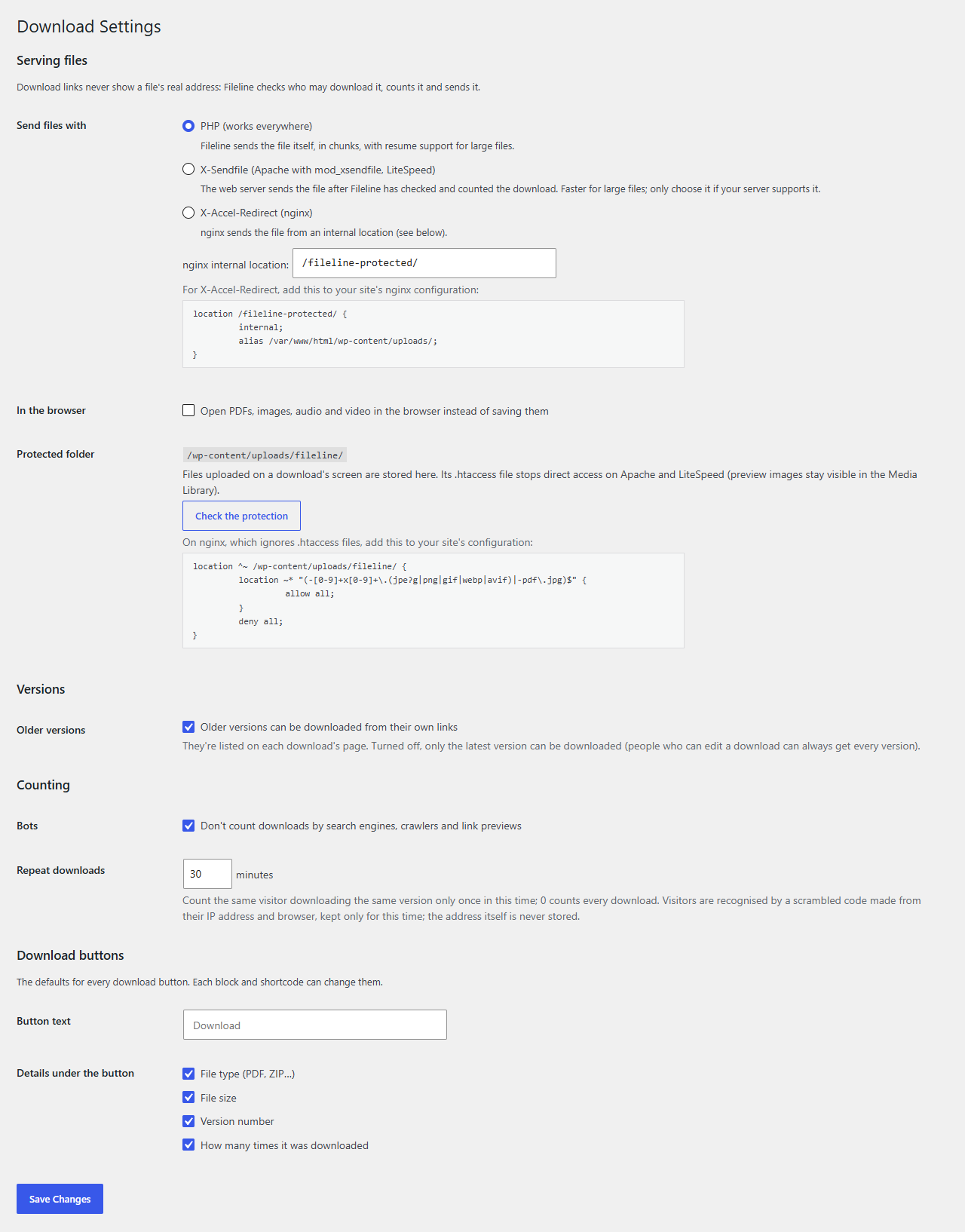
Serving files
| Setting | What it does |
|---|---|
| Send files with | PHP (works everywhere), X-Sendfile or X-Accel-Redirect (the web server sends the file after Fileline has checked and counted it). See Secure serving and server setup. |
| nginx internal location | For X-Accel-Redirect: the internal location that points at the uploads folder. |
| In the browser | Open PDFs, images, audio and video in the browser instead of saving them. |
| Protected folder | Where things stand, a Check the protection button, and the rule for nginx (on IIS, the folder's web.config rule instead). |
Versions
Older versions can be downloaded from their own links: ticked by default. Untick it to offer only the latest version; earlier versions stay listed on the download's page, without links.
Counting
| Setting | What it does |
|---|---|
| Bots | Don't count downloads by search engines, crawlers and link previews. |
| Repeat downloads | Count the same visitor downloading the same version once per this many minutes; 0 counts every download. |
Download buttons
| Setting | What it does |
|---|---|
| Button text | The default text of every button ("Download"). |
| Details under the button | File type, size, version number and download count: the defaults for every button. Each block and shortcode can change them. |