
Download pages and templates
Each download's own page, and changing the markup with template files in your theme.
Each download's page
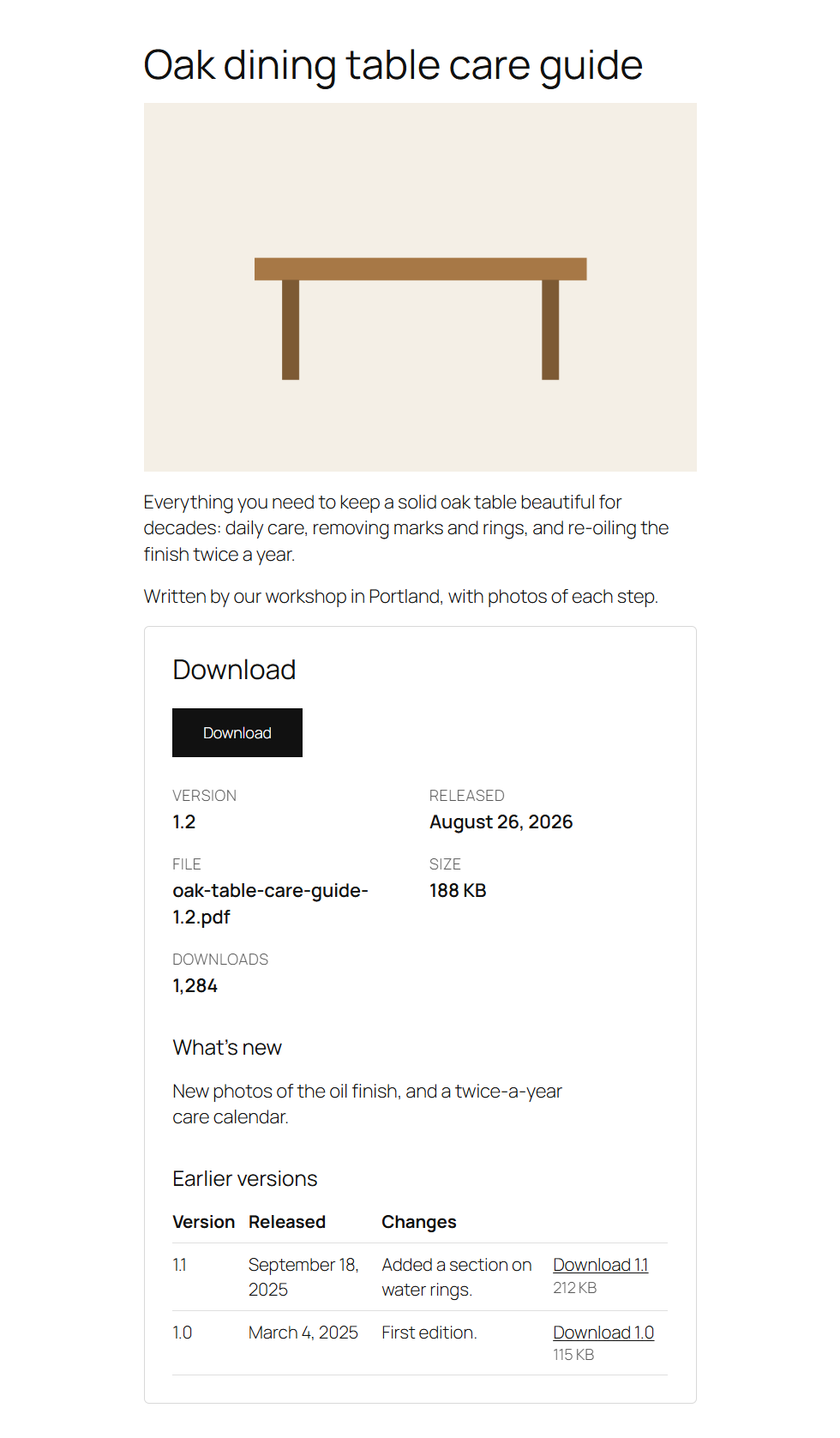
Every published download has a page at /downloads/<slug>/ (or ?fileline_download=<slug> with plain permalinks). Your theme shows the title, the download image and the description, as it does for posts. After the description, Fileline adds a box with:
- the download button (for the latest version);
- the details: version, release date, file name, size and, if you show counts, the downloads;
- What's new: the latest version's note;
- Earlier versions, each with its date, note and, if older versions can be downloaded, its own link.
Block themes
Fileline brings a Single item: Download template for block themes (WordPress 6.7 or later): the theme's header and footer around the title, the download image and the description. Change it in Appearance → Editor → Templates; keep the Content block, as the download box comes after the description. A theme with its own single-fileline_download template uses that one instead. With WordPress before 6.7, download pages use the theme's Single template.
Classic themes
Classic themes use single.php. A theme can add single-fileline_download.php for a layout of its own; the_content() still brings the download box.
Template files
The markup is in three template files in Fileline's templates folder:
| File | What it draws |
|---|---|
button.php |
A download button and the details under it. |
list.php |
A download list with its search box and page links. |
download-box.php |
The box on a download's page. |
To change one, copy it to a folder called fileline in your theme (a child theme, so updates don't overwrite it), for example wp-content/themes/my-child-theme/fileline/button.php, and edit the copy. Each file lists the variables it gets at the top.
Without template files, a few filters change the content instead: fileline_button_meta (the details under a button), fileline_download_details (the details on a download's page), fileline_show_download_box (whether to add the box at all) and fileline_button_html. See Hooks.