
Folderline folders
Make downloads from Media Library files and folders, and list a folder's files as downloads with the Folder downloads block.
Note
This is part of Fileline Pro.
Folderline is Extendiment's free plugin for Media Library folders. With both active, Fileline Pro turns folders into downloads. Without Folderline, the folder parts simply aren't there; the Media Library's Create download actions still work.
Make a download from a file
In Media → Library's list view, every file has a Create download link (and Edit download once it is one). It makes a draft download with the file as version 1.0 and opens it, so you can add a description and publish. These actions work on files you can edit: an Author can make downloads from their own files only.
Select several files and choose Create downloads from the bulk actions to make published downloads from all of them at once.
With Folderline, a download made from a file in a folder goes into a download category named like the folder (made if needed), so a "Care guides" folder gives a "Care guides" category for your download lists.
Make downloads from a whole folder
Open a folder's menu in the folder tree (right-click it, or use its "…" button) and choose Create downloads from these files. Every file in the folder that isn't a download yet becomes a published download.
The Folder downloads block
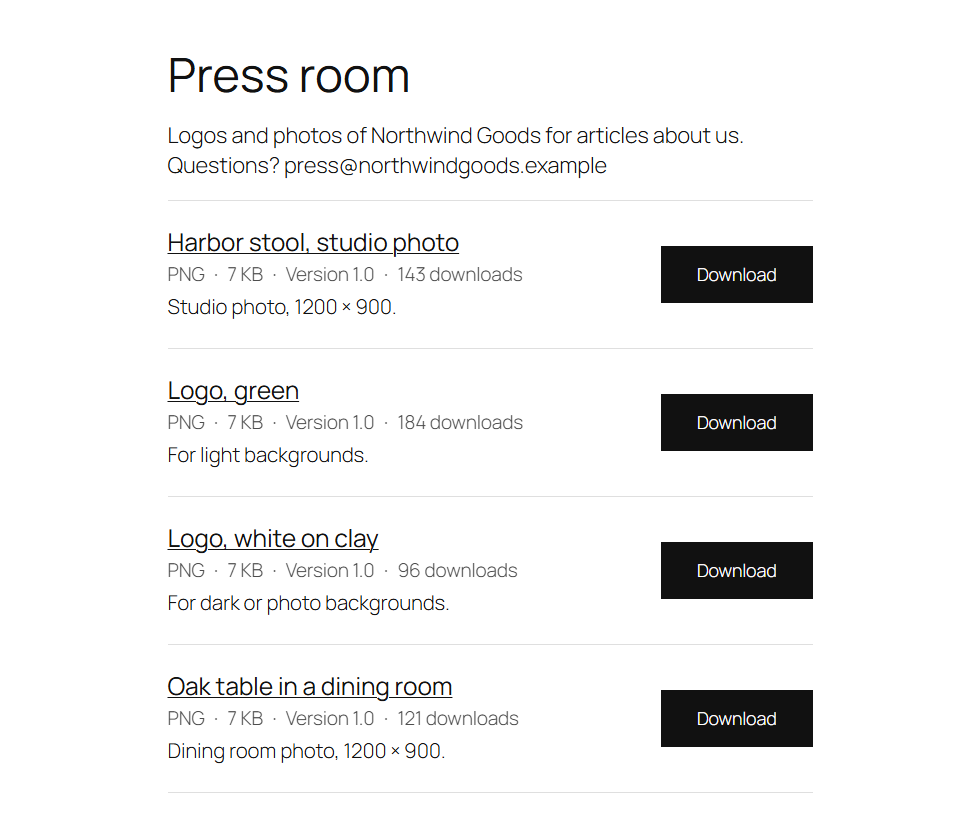
Add the Folder downloads block and choose a folder. It lists the folder's files that are downloads, with their buttons, in the same style as the Download list block (order, search box, details under the buttons). Tick Include subfolders to list theirs too.
If some files in the folder aren't downloads yet, the block's editor shows how many, with a Create downloads for them button. Downloads are counted and protected like any other, and each one keeps its own page, versions and access rules.
Without Folderline, a Folder downloads block already on a page shows nothing, and the rest of the page is unaffected.