
Safe mode and reset
Get the full menu back in an instant, and start over when you need to.
Adminline is built so you can't lose your way, and so there's always a way back.
Always there for administrators
Whatever you save, administrators always keep Settings → Admin Menu and Plugins in the menu, and they're never blocked for them.
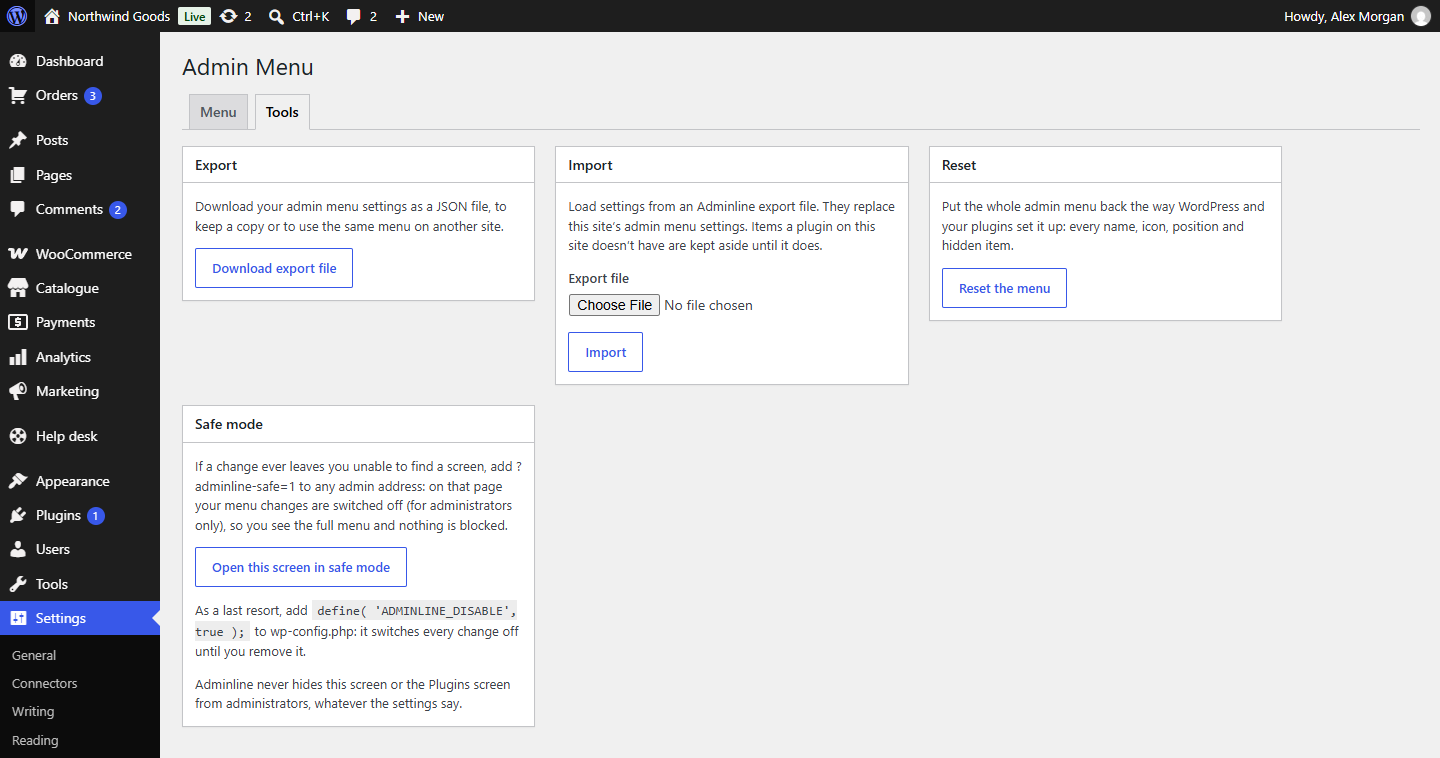
Safe mode
Add ?adminline-safe=1 to the address of any admin screen, for example:
https://example.com/wp-admin/index.php?adminline-safe=1
On that page, your menu changes are switched off: you see the menu as WordPress and your plugins set it up, and nothing is blocked. A notice says you're in safe mode, with a link to Reset or fix the menu.
Safe mode only works for administrators (people who can manage options). For anyone else the address does nothing, so it's no way around hidden or blocked items. You'll find a button for it on Settings → Admin Menu → Tools too.
The constant
If you can't get into the admin at all, add this line to wp-config.php (above "That's all, stop editing!"):
define( 'ADMINLINE_DISABLE', true );
Every change is switched off, for everyone, until you remove the line. You can still open the editor meanwhile, fix the menu and save; the changes apply once the line is gone.
Reset
Settings → Admin Menu → Tools → Reset the menu puts the whole menu back the way WordPress and your plugins set it up: every name, icon, position, link, separator and hidden item. You're asked to confirm first. Consider downloading an export beforehand (see Import and export).
To undo the changes to a single item instead, open it and click Restore this item.