
Installing Adminline Pro
Upload the Adminline Pro zip, activate it next to Adminline, and enter your license key.
Note
This is part of Adminline Pro.
Adminline Pro is an add-on: it adds a white label, your own colour scheme, dashboard settings and client mode to Adminline, which stays installed and keeps editing the menu. You need both.
Before you start
- Adminline 1.0.0 or later, installed and active. If you don't have it yet, install it from Plugins → Add New Plugin (search for "Adminline"); see Installation.
- The adminline-pro.zip file and the license key from your purchase email. Both are in the email Lemon Squeezy sent after you bought Adminline Pro.
Adminline Pro doesn't need WooCommerce.
Install and activate
- Go to Plugins → Add New Plugin and click Upload Plugin at the top.
- Choose
adminline-pro.zipand click Install Now. - Click Activate Plugin.
WordPress won't activate Adminline Pro while Adminline is inactive; it says what's missing instead. Activate Adminline first.
Enter your license key
Back on the Plugins screen, there's a box under Adminline Pro:
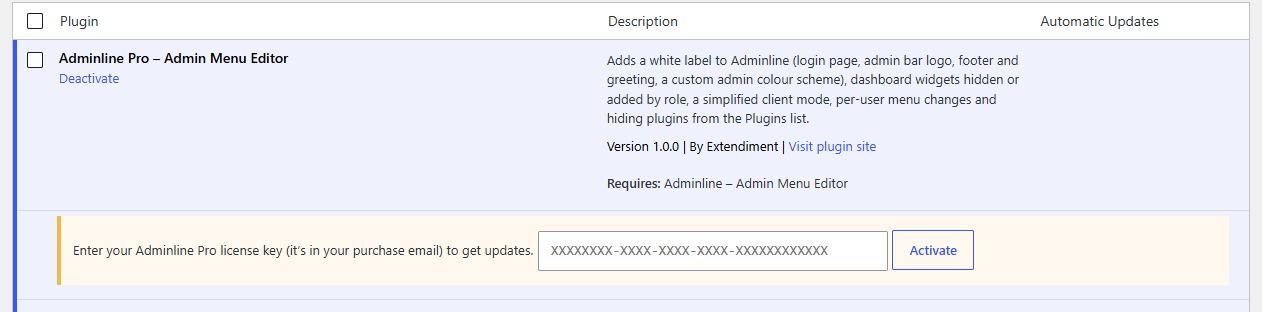
- Paste the license key from your purchase email.
- Click Activate.
The box turns green and shows the end of your key and, for a yearly license, the date your updates run until.
Note
Every feature works as soon as the plugin is active, with or without a license. The license is what lets WordPress download updates.
Where to find it
Go to Settings → Admin Menu. Next to Adminline's Menu and Tools tabs there are three more:
- White label: the login page, the admin bar, the footer and your colour scheme. See White label and the login page and Colour schemes.
- Dashboard: which widgets each role sees, your own widgets and the welcome panel. See Dashboard widgets.
- Client mode: a simpler admin for chosen roles, per-user menu changes and the Plugins list. See Client mode and Hiding plugins.
If Adminline Pro is deactivated
Its settings are kept, but nothing applies them: the login page, admin bar, footer and Dashboard look like WordPress's own again, and client mode is off. Adminline's menu changes keep working. Activate Adminline Pro again and everything is back.