
Reorder points from sales
Let To reorder work out reorder points and quantities from how fast products sell.
Note
This is part of Supplyline Pro.
Setting a reorder point on every product takes time, and sales change. With Supplyline Pro, To reorder can work them out from your sales instead.
Turning it on
Go to WooCommerce → Settings → Products → Purchasing:
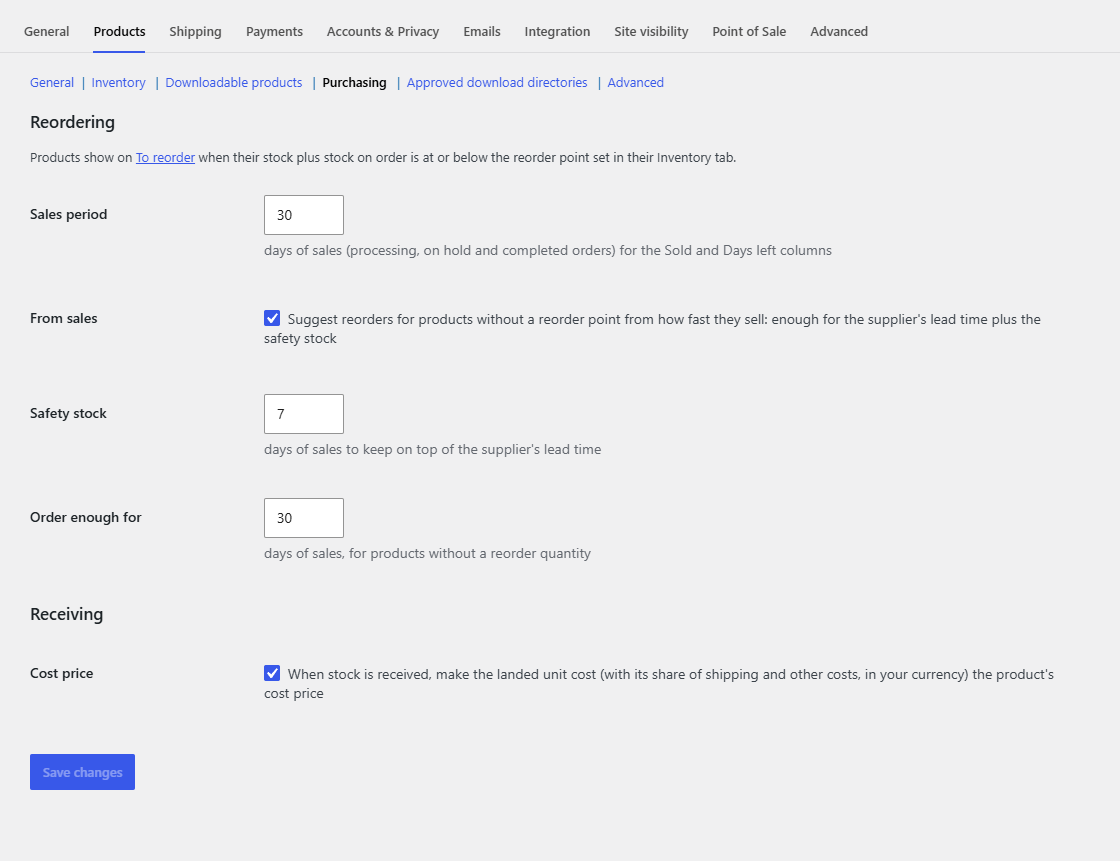
| Setting | What it does |
|---|---|
| Sales period | Supplyline's own setting: how many days of sales the rate is worked out from (30 by default). |
| From sales | Turn it on to suggest reorders for products without a reorder point. |
| Safety stock | Days of sales to keep on top of the supplier's lead time (7 by default). |
| Order enough for | Days of sales a suggested order should cover, for products without a reorder quantity (30 by default). |
Click Save changes.
How it works
The sales rate is the units sold in the sales period (processing, on-hold and completed orders, less refunds) divided by its days.
- Reorder point: a product that tracks stock, sold in the period and has no reorder point of its own gets one of rate × (the supplier's lead time + safety stock days). On To reorder it says "suggested" under the point.
- Quantity: a product without a reorder quantity gets enough to reach its reorder point plus the "Order enough for" days of sales: point + rate × days − (stock + on order). That applies to products with their own reorder point too.
- As always, the quantity is then raised to the supplier's minimum order and rounded up to whole packs.
A product's own reorder point and reorder quantity always win. Products that didn't sell in the period, and products without stock tracking, are left as they are.
An example
A candle sold 42 in the last 30 days: 1.4 a day. Its supplier's lead time is 5 days and safety stock is 7 days, so its reorder point is 1.4 × 12 = 16.8, rounded up to 17. With 9 in stock and nothing on order, it's listed, and with "Order enough for" at 30 days the suggestion is 17 + 42 − 9 = 50.
Tips
- Give your suppliers a Lead time: without one, only the safety stock days count.
- Products with seasonal or one-off sales are better with their own reorder point.
- The rate is kept for an hour, and refreshed when an order's status changes.