
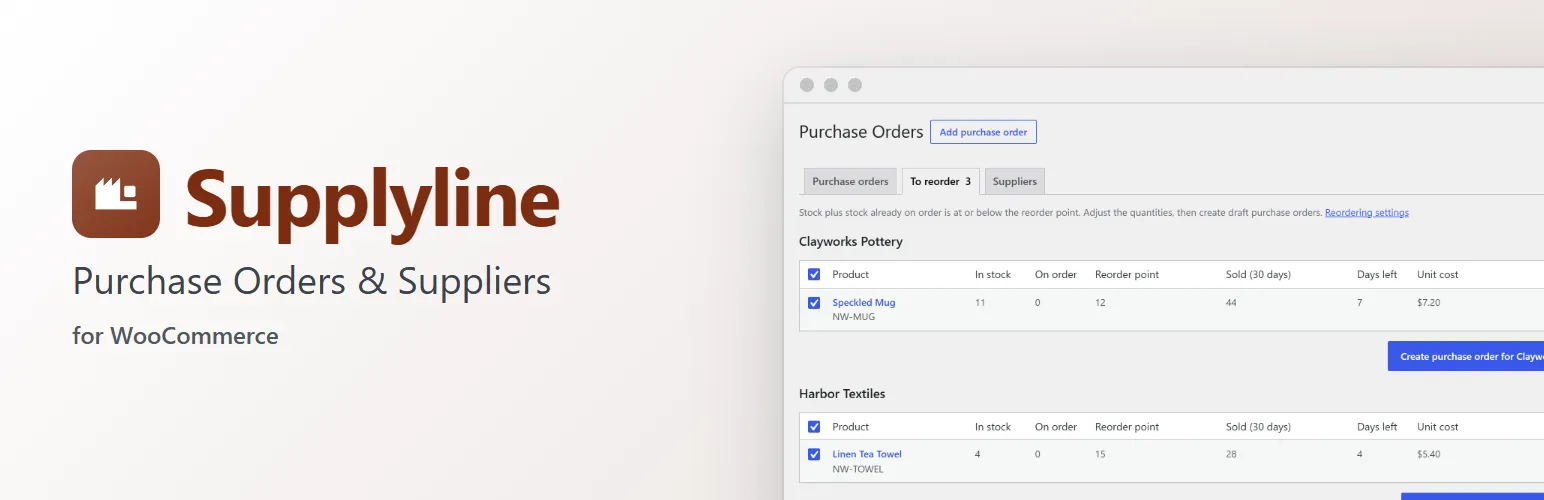
WooCommerce tells you a product is low on stock, then leaves the rest to a spreadsheet. Supplyline adds purchasing to WooCommerce: your suppliers, a reorder point on each product, a list of what to reorder, and purchase orders that go from draft to ordered to received, adding the stock as it arrives.
What to reorder
- Give products and variations a supplier, the supplier's SKU, a cost price, a reorder point, a reorder quantity, and the supplier's minimum order and pack size, in the product's Inventory tab.
- WooCommerce → Purchase Orders → To reorder lists everything at or below its reorder point, grouped by supplier, with how many sold lately and how many days of stock are left.
- Stock already on order counts, so nothing is ordered twice.
- Suggested quantities use the reorder quantity (or just enough to get back above the reorder point), rounded up to the supplier's minimum and whole packs.
- Adjust the quantities, untick what you don't need, and create a draft purchase order for each supplier in one click.
Purchase orders
- Add, remove and change products, quantities and unit costs while it's a draft. Unit costs start from the product's cost price.
- Lines below the supplier's minimum order or not in whole packs are flagged.
- Notes for the supplier, and an expected date that starts from the supplier's lead time.
- Mark it as ordered, then receive what arrived, all at once or in parts. Received units are added to the products' stock through WooCommerce, so stock statuses, low stock emails and other plugins follow.
- Statuses (draft, ordered, partly received, received, cancelled) in WooCommerce's status colours, and a history of every step with who did it.
- A printable view to send or file, without the admin menus and buttons.
Suppliers
- Name, contact person, email, phone, address and usual lead time, on WordPress's own list and edit screens.
Built from WooCommerce's own screens
The purchase order screens use WordPress and WooCommerce markup (list tables, postboxes, status pills, WooCommerce's product search), so they look and work like the rest of your store's admin. HPOS and the block checkout are supported.
With Gridline
With Gridline, Extendiment's bulk product editor, the purchasing fields are columns too, so you can set suppliers, costs and reorder points for many products at once.
For developers
Supplyline has actions and filters for add-ons: more suppliers per product (supplyline_product_offers), reorder points (supplyline_reorder_plan), extra rows on To reorder, purchase order totals, columns and side box fields, and supplyline_stock_received when stock arrives. supplyline_loaded fires once it has loaded.
Supplyline Pro
The separate Supplyline Pro add-on emails each purchase order to the supplier with a PDF, handles suppliers' currencies with an exchange rate per purchase order, adds shipping, other costs and tax with landed costs into a cost history and the cost price, suggests reorder points from sales, lets a product have several suppliers with their own terms, and reorders Stockpool's shared stock pools. Everything described above is in this plugin and works without it. See extendiment.com/plugins/supplyline.