
Other suppliers
Buy a product from more than one supplier, each with their own SKU, price, minimum order and pack size.
Note
This is part of Supplyline Pro.
Supplyline gives each product one supplier. With Supplyline Pro, a product can have more: a second pottery for the mugs when the first is slow, a cheaper wholesaler who only sells by the case.
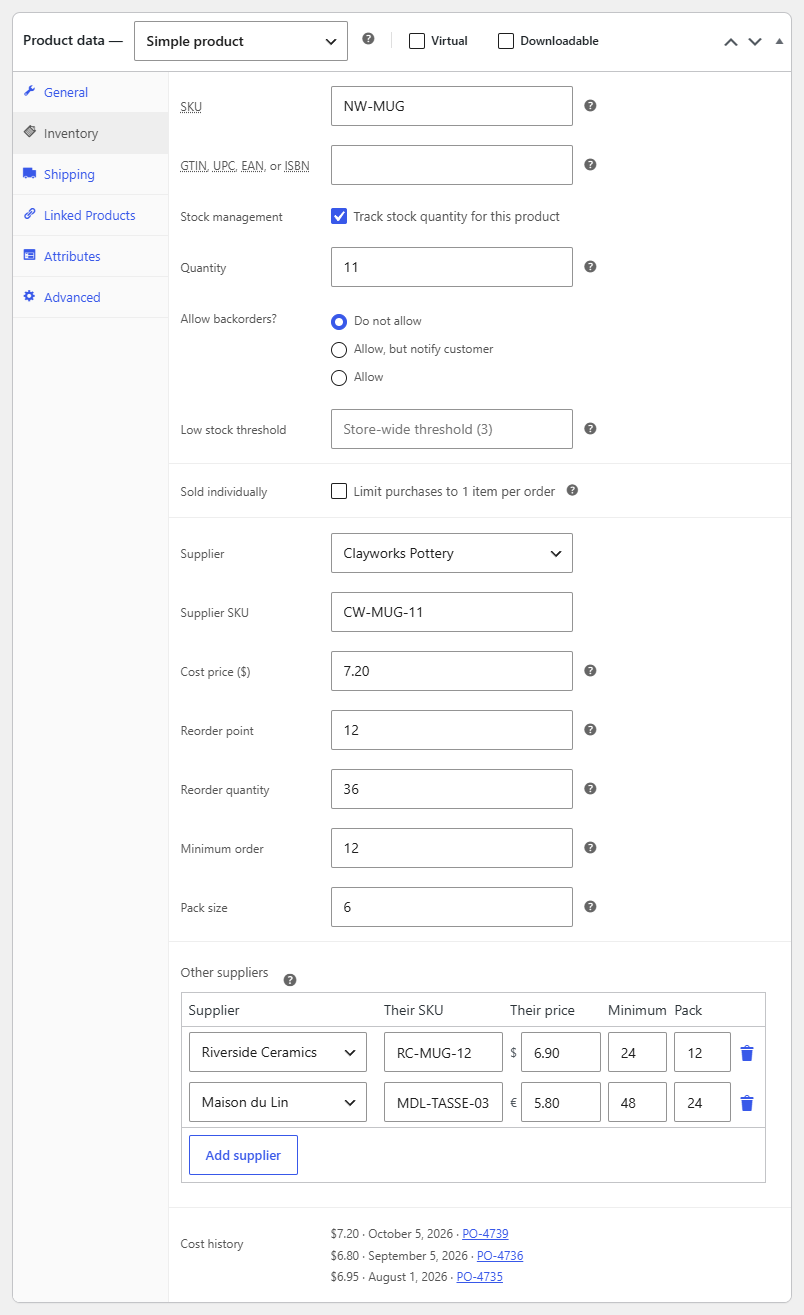
Adding other suppliers
- Edit the product and open its Inventory tab.
- Below the purchasing fields, find Other suppliers and click Add supplier.
- Choose the supplier and fill in their terms:
- Their SKU: the supplier's own code for the product.
- Their price: per unit, in the supplier's currency (see Supplier currencies and landed costs).
- Minimum: their minimum order quantity.
- Pack: how many units come in a pack.
- Update the product.
Remove a row with the bin icon. The product's main supplier stays in the Supplier field above, with its terms in the fields there; listing it again under other suppliers is ignored.
Variations use their product's other suppliers. The table is on the product's Inventory tab only.
On To reorder
A product is listed under its main supplier, as before. When it has other suppliers, a Supplier column appears with a choice for that product:
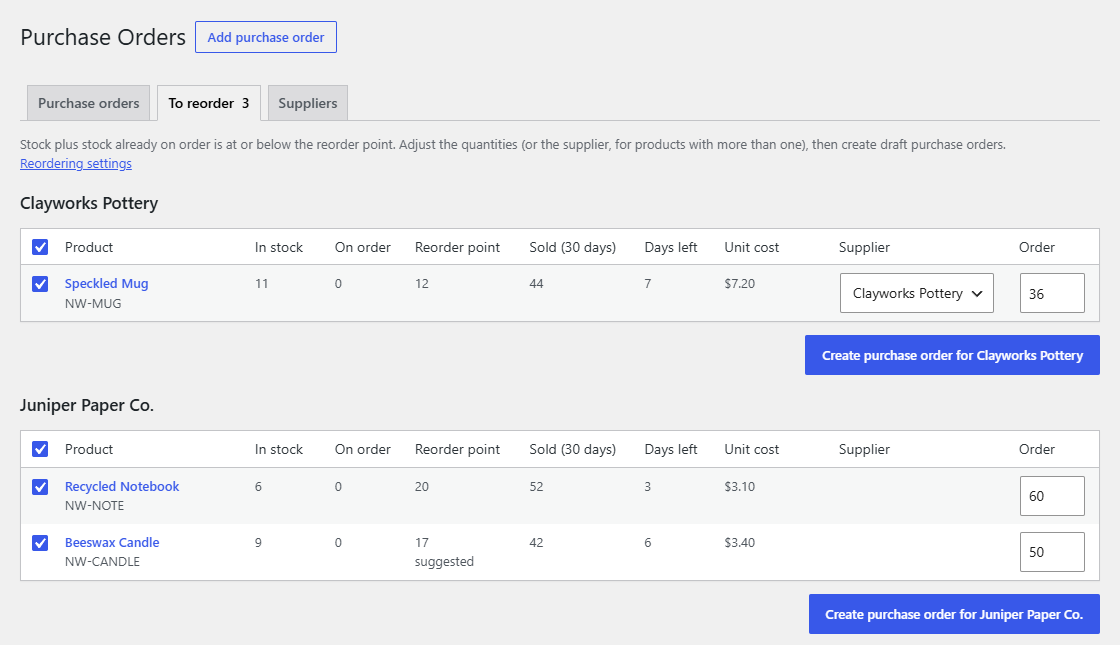
Pick another supplier and click Create purchase order for…: the product goes on a draft for the supplier you picked, and the rest on the main supplier's. Supplyline makes one draft per supplier and takes you to the list of drafts.
The suggested quantity is rounded to the main supplier's minimum and packs. On the draft, a line below the chosen supplier's minimum or not in their packs is flagged, so you can adjust it.
On purchase orders
When a product goes on a purchase order for one of its suppliers, the line gets that supplier's SKU and price. A supplier who doesn't list the product gets the line without a SKU or price; enter the unit cost yourself.
A product on a purchase order for its main supplier uses the product's own Supplier SKU and Cost price.