
Supplier currencies and landed costs
Buy in a supplier's currency, add shipping, duties and tax, and see what each unit really cost you.
Note
This is part of Supplyline Pro.
What a product costs you is more than the supplier's price: there's shipping, duties, fees, and for a supplier abroad, the exchange rate. Supplyline Pro puts them on the purchase order and works out each unit's landed cost.
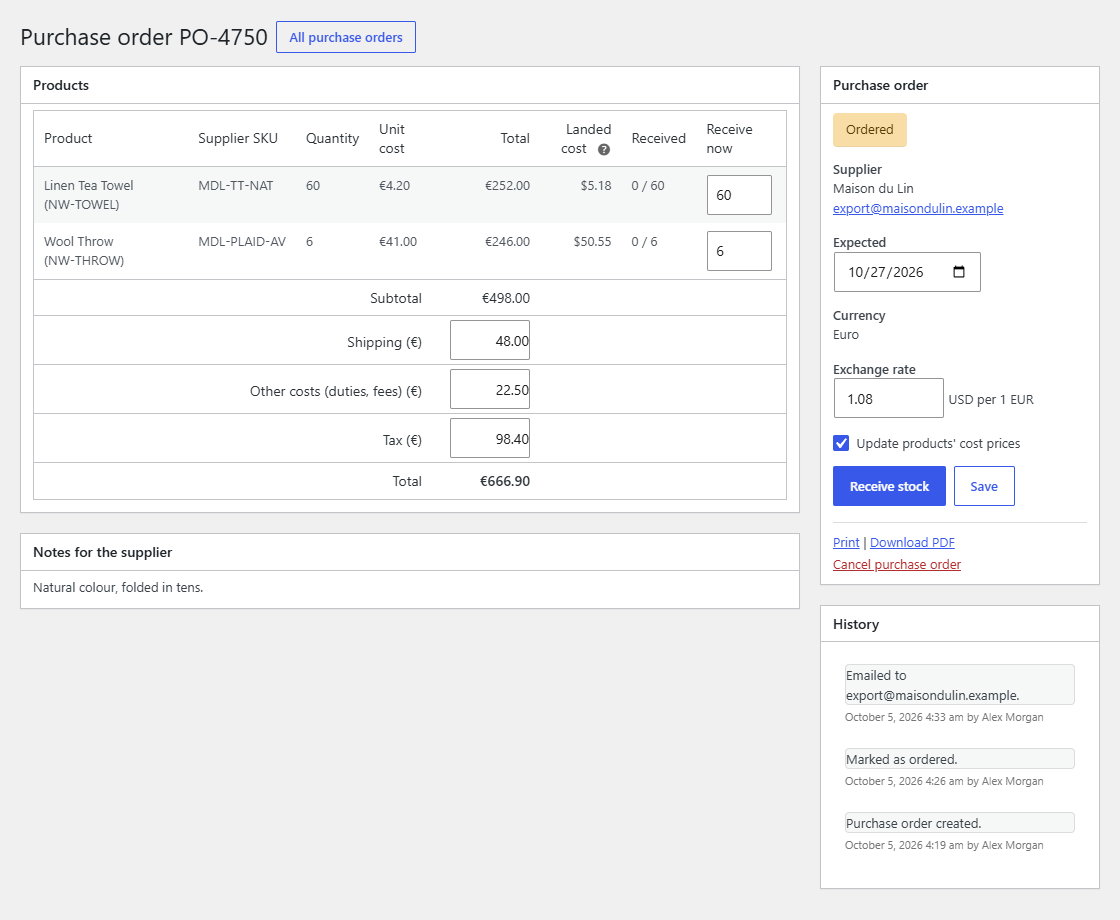
A supplier's currency
Edit the supplier and choose their Currency in the Details box. New purchase orders to that supplier are in it, and so are the prices you enter for them under Other suppliers.
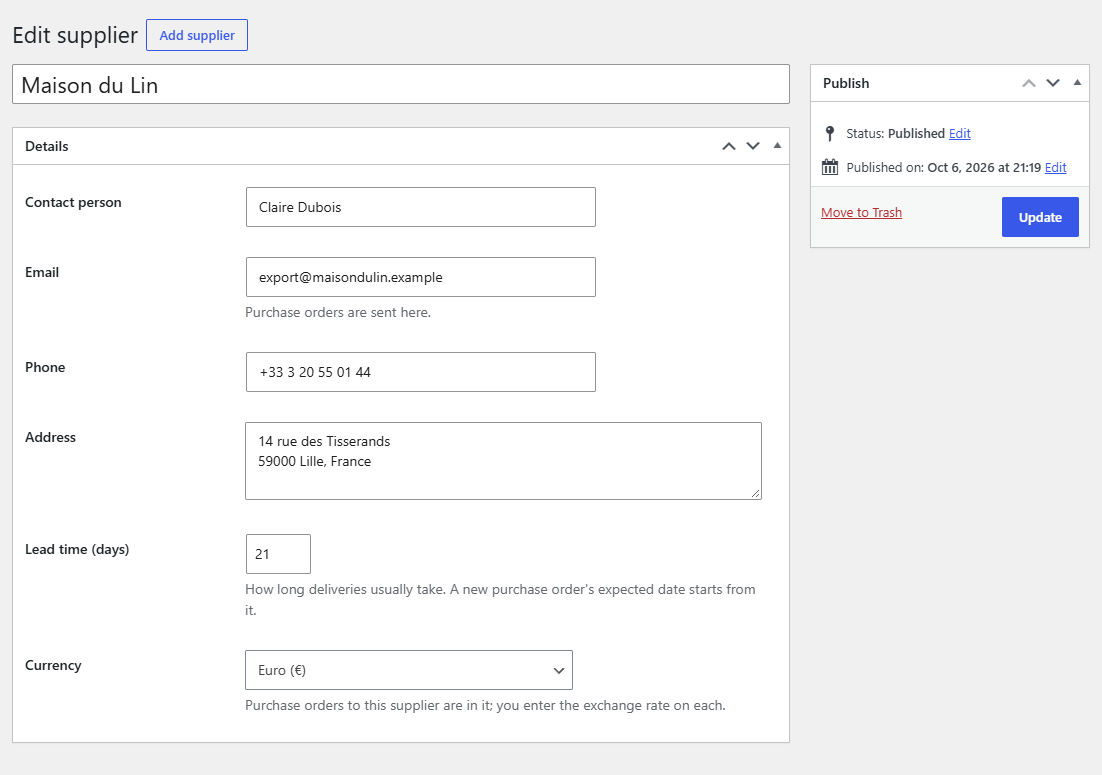
A purchase order keeps the currency it was created in. Changing a draft's supplier changes its currency to the new supplier's.
The exchange rate
A purchase order in another currency has an Exchange rate field in its side box: how much of your currency one unit of theirs costs, for example "1.08 USD per 1 EUR". It's needed before you can mark the purchase order as ordered, and you can change it until it's received, as the rate you actually pay may differ from the day you ordered.
When the purchase order is marked as ordered, its rate becomes the starting rate for the supplier's next one.
Shipping, other costs and tax
Under the products' subtotal there are three fields, in the purchase order's currency:
- Shipping
- Other costs (duties, fees)
- Tax
They're added to the total, shown in the email and the PDF, and can be changed until the purchase order is received or cancelled.
Landed costs
Once the purchase order is ordered, a Landed cost column shows, in your currency, what each unit really cost:
- The unit cost, plus its share of shipping and other costs. The share is split by line value, so a line worth 40% of the subtotal carries 40% of the shipping. (When no line has a cost, it's split by units.)
- Converted with the purchase order's exchange rate.
Tax is left out, as it's usually reclaimed.
For example: 10 bowls at €4 and €8 shipping on a €40 order: each bowl carries €0.80 of shipping, €4.80 landed, and at 1.20 USD per EUR that's $5.76.
The cost history and the cost price
When you receive stock, each product's landed unit cost goes into its Cost history, listed at the bottom of its Inventory tab (the last five, with the date and a link to the purchase order; the last 20 are kept).
It also becomes the product's Cost price, which new purchase orders start from. To keep a product's cost price as it is, untick Update products' cost prices above Receive stock. To make that the default, untick Cost price under Receiving in WooCommerce → Settings → Products → Purchasing.
Without Supplyline Pro
If Supplyline Pro is deactivated, purchase orders keep everything recorded on them. Supplyline shows a purchase order's amounts in its own currency, and when it has shipping, other costs or tax, a note says the total leaves them out. The cost history stays on the products for when Pro is back.