
Return policy
The return window, which orders can be returned, the reasons customers pick, approval, return instructions and the restocking fee.
Everything about your policy is on WooCommerce → Settings → Returns.
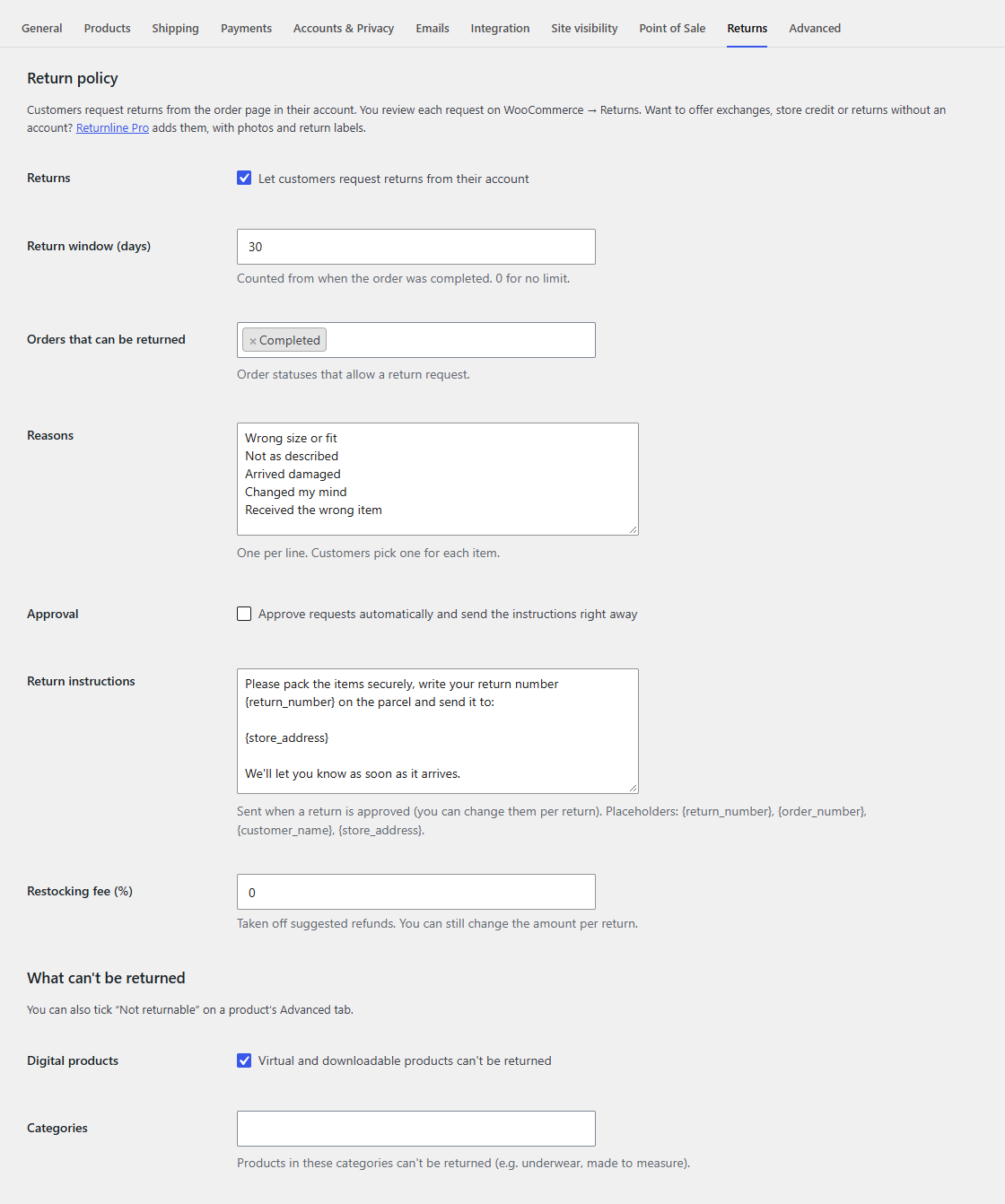
Returns
Untick Let customers request returns from their account to stop new requests, for example during a stock-take. Customers then don't see the Return button, and the Returns page in their account only stays for those who already have returns. You can still create returns yourself from the order screen.
Return window
How many days customers have to ask for a return, counted from when the order was completed (or, for orders that never were, from when they were paid or placed). The default is 30. Enter 0 for no limit.
Customers see the last day on the order page and on the request form ("You can request a return until …"). After that, the order no longer offers a return.
Orders that can be returned
The order statuses that allow a request. The default is Completed, so customers can only return what has been delivered. Add Processing if you want customers to start a return before you've marked the order as completed.
Reasons
One per line. Customers pick one for each item they return, and you see it on the return and in your reports of what comes back. Keep the list short and clear, for example:
Wrong size or fit
Not as described
Arrived damaged
Changed my mind
Received the wrong item
Approval
With Approve requests automatically on, every request is approved as soon as it's sent, and the customer gets the return instructions straight away. Leave it off to review each request first, for example to decline returns of items that were obviously used.
Return instructions
What the customer is told to do once you approve a return: usually how to pack the items, what to write on the parcel and where to send it. You can change them for a single return when you approve it.
Placeholders:
| Placeholder | Becomes |
|---|---|
{return_number} |
The return number, e.g. R-12 |
{order_number} |
The order number |
{customer_name} |
The customer's first name |
{store_address} |
Your store's name and address, from WooCommerce → Settings → General |
Restocking fee
A percentage taken off the refund Returnline suggests, e.g. 10 for a 10% fee. It's only a suggestion: you can change the amount on each return before you refund it. Leave it at 0 for full refunds.
Account page address
The last part of the address of the Returns page in your customers' account, returns by default (so /my-account/returns/). Change it if it clashes with another page, or to translate it.