
Exchanges
Customers ask for another size or colour; you send it with a replacement order, settling any price difference.
Note
This is part of Returnline Pro.
What customers choose
With Exchange among Customers can ask for, the request form offers it next to a refund. When the customer picks it, each item gets an Exchange for choice:
- The same item, for a faulty one;
- any other variation of the same product that's in stock, for example another size or colour.
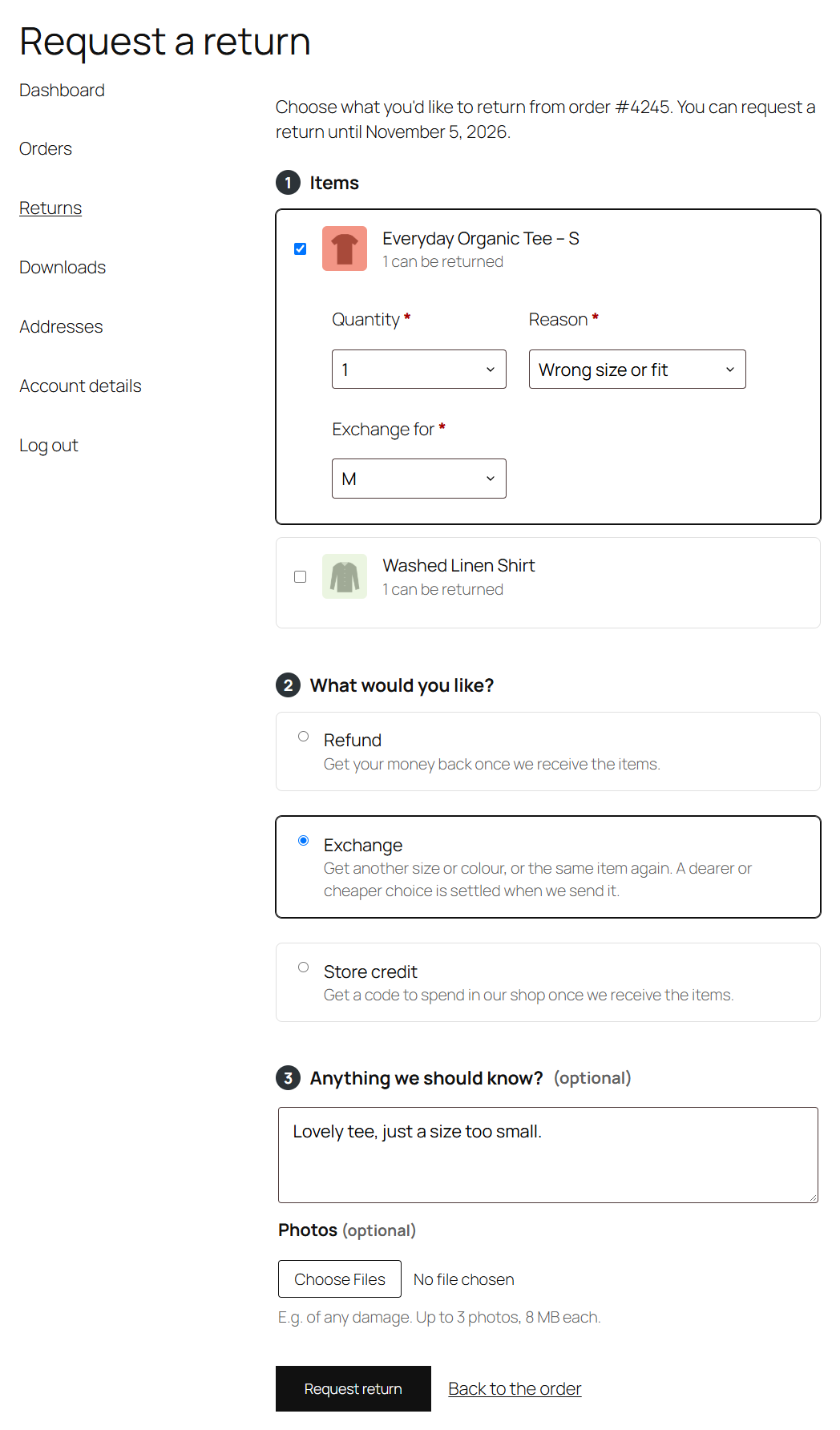
The return page and emails show what each item is exchanged for.
Sending the replacement
Approve and receive the return as usual. The next step is then Send the replacement, with the replacements listed:
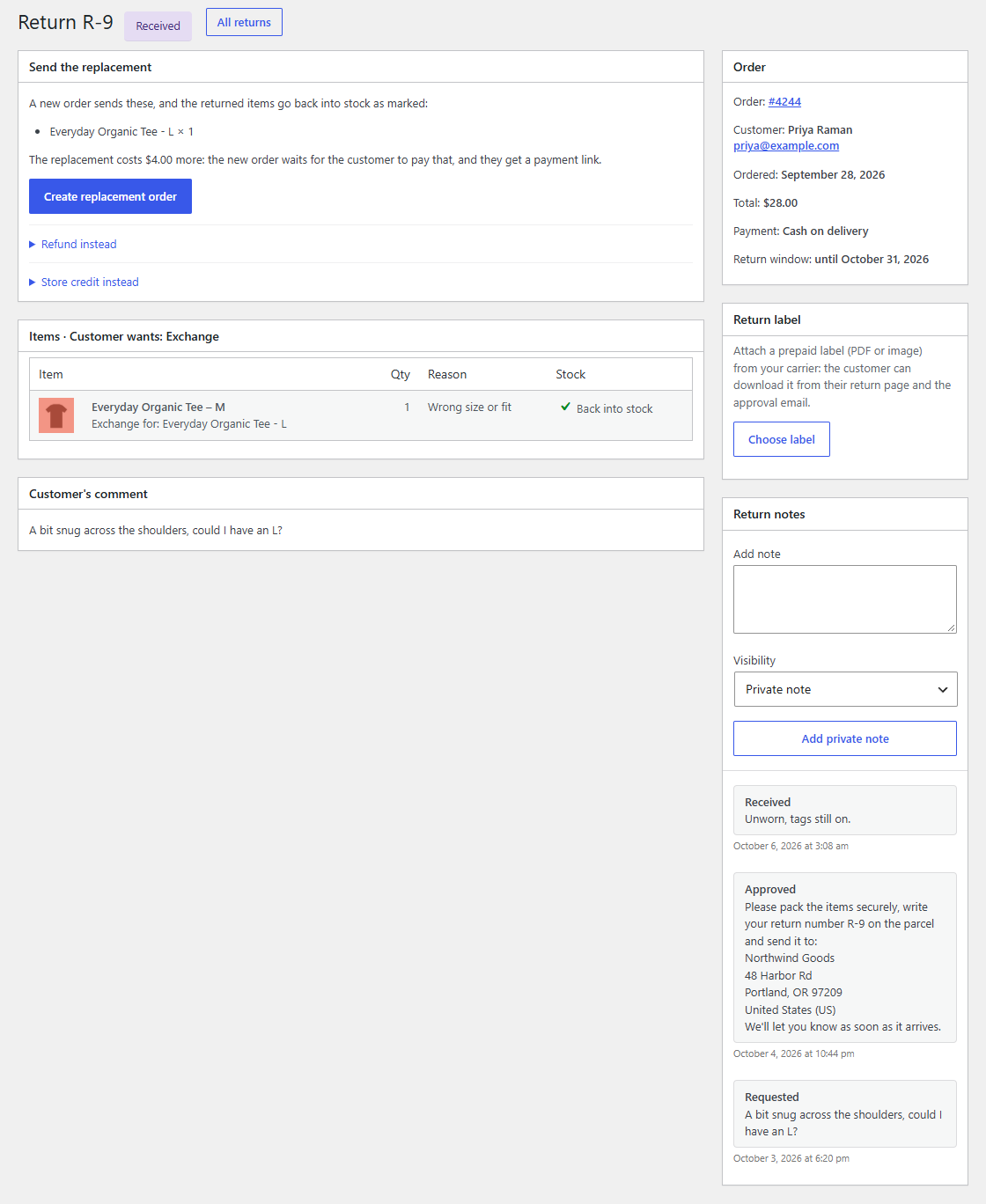
Click Create replacement order. Returnline Pro:
- records the returned items on the original order with a WooCommerce refund (of 0, or of a price difference), restocking those marked Restock;
- creates a new order for the same customer and addresses, with the replacements at no charge, created by "returnline";
- moves it to Processing, which takes the replacements out of stock and puts it in your fulfilment queue like any order.
The customer gets the "Your return is complete" email: their replacement is on its way, and they'll get a shipping confirmation as usual. The return page links the replacement order.
Price differences
With Exchange price differences on (the default), a replacement that costs more or less than what the customer paid is settled:
- Dearer: the replacement order gets a "Price difference" fee and waits in Pending payment. The customer gets WooCommerce's payment link by email, and a Pay the difference button in the "complete" email and on their return page. Once paid, it's processed and takes the stock like any order.
- Cheaper: the difference is refunded on the original order, through the payment gateway when it can (tick Send the money back through …).
The difference compares the replacement's price now, including tax, with what the customer paid for the returned item. Turn the setting off to send replacements at no charge either way.
Exchanging instead, or refunding instead
The customer's choice comes first, but every way is offered: Refund instead and Store credit instead under an exchange, and Exchange instead under a refund request (it sends the same items again). For returns you create yourself, choose Exchange to send the same items again.
If a product is gone
If a replacement product was deleted since the request, creating the replacement order stops with a message. Complete the return with a refund instead, or create the order by hand.