
Orders and returns by phone
The Returns box on every order, creating a return yourself, and orders where the customer used WooCommerce's withdrawal form.
The Returns box
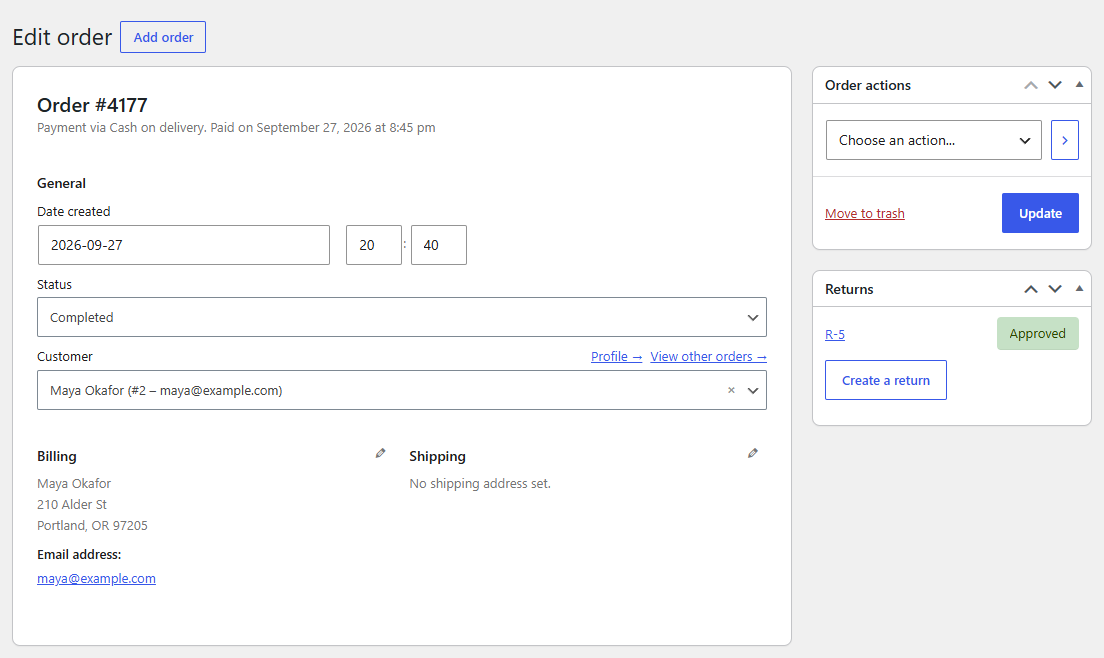
Every order screen (HPOS and classic) has a Returns box in the sidebar, with the order's returns and their status. Click a return number to open it.
Creating a return yourself
For returns that come in by phone, email or in your shop, or for customers without an account:
- Open the order and click Create a return in the Returns box, or choose Create a return in Order actions and click Update.
- Enter how many of each item come back, and a reason (pick one of yours or type another).
- Click Create return.
The return starts as a request, so you approve it next as usual: the customer then gets the instructions by email. Returns you create don't send the "We received your return request" emails.
Staff returns ignore the return window and the order status: you can take back anything that's still returnable.
WooCommerce's withdrawal form
When WooCommerce's Order withdrawal feature is on and a customer uses its form to withdraw from an order, the Returns box shows a warning on that order, and the return's page says so too. Create a return for it to handle the items and the refund.