
Using Wholesaleline
Hidden prices
Show prices only to logged-in customers, or only to approved wholesale customers, with a link to log in or apply instead.
For a trade-only catalogue, or one where only approved customers may see prices, Wholesaleline can hide prices from guests, from logged-in customers without a group, or from chosen groups.
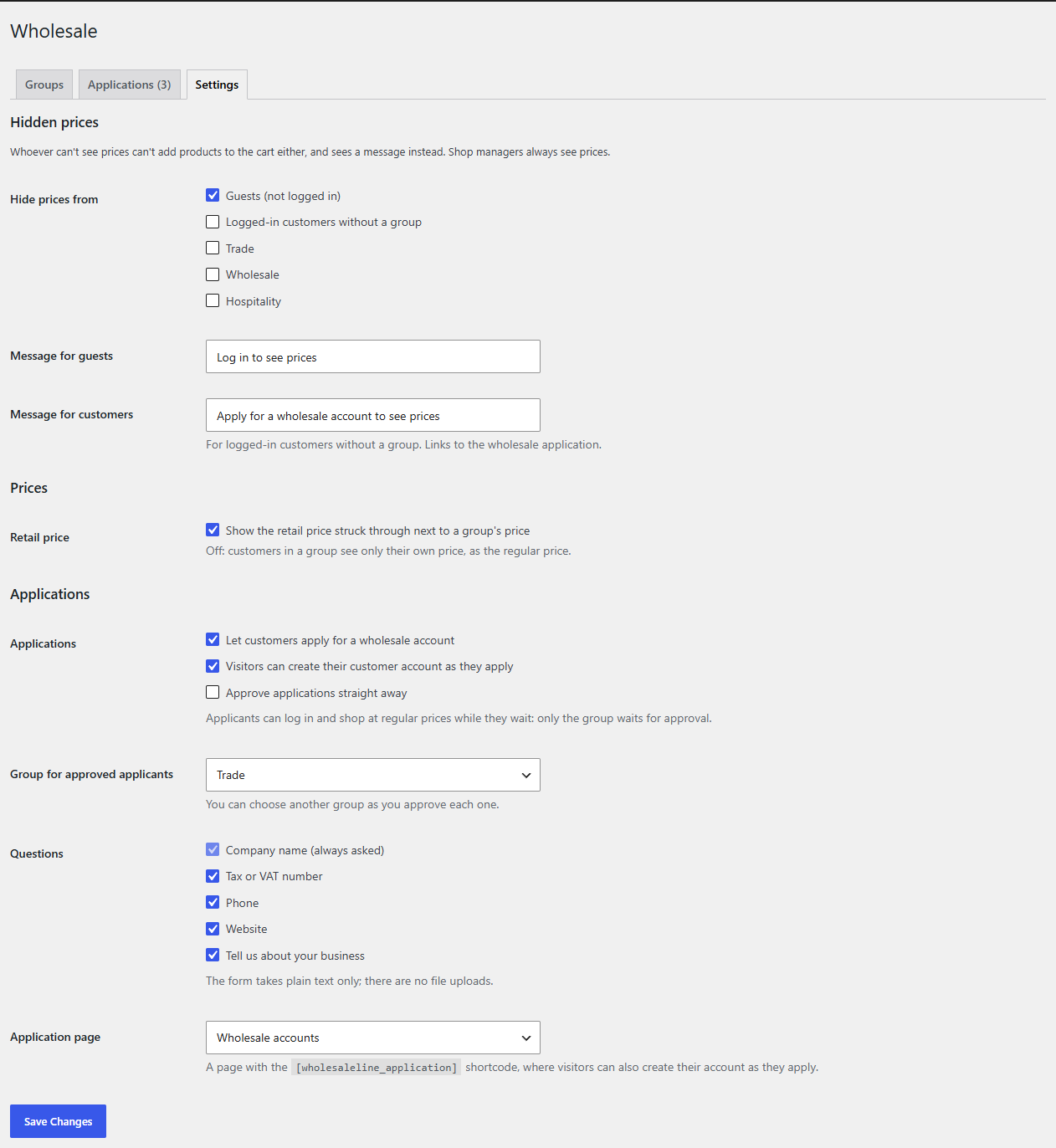
Hide prices
- Go to WooCommerce → Wholesale → Settings.
- Under Hidden prices, tick who can't see prices in Hide prices from:
- Guests (not logged in)
- Logged-in customers without a group. A customer with their own price list but no group still sees prices: every product's, at the regular price where their list has none.
- any of your groups.
- Change the messages they see if you like:
- Message for guests: "Log in to see prices" by default. It links to My Account, where they can log in or register.
- Message for customers: "Apply for a wholesale account to see prices" by default, for logged-in customers without a group. It links to the wholesale application. (With applications off, they see "Prices are not shown for your account.")
- Click Save Changes.
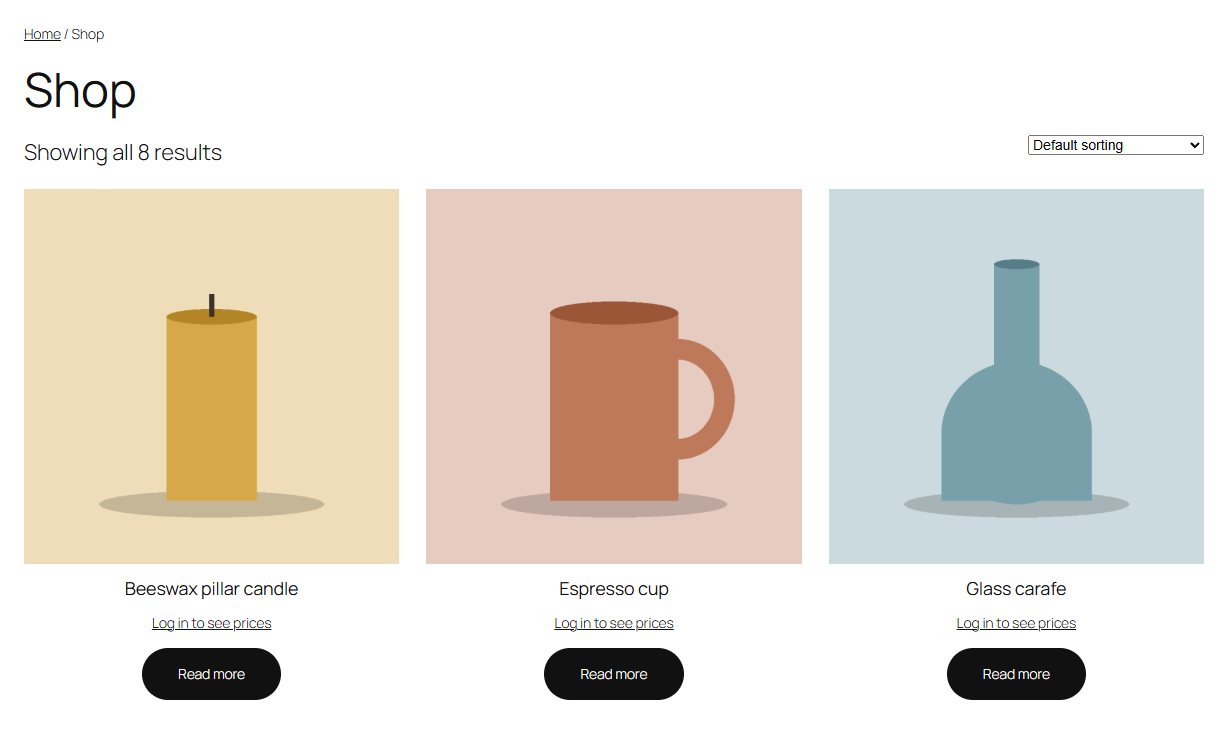
What "hidden" means
For whoever can't see prices:
- the price is replaced by the message, on the shop, category and product pages and in product blocks;
- products can't be added to the cart anywhere: the product page has no Add to cart form, and shop buttons read Read more;
- prices are left out of variation data, the Store API's product data and the product information search engines read;
- Discountline's quantity tiers, Labelline's price and saving labels and Optionline's option prices are hidden too (Discountline and Labelline from version 1.0.1).
Shop managers and administrators always see prices.