
Shared stock pools
Create, edit, pause and delete pools on Products → Shared stock, with units, decimals, backorders and a low stock alert.
A pool is one stock count that many products sell from. Everything about pools is on Products → Shared stock.
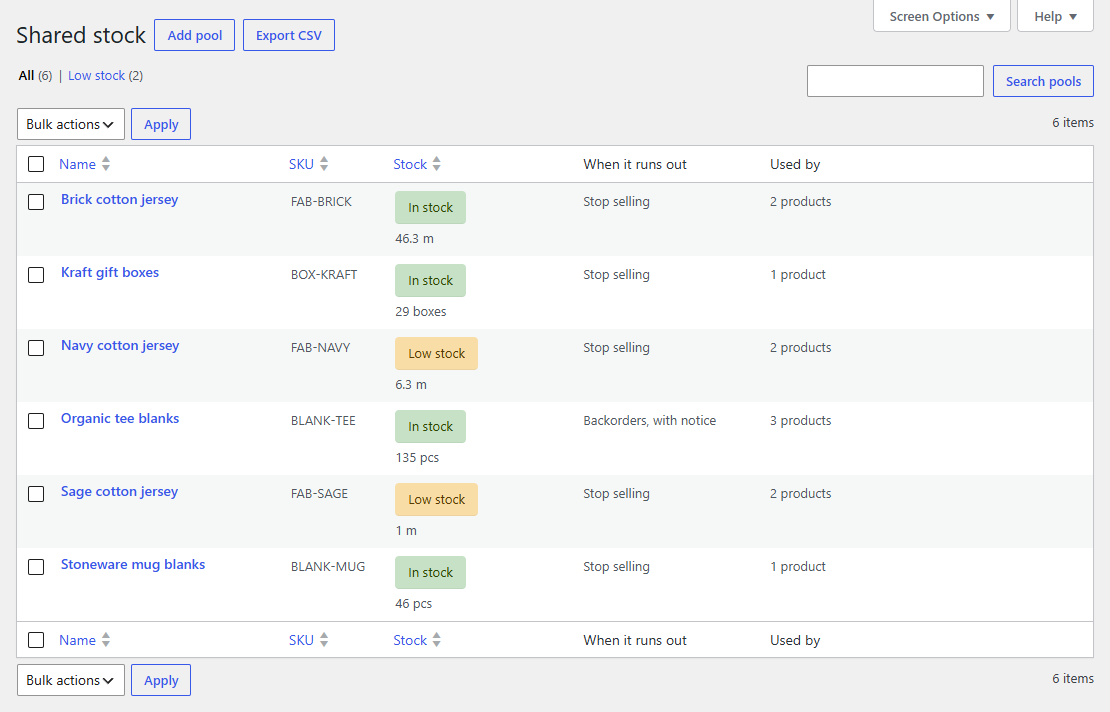
The pool list
Each pool shows its stock state (In stock, Low stock or Out of stock, in WooCommerce's coloured pills), how much is left with its unit, what happens when it runs out, and how many products and variations are linked to it.
- Views at the top filter the list to low stock, out of stock or paused pools.
- Search finds pools by name or SKU.
- Bulk actions pause, resume or delete several pools at once. Deleting asks you to confirm first.
- Export CSV downloads every pool, for a stock count in a spreadsheet or another system.
Creating a pool
Click Add pool and fill in:
- Name, as you'd say it in the stockroom: "Brick cotton jersey", "Stoneware mug blanks".
- Stock you have now. Decimals are fine.
- Unit, optional: shown after every amount, so 44.3 reads as "44.3 m". Pick a suggestion or type your own (
rolls,sheets,bottles).
Then Create pool. The pool is ready to link to products.
The pool's page
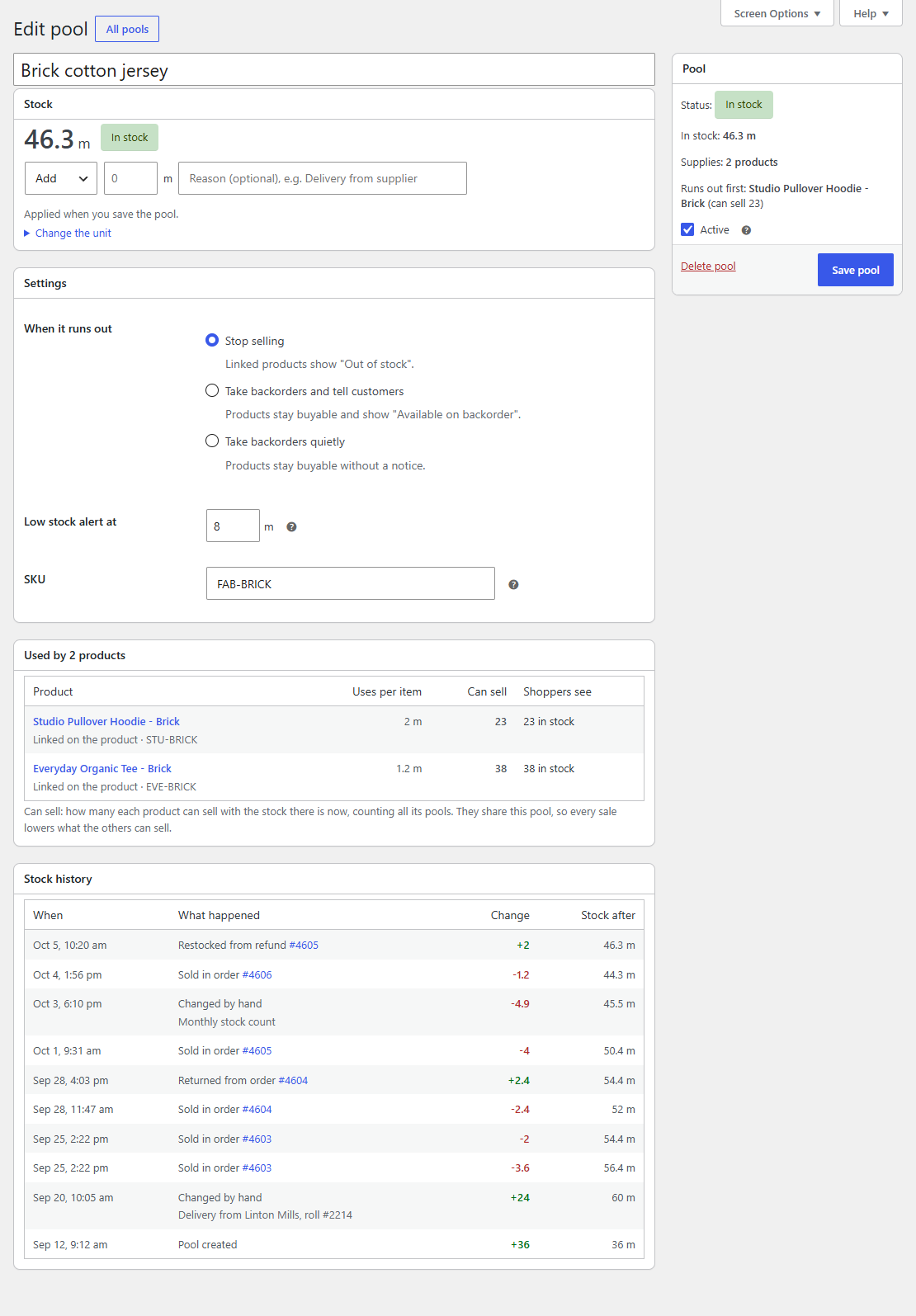
- Stock shows what's left, large, with its state. Change it here (see Stock history and alerts).
- Settings:
- When it runs out: Stop selling (products show "Out of stock"), Take backorders and tell customers (products stay buyable and say "Available on backorder"), or Take backorders quietly.
- Low stock alert at: the amount at which you get an email. Empty uses the store's low stock amount from WooCommerce's inventory settings.
- SKU: your own code for the pool, used by the CSV export, the Gridline column and other systems. Each SKU can belong to one pool only.
- Used by lists every product and variation that sells from the pool, how much each uses per item, how many each can still sell (lowest first) and what shoppers see right now.
- Stock history lists the last 50 changes.
The box on the right sums it up: the state, the stock, how many products it supplies and which one runs out first.
Pausing a pool
Untick Active and save to pause a pool. Its products then sell on their own stock settings, as if they weren't linked, until you tick it again. Links and history are kept.
Deleting a pool
Delete pool removes the pool and its history. Products that used it lose their link to it and go back to their own stock settings (or their other pools). Orders keep their notes. This can't be undone, so pausing is usually the better choice for a pool you might need again.