
Orders, cancellations and refunds
When pools lose and get back stock as orders are paid, cancelled, refunded or edited, and the note each order gets.
Stockpool takes and returns pool stock at the same moments WooCommerce takes and returns a product's own stock, so the two always agree.
When stock is taken
When WooCommerce reduces an order's stock: usually when it's paid, or set to processing or on hold. Each line takes its quantity times what one item uses from every pool the product uses. A pending order takes nothing yet (checkout holds the stock meanwhile; see What shoppers see).
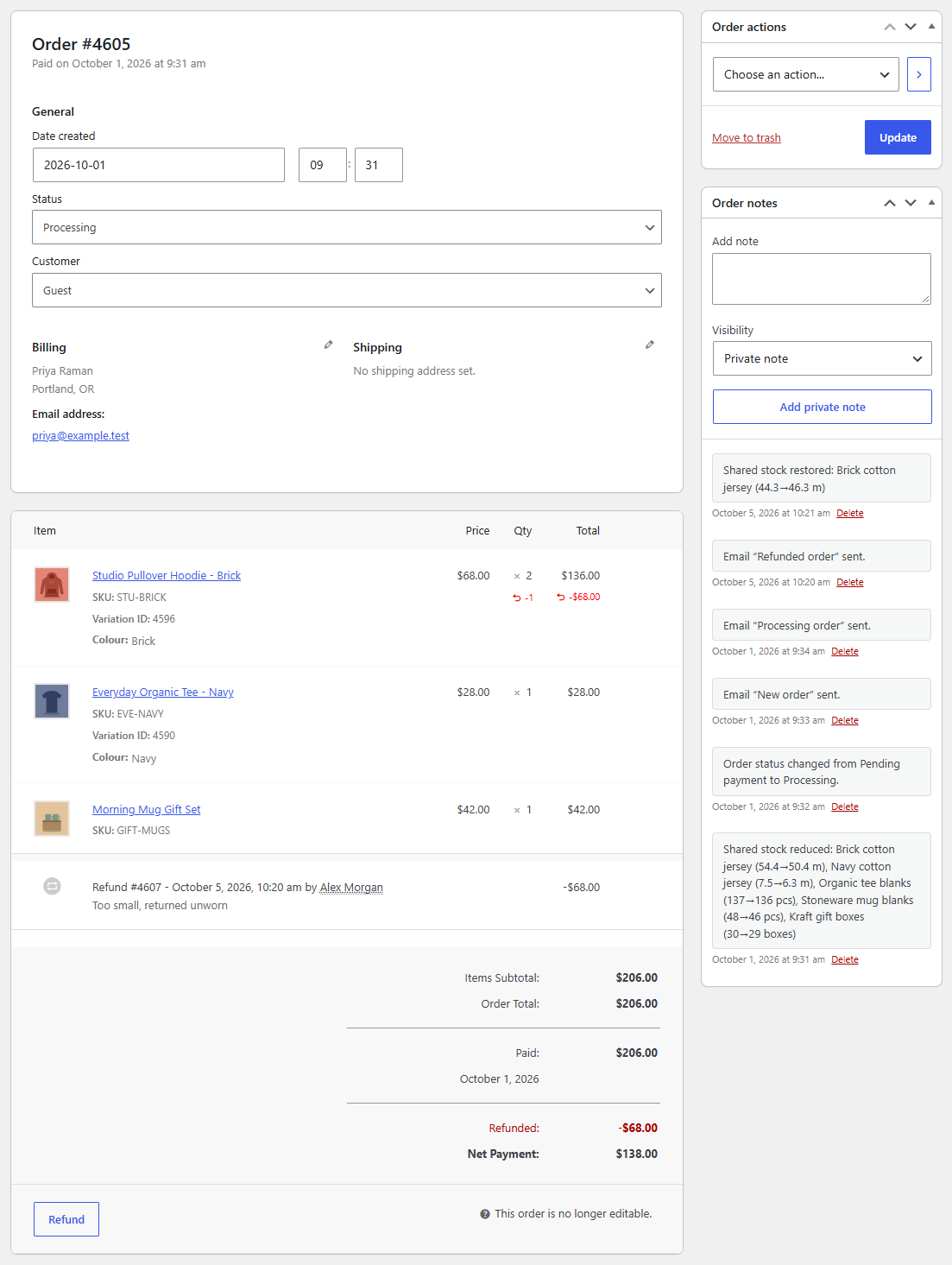
The order gets a note such as Shared stock reduced: Navy cotton jersey (7.5→3.5 m), Organic tee blanks (140→138).
When stock comes back
- Cancelled or failed orders give back everything they took.
- Refunds with Restock refunded items ticked give back the refunded items' share. Refunds without restocking give nothing back.
- Edited orders: changing a line's quantity or removing a line on the order screen takes or returns the difference. A line you add to an order whose stock is already reduced takes its share when you save the order.
Each change adds a note to the order, and a line in each pool's stock history with the order number.
Stock always goes back where it came from
Every order line records which pools it took from and how much. If you later link the product to different pools or change the amount per item, cancelling or refunding an old order still returns stock to the pools it actually came from. An old order never takes stock from pools linked after it reduced its stock, even when you edit it later, and orders that reduced their stock before Stockpool was installed are left alone.
Orders made in the admin
An order you create on the order screen takes stock like any other once its stock is reduced, but it never went through checkout's hold. If that takes a pool below zero, the order gets a note saying so: restock the pool or change the order.
When stock management is off
If Enable stock management is off in WooCommerce's inventory settings, WooCommerce doesn't reduce stock, and neither does Stockpool.