
Fees for premium slots
Charge extra for evening, weekend or other premium time slots; the fee is shown at checkout and added to the order.
Note
This is part of Slotline Pro.
Some slots cost you more to run: evenings, Saturdays, the first slot of the morning. Slotline Pro lets you charge for them.
Setting a fee
In WooCommerce → Settings → Shipping → Delivery dates, every time slots table (Delivery, Pickup and each of the More schedules) has a Fee column. Enter the amount in your store's currency, e.g. 5 for an evening slot, and save. Leave it empty for no fee.
At checkout
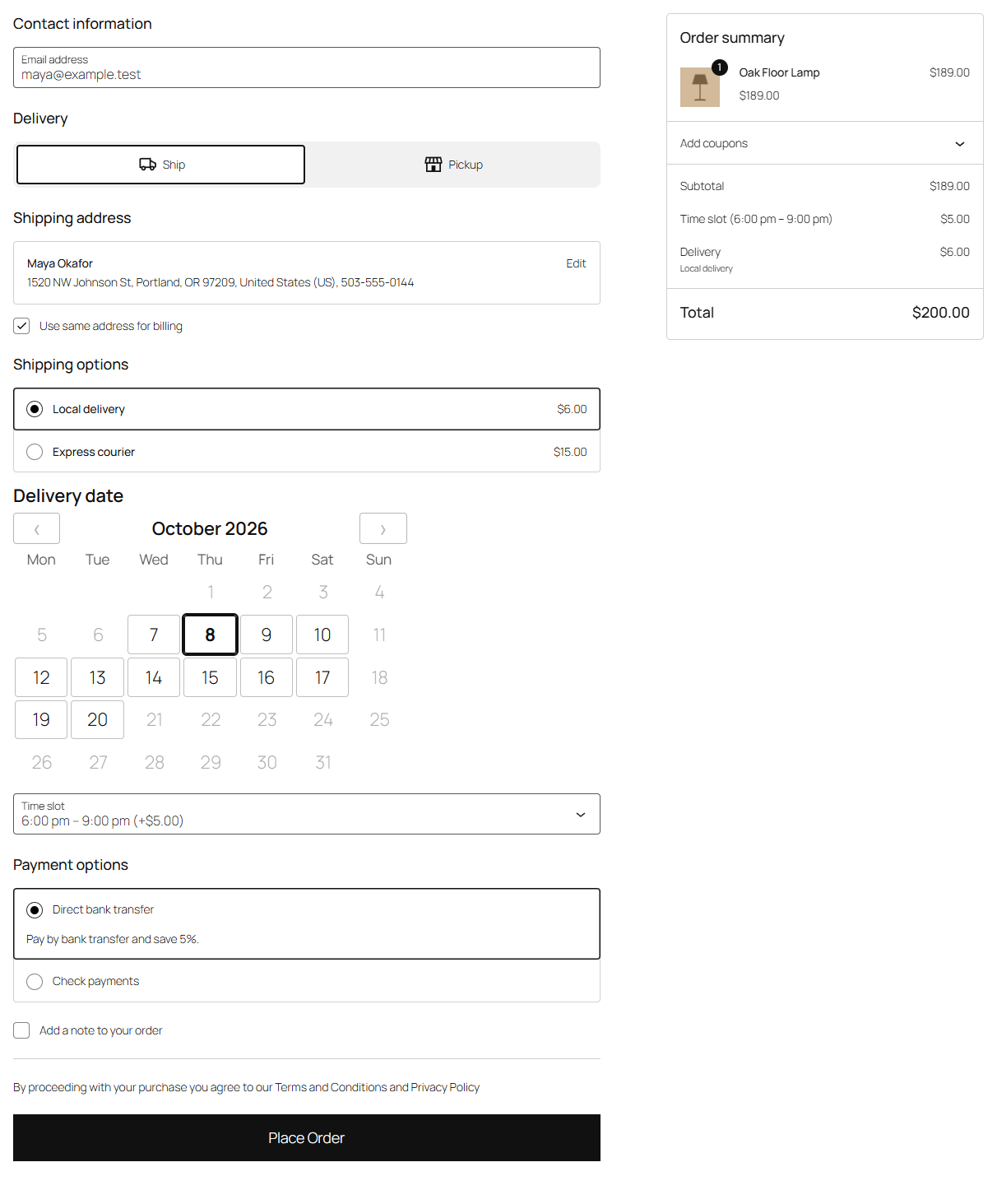
- The fee shows next to the slot: "6:00 pm – 9:00 pm (+$5.00)".
- When the customer chooses the slot, the order summary gets a fee line, "Time slot (6:00 pm – 9:00 pm)", and the total goes up. Choosing a slot without a fee removes it again.
- The fee is taxable like your other fees, with the cart's tax settings.
The fee line stays on the order, in the confirmation, My Account and emails, like any other fee.
Fees and changing slots
The order remembers the fee its slot had when it was booked. When customers change their time from their account (see Customers change their time), they're only offered slots with the same fee, so the total never changes after payment.
Changing a fee later
A new fee applies to orders placed from then on. Orders already placed keep the fee line they were charged.
Without Slotline Pro
If Slotline Pro is deactivated, fees are no longer added at checkout and the Fee column disappears. The fees you entered are kept with the slots (even if you save the Delivery dates settings meanwhile) and apply again once Pro is active.