
How results are found
What Searchline searches, how results are ordered, and how typos, plurals and "did you mean" work.
Searchline keeps its own search index: every word of your products, pages and posts, with where it was found. A search looks the words up there, so it can forgive typos, match plurals and use SKUs, categories and custom fields, which WordPress's own search can't.
Choose what is searched
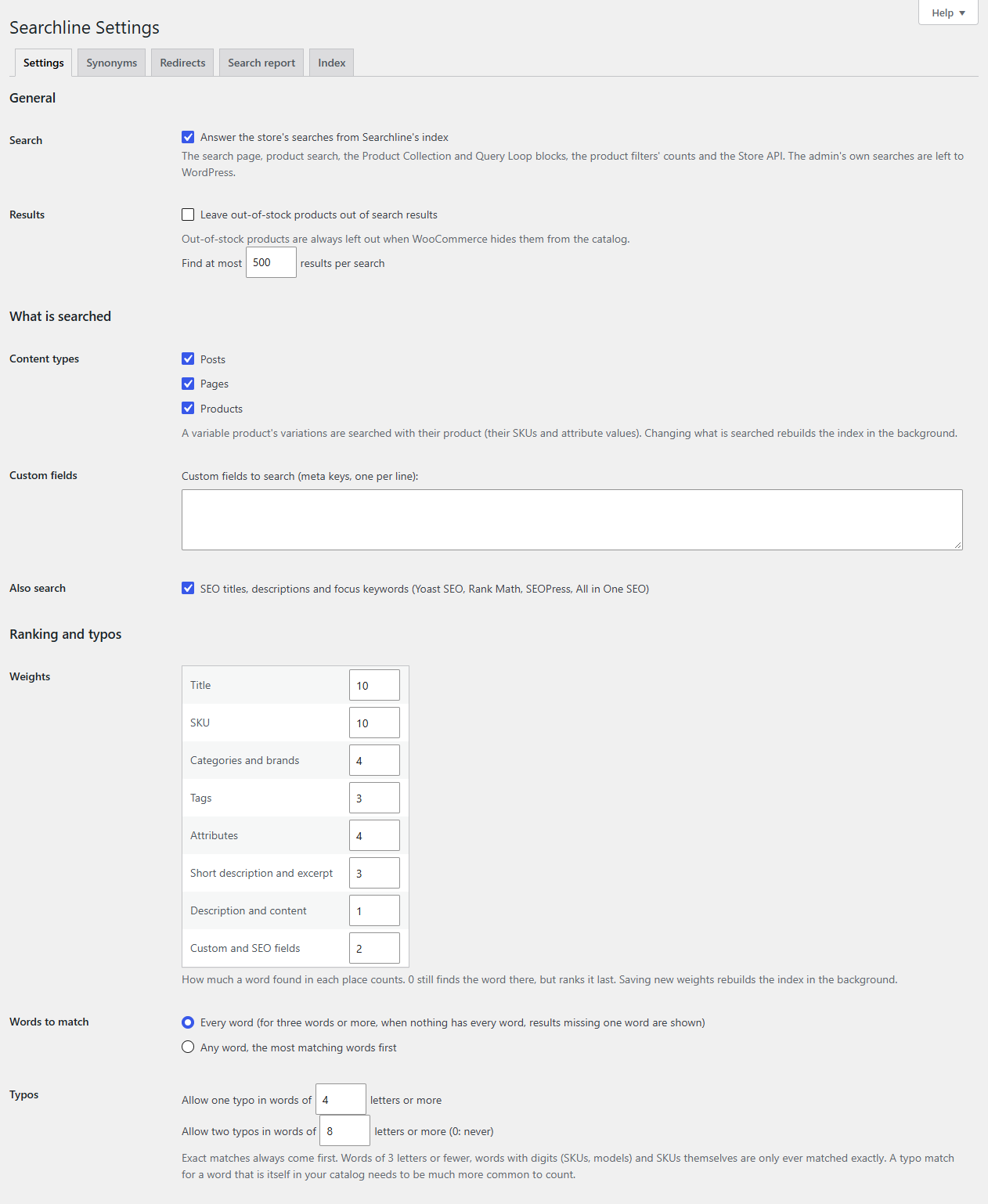
Go to WooCommerce → Searchline → Settings, section What is searched.
| Setting | What it does |
|---|---|
| Content types | Products, pages, posts and any other public content type on your site, such as Fileline's downloads. A variable product's variations are searched with their product: a search for a variation's SKU or attribute value finds the product. |
| Custom fields | Text fields defined with ACF, Meta Box or Pods are listed with checkboxes. Type any other custom field's meta key in the box, one per line. |
| Also search | SEO titles, descriptions and focus keywords (Yoast SEO, Rank Math, SEOPress, All in One SEO). With Optionline active, also Product option labels and choices (Optionline). |
For products, Searchline always searches the title, SKU, categories, brands, tags, attributes, short description and description.
Changing what is searched rebuilds the index in the background. Searches keep working meanwhile.
Note
Only published content is searched. Drafts, private and password-protected posts are left out, and so are products whose Catalog visibility is "Shop only" or "Hidden".
Weights: what counts most
Under Ranking and typos → Weights, each place a word can be found has a number from 0 to 100. A word found in a place with a higher number counts for more.
| Place | Default |
|---|---|
| Title | 10 |
| SKU | 10 |
| Categories and brands | 4 |
| Tags | 3 |
| Attributes | 4 |
| Short description and excerpt | 3 |
| Description and content | 1 |
| Custom and SEO fields | 2 |
0 still finds the word there, but ranks it last. Rare words count for more than words most products share, and a word that appears several times in one place counts a little more. Saving new weights rebuilds the index in the background.
Words to match
- Every word (for three words or more, when nothing has every word, results missing one word are shown): the default. "blue linen apron" finds aprons that are blue and linen. If none is, it shows what matches all but one of the words ("linen apron", "blue apron") rather than nothing. A search of two words needs both: "gift card" doesn't show everything that is a gift, and shows up in the search report as a search that found nothing.
- Any word, the most matching words first: everything that has at least one of the words.
Results that match a word exactly come before those found through a typo. Common words such as "the", "and" or "with" are ignored on English sites.
Typos
Under Typos:
- Allow one typo in words of 4 letters or more (4 to 20).
- Allow two typos in words of 8 letters or more (0: never) (0 to 30). It is always longer than the one-typo length.
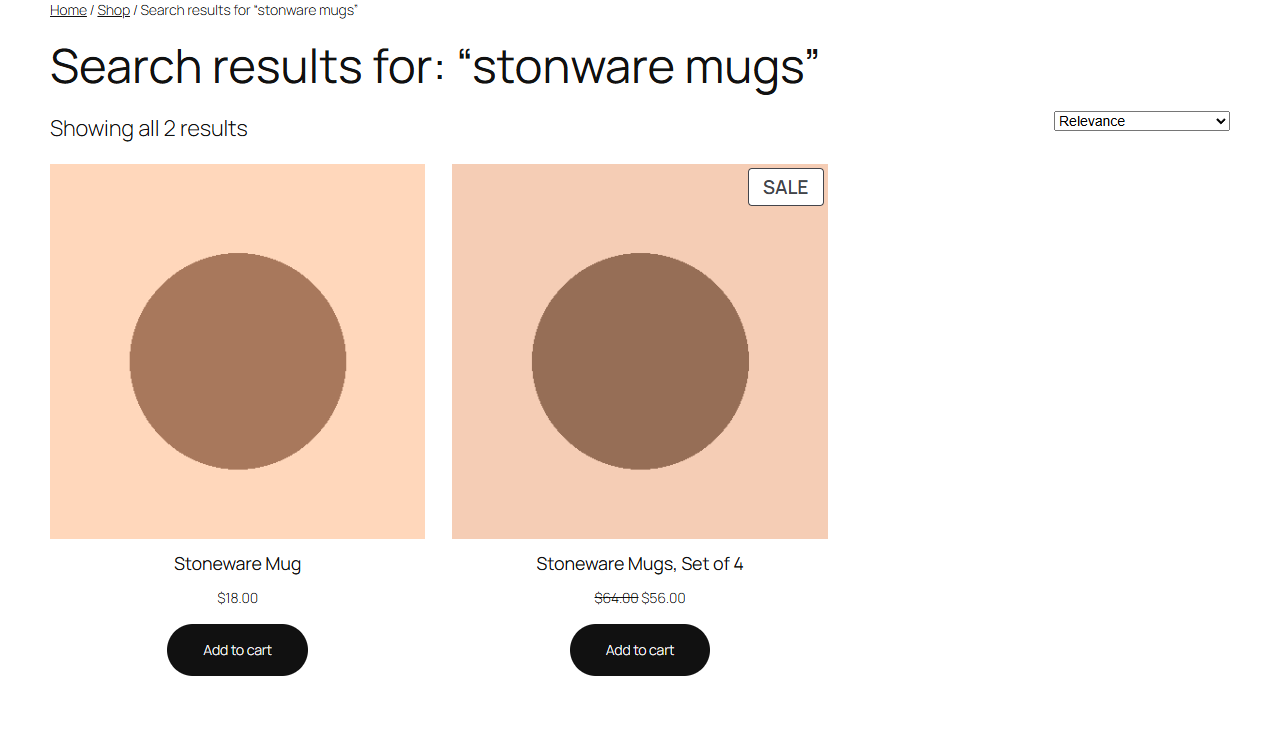
A typo is one letter missing, added, changed, or two letters swapped. So "stonware" finds "stoneware" and "napkns" finds "napkins".
Some words are only ever matched exactly:
- words of 3 letters or fewer;
- words with digits, such as SKUs and model numbers ("HD-100");
- SKUs themselves.
And exact matches always come first. When a search word is itself a word in your catalog, a typo match must be much more common to count, so "shirt" never brings up "skirt", while "shrit" finds "shirt".
Plurals, hyphens and accents
- On English sites, words are matched by their stem: "boots" finds "boot" and "mugs" finds "mug". Other languages match words as they are written.
- Capitals and accents don't matter: "creme" finds "Crème".
- Hyphenated words and SKUs match however they are typed: "t-shirt" and "tshirt", or "HD-100" and "hd100".
- The last word of a search also matches words that start with it, so "tablecl" already finds "tablecloth" while a visitor is still typing.
Did you mean
When a search finds nothing, Searchline looks for the closest words in your catalog and suggests them: "Did you mean: stoneware mug". Only the words that match nothing are changed: a word your catalog has, in any form ("cards" for "card") or through a synonym, is never "corrected". Two words that are one word in your catalog are joined: "sauce pan" suggests "saucepan".
The suggestion is shown on the search results page and in the dropdown, and only when it finds something the search didn't that the visitor may see.
Where Searchline's results are used
Under General → Search, Answer the store's searches from Searchline's index is on by default. Searchline then answers:
- The search results page, in block themes and classic themes, and WooCommerce's product search.
- The Product Collection and Query Loop blocks when they show search results, and the Product Filters blocks: their counts are those of the search.
- WooCommerce's product blocks that search through the Store API, and shops that use it directly.
- The live dropdown (see Live search).
Everywhere, results are ordered by relevance unless the visitor sorts them another way (by price, for example). Everything else stays as WordPress and WooCommerce do it: paging, the number of results, catalog visibility, and which products and posts a visitor may see.
Searches in the admin (product and order lists, WooCommerce's product pickers) are left to WordPress.
Note
Until the index has been built once, or while Answer the store's searches from Searchline's index is unticked, your shop uses WordPress's own search and the dropdown is off.
Results per search
Under General → Results, Find at most 500 results per search (50 to 2000) sets how many results a search can return in all. Results pages still show your usual number per page.
Related
- Synonyms, for words your products don't use.
- Hiding results, for products and pages that shouldn't be found.