
Using Pruneline
Handover report
Print a one-page summary of how the site is built, for a client or the next developer.
Handing a site to a client or another developer? The Handover report tab of Tools → Pruneline puts how the site is built on one page, ready to print or save as PDF.
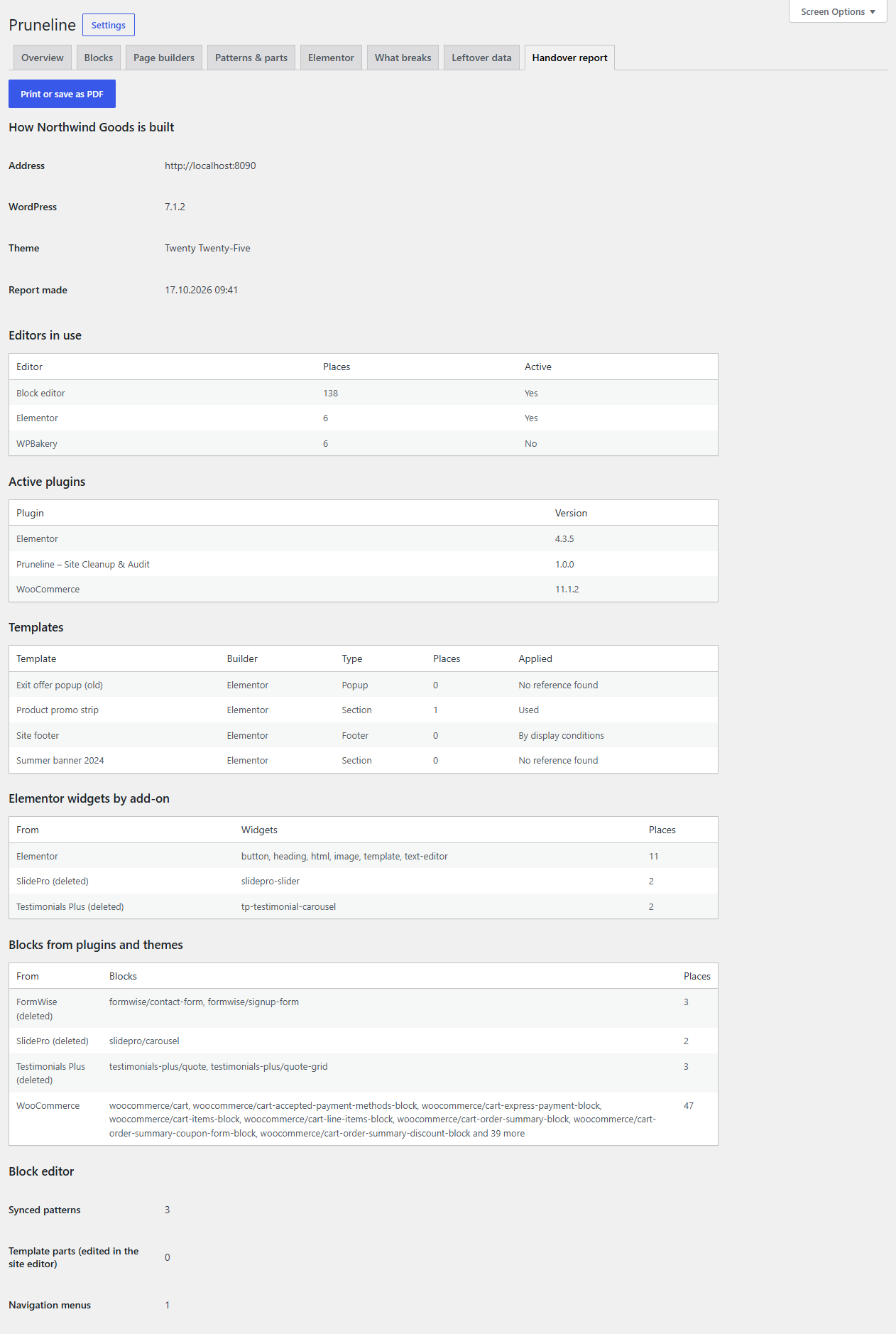
Make the report
- Go to Tools → Pruneline and run a scan, so the report is current.
- Open Handover report.
- Click Print or save as PDF. Your browser's print window opens: print it, or choose Save as PDF as the printer.
The printout shows the report alone, without the dashboard menu, tabs or buttons.
What's in it
Under How your site is built:
- Address, WordPress version, Theme (with its parent theme) and when the report was made.
- Editors in use: the block editor and each page builder, how many places use it, and whether it is active.
- Active plugins, with their versions.
- Templates: each saved page-builder template, its builder and type, how many places use it, and how it's applied (Used, By display conditions, By its triggers, Site kit or No reference found).
- Elementor global colours and fonts, from the active kit, with colour swatches.
- Elementor widgets by add-on: which add-on each widget in use comes from, and how many places use them.
- Blocks from plugins and themes: blocks other than WordPress's own, grouped by the plugin they come from.
- Block editor: how many synced patterns, template parts edited in the site editor and navigation menus are published.
Sections with nothing to show, such as Elementor's colours on a site without Elementor, are left out.