
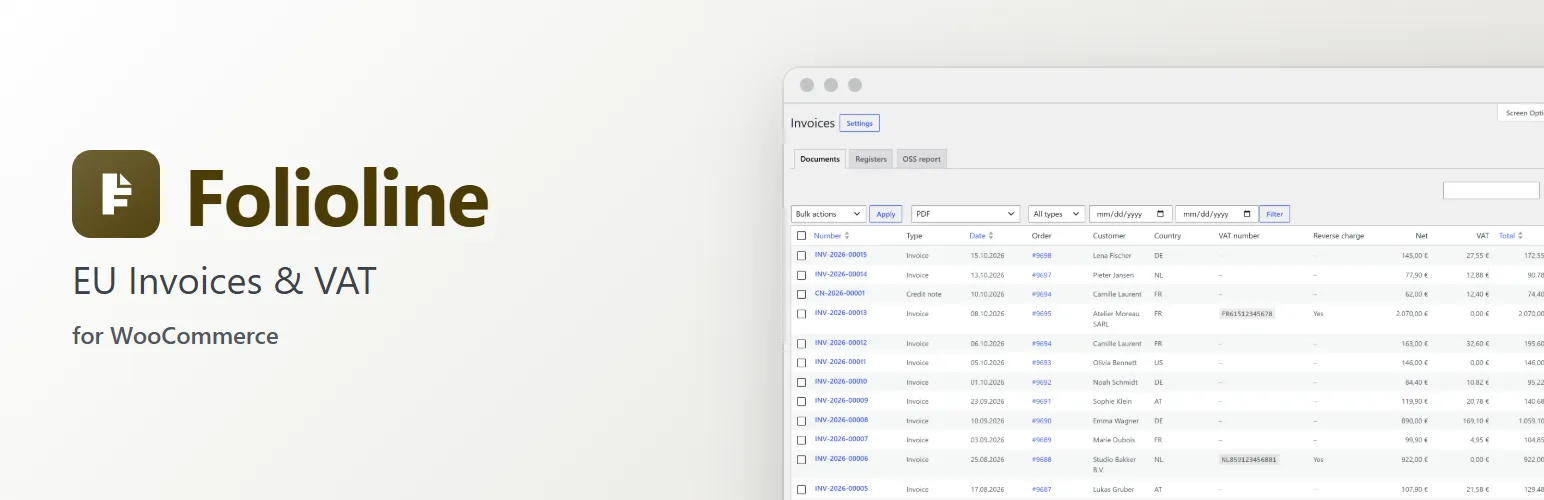
A shop selling in the EU needs a proper invoice for every order: a number from an unbroken series, the seller's and buyer's VAT details, the VAT per rate, and a credit note when money goes back. Business customers in other EU countries expect VAT to come off when they give a valid VAT number, and more and more buyers ask for an e-invoice file. Folioline does this inside WooCommerce: invoices are issued when orders reach the statuses you choose, numbered without gaps, frozen so they never change, attached to WooCommerce's own emails and listed under WooCommerce → Invoices.
Invoices and numbering
- Invoice numbers without gaps or repeats, in your own format with
{number},{year}and{month}, padded with zeros, restarting every year if you like, from the first number you choose. - Invoices are issued on their own when an order reaches the statuses you pick (Processing and Completed by default), or by hand from the order screen, as a bulk action on the orders list, or with WP-CLI.
- An issued invoice never changes: Folioline keeps a frozen copy of what it says, so editing the order, a product or your settings later doesn't touch it. Mistakes are corrected with a credit note.
- Free orders get no invoice unless you want one, and unpaid orders (bank transfer, cash on delivery) get a due date and your bank details.
Credit notes
- A credit note for every refund of an invoiced order, in its own number series, naming the invoice it credits.
- Refunds without money back get no credit note. Refunds made before the invoice get theirs right after it.
VAT numbers and reverse charge
- A VAT number field in the Checkout block and the classic checkout, and in My Account → Addresses.
- Numbers are checked with VIES, the EU's VAT number service. For a business in another EU country with a valid number, VAT comes off the totals at once (reverse charge), and the invoice says why.
- When VIES is down, you choose: take VAT off and check again later, or charge VAT and check again later. Folioline checks the number again on its own and notes the answer on the order. A later check never changes the order's totals.
- The VIES consultation number is kept on the order and printed on the invoice as proof of the check.
- A VAT box on the order screen shows the number, what VIES said and when, with Check again. On orders you create yourself, you can type the customer's number there.
- For sales to consumers, the customer's IP address and its country are kept with the order as evidence of where they are.
PDFs and e-invoices
- A PDF for every invoice and credit note (PDF/A-3), with your logo, your company details and a footer of your own, in the language it was issued in.
- Every PDF carries a Factur-X / ZUGFeRD e-invoice inside it by default.
- XRechnung (CII and UBL) and Peppol BIS Billing 3.0 files, made from the same invoice, for customers or accountants who need them. Folioline makes the files; it doesn't send them through any e-invoicing network.
- Files are made once and kept in a protected folder, as the archive copy.
For customers
- The invoice PDF attached to the WooCommerce emails you choose (Processing order, Completed order and Order details by default), and the credit note to the Refunded order email, with an e-invoice file next to it if you like.
- Logged-in customers download their invoices and credit notes under My Account → Orders. Guests get them as email attachments.
For staff and your accountant
- WooCommerce → Invoices: every invoice and credit note, with filters by type and date, a search by number, order or VAT number, and a ZIP download of the PDFs or e-invoice files.
- An Invoice column and an Issue invoices bulk action on the orders list, and a Documents box on the order screen.
- Invoice and credit note registers for any period as CSV files: one row per document, or one row per document and VAT rate for VAT returns.
- An OSS report helper: a quarter's sales to consumers in other EU countries, per country and VAT rate, in euros at the ECB's reference rates, ready to check and copy into your One-Stop Shop return.
Works with
- High-Performance Order Storage and the older posts storage, the Checkout block and the classic checkout.
- Packboard: an "Invoice" print document and the invoice number on each order card. Returnline: the credit notes of a return's refunds on the return's page. Fieldline: a notice when one of its checkout fields asks for a VAT number too, so customers aren't asked twice.
For developers
- Actions:
folioline_loaded,folioline_document_issued,folioline_file_stored,folioline_settingsand more. - Filters for the invoice number, what a document says, the tax category, the reverse charge decision, the PDF template and styles, the e-invoice data, email attachments and downloads.
- PDF and My Account templates you can copy into your theme.
wp folioline issue,wp folioline listandwp folioline rendercommands.
Folioline helps you issue correct invoices; it is not tax advice. Check what your country requires with your accountant or tax office.
Folioline is sold on extendiment.com/plugins/folioline under our Terms and Privacy Policy. The license key brings updates; every feature works without it.